How Much Does an Online Store Cost? (WooCommerce, 2026 Pricing)


A WooCommerce online store can cost £599, £1,999 or over £7,999. Each of these figures may be correct, but it usually means a completely different scope of work.
A simple store on a ready-made template, with a dozen or so products and basic shipping, is far easier to prepare than a wholesale platform with individual price lists, thousands of variants and a connection to a warehouse system.
On top of the build price you also need to add the costs that appear after launch: the domain, hosting, licences, payment provider commissions, updates and technical maintenance.
In this guide we show how much a WooCommerce online store costs in 2026, what a quote is made up of and how to compare offers that, at first glance, seem to differ only in price.
In short
Building a WooCommerce store most often costs from around £999 to 4,999 net. A simple implementation on a ready-made theme can be cheaper, while a B2B store, the migration of a large catalogue or an ERP integration can push the price up to £5,999–9,999 or more. The WooCommerce plugin itself is free — you pay for the build, configuration, tools and ongoing maintenance.
Important — how to read the figures in this article
The amounts given are indicative net prices for the Polish market as of June 2026. The final quote depends on the project scope, the quality of the product data, the number of integrations and the way the store is prepared.
In short (TL;DR)
- A simple store on a ready-made theme usually costs around £999–1,799 net.
- A professional store prepared for SEO, analytics and further growth is typically £1,799–3,599 net.
- An advanced store, a B2B wholesale platform or an implementation linked to an ERP can cost £3,599–7,999 net or more.
- Launching a store on your own can come in at £99–599, but that figure does not account for the value of your own time.
- Maintaining a store costs from a few hundred to several thousand pounds a year — depending on the server, the licences and the scope of support.
- When comparing offers, check not just the price but also the products, integrations, SEO, analytics, testing, licences and post-launch support.
How much does a WooCommerce online store cost in 2026?
The most common ways of launching a store fall into a few price brackets:
| Type of implementation | Indicative net cost | What you usually get |
|---|---|---|
| Store built yourself | £99–599 + your own time | Domain, hosting, a ready-made theme and basic plugins |
| Simple store on a ready-made theme | £999–1,799 | Basic configuration, payments, shipping and a few dozen products |
| Professional store ready for growth | £1,799–3,599 | Tailored design, technical SEO, analytics, import and integrations |
| Advanced or B2B store | £3,599–7,999+ | ERP, Baselinker, individual prices, automations and custom modules |
| Bespoke system based on WooCommerce | Individual quote | Non-standard sales logic and extensive API integrations |
These brackets partly overlap, because the number of products does not yet tell you how much work a project requires. A store with 2,000 simple products saved in a well-organised file can be easier to launch than a store with 100 products, each of which has dozens of variants, unusual shipping rules and a separate configurator.
Can you build a WooCommerce store for £579–979?
Such offers do exist and do not necessarily mean a poor build — but you have to check carefully what is included in the price.
A store on this budget most often means: a ready-made theme with minor changes, a few basic subpages, a standard cart and checkout, a single payment provider, one or two shipping methods, products entered by the client, no individual UX design, no extensive integrations, basic SEO configuration, limited testing and brief post-launch support. Such a scope may be enough for a local workshop, a small manufacturer or a company testing the sale of a new product group.
When a low price becomes a problem
The problem appears when, for the same amount, you are promised a store with an individual design, the import of thousands of products, a warehouse integration, advanced SEO and ongoing technical support. That scope cannot be delivered properly at the price of a simple template build — a low price almost always means a narrower scope, not a lower rate for the same work.
Why is WooCommerce free yet a store costs several thousand pounds?
WooCommerce is free, open-source software, but free software does not mean a free store.
You can download the plugin, install it on WordPress and launch the basic sales features without paying any platform licence. What you do pay for is the work needed to plan the category structure, prepare the store's appearance, configure products and variants, connect payments, set up shipping methods, implement the terms and consents, configure analytics, prepare the store for SEO, secure WordPress, speed up performance, carry out testing and launch integrations with other systems. It is a similar situation to a free operating system — the system itself may be free, but configuring the infrastructure, moving the data and maintaining the environment still require work. If you are only interested in a website without store features, check how much a WordPress website costs.
What does the cost of an online store consist of?
The price of a WooCommerce store is made up of several separate groups of expenses.
1. Analysis and planning of the store. Before implementation you need to establish who will be buying, whether sales will be B2C, B2B or both, what the category structure should look like, which products and variants will be sold, how prices and discounts will be calculated, what payments and shipping are needed, which systems the store has to communicate with and who will manage the products and orders. For a simple store the analysis can take a few hours; for a wholesale platform with an ERP, individual price lists and multiple warehouses it becomes a separate project stage. Skipping the analysis lowers the initial price, but often leads to later rebuilding of the categories, variants or the entire order process.
2. Graphic design and UX. UX is the way a user interacts with the store — it is not only about appearance, but about whether the customer can find a product, compare variants and get through the purchase without obstacles. The cheapest option is to install a ready-made theme and change the logo, colours, fonts, images and the layout of selected sections. A more expensive solution is designing the store for a specific brand and product range — in that case the home page, category view, product page, filters, cart, checkout, customer account and mobile version are each prepared separately. An individual design matters especially when products need comparing, configuring or a precise explanation of the differences.
3. Theme and WooCommerce implementation. At this stage the developer installs and configures WordPress, WooCommerce, the store theme, the basic plugins, taxes, currencies, customer accounts, transactional messages, the cart and checkout, and the basic security. The price depends, among other things, on whether the store uses a ready-made theme, a lightweight theme prepared by the developer or a fully bespoke front end.
4. Products, variants and data import. The number of products affects the cost, but the quality of the data matters even more. A simple product may contain a name, a price, one image, a short description, stock level and an SKU. A variable product may have several sizes, a dozen or so colours, different prices, separate stock levels, an image assigned to each variant, different shipping times and separate EAN and SKU codes. Entering 100 simple products may require less work than configuring 10 complex products with hundreds of possible combinations. The form of the data also affects the price:
| Data from the client | Effect on cost |
|---|---|
| A well-organised CSV with complete fields | The import can be partly automated |
| Data from an ERP or wholesaler available via API | An integration and field mapping are needed |
| Several different spreadsheets | Merging and cleaning the data is required |
| Images not assigned to products | Manual work or a script is needed |
| Descriptions in PDFs and emails | The data is harder to import automatically |
| No SKU codes and no categories | The catalogue has to be organised first |
Before requesting a quote, it is worth sending the developer a data sample covering a few real products.
How much do the individual elements of a store cost?
Indicative rates let you see why two quotes for the same store can differ considerably.
| Element | Indicative net cost |
|---|---|
| Store analysis and architecture | £99–599 |
| Configuring a ready-made theme | £299–999 |
| Individual design and UX implementation | £799–2,999+ |
| Basic payments and shipping | Often included in the build price |
| Import of well-organised products | From a few hundred pounds |
| Catalogue cleaning and mapping | Quote depends on data quality |
| Standard integration via a plugin | £99–499 + any licence |
| Integration with an ERP or API | £599–3,999+ |
| B2B configuration | £599–2,999+ |
| SEO migration and redirects | From a few thousand pounds |
| E-commerce analytics configuration | £199–799+ |
| Dedicated plugin or module | £699–3,599+ |
This is not a price list that applies to every developer. One specialist may include analytics and basic SEO in the package, while another treats them as separate services. That is why the exact scope matters more than the amount itself.
How much do payments cost in a store?
Simply installing a payment provider's plugin is often free, but the provider takes a commission on every transaction.
The cost is affected by the percentage of the order value, the fixed amount added to a transaction, the chosen payment method, the level of turnover, the terms of the individual agreement, the number of payouts to your account, foreign payments and currency conversions. Example: for an order worth £39 and a commission of 1.29% + £0.06, the cost of handling the payment will be £0.50 in percentage commission + £0.06 fixed fee = £0.56 in total. With 1,000 such orders a month that is £560 of transaction cost. The commission is not part of the store's build price, but it should be in your margin calculation. We described a detailed comparison in the guide on payments in WooCommerce — Przelewy24, PayU and Tpay.
How much do shipping and a courier integration cost?
Basic shipping methods can work without extra fees, but automating logistics is often a separate cost.
Without additional plugins, the following usually work: a flat shipping rate, free delivery above a set amount, in-person pickup and various shipping zones. An extra cost may appear when the store has a parcel-locker map, automatic label generation, an integration with several couriers, shipment status retrieval, separate prices by weight and dimensions, pallet shipments, multi-parcel handling, international shipping or a connection to an order management system. For a standard store, integrating InPost or a courier often relies on a ready-made plugin; for unusual logistics rules you may need additional modules or custom code. More in the guide on shipping in WooCommerce — InPost, DPD and parcel lockers.
How much do integrations with Baselinker, ERP and accounting cost?
An integration means connecting WooCommerce with another system so that data does not have to be re-entered by hand.
The store can send or fetch products, prices, stock levels, orders, customer data, tracking numbers, sales documents, payment statuses and invoices.
Ready-made integration. If both systems have a proven plugin, the cost may include buying the licence, installation, configuration, data mapping and testing.
Bespoke integration. The price rises when a custom connection has to be built via an API. In that case you need to decide which system is the source of the data, which direction the synchronisation runs, how often the data is updated, what happens after an error, how duplicates are handled, where logs are stored and who is notified of a failure. A simple connection can cost a few thousand pounds; an extensive synchronisation of WooCommerce with an ERP, a warehouse and a marketplace can become one of the most expensive elements of the project. If you are planning such a scope, also check out WooCommerce integrations with accounting and Baselinker.
How much does a B2B store cost?
A B2B store usually costs more than a standard consumer store, because it has to handle additional commercial rules.
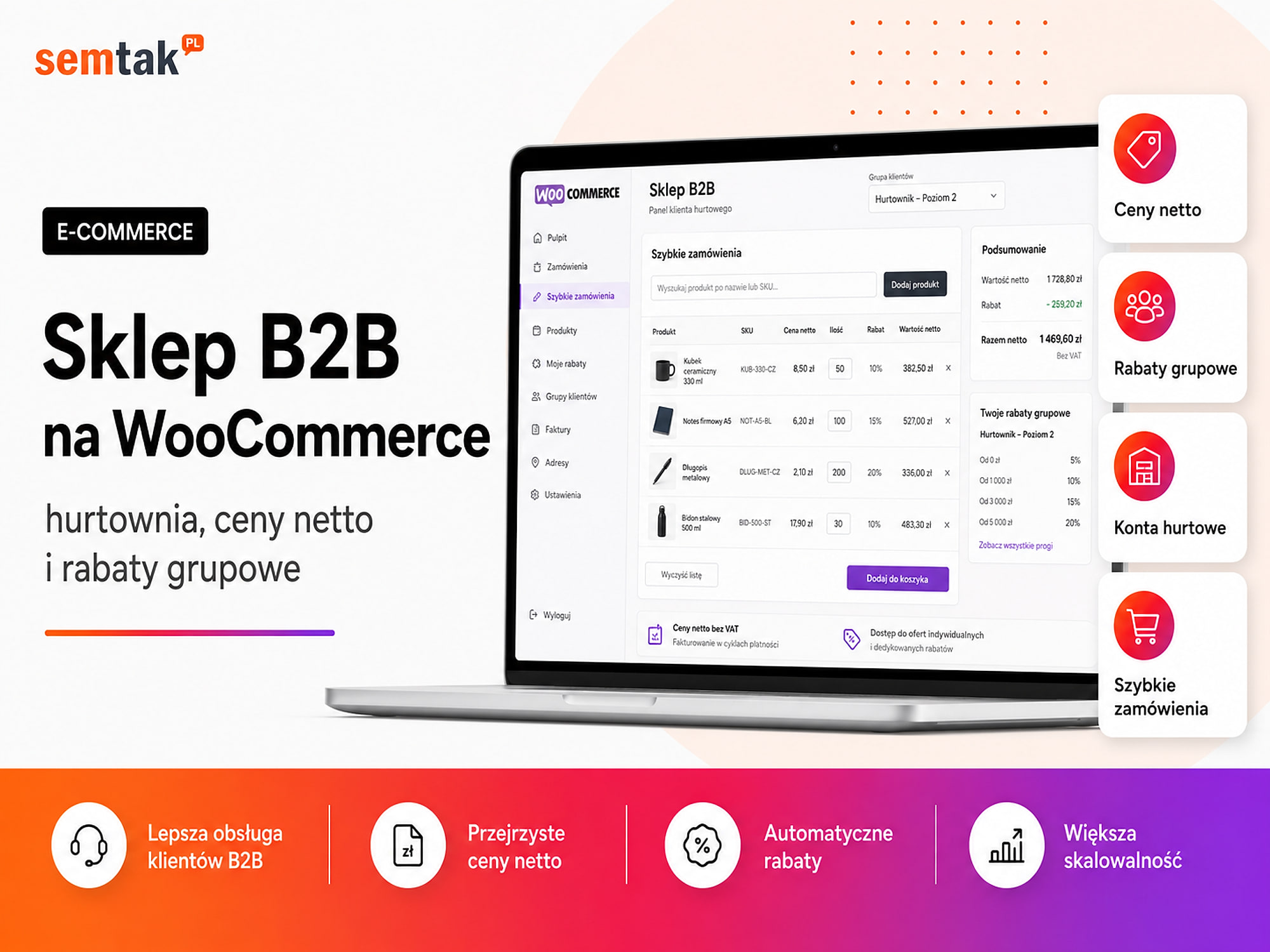
These can include: net prices, different price lists for customer groups, quantity-based discounts, a minimum order value, sales in boxes or pallets, hiding prices from non-logged-in users, account approval by a sales rep, deferred-payment terms, a trade credit limit, an individual product range, orders placed by several employees of one company and an ERP integration. A simple group-pricing module can be implemented with a ready-made plugin; an extensive wholesale platform with bespoke terms for each contractor requires designing the entire process. As a rough guide, a B2B store can cost from around £3,599 up to several dozen thousand pounds — more depends on the sales logic than on the appearance itself. We describe the detailed scope in the article on a B2B store on WooCommerce — wholesale, net prices and group discounts.
How much does maintaining a WooCommerce store cost?
The build cost is one-off — the domain, hosting, licences and support generate recurring expenses.
These are the costs of the technical maintenance and running of the store, not its promotion in Google. Ongoing SEO is billed separately — check how much positioning an online store costs. Indicative annual costs:
| Element | Indicative cost |
|---|---|
.pl domain | £11–43 a year |
| Hosting for a small store | £69–299 a year |
| More powerful hosting or a VPS | £299–1,199+ a year |
| SSL certificate | £0 with Let's Encrypt or a paid option |
| Premium theme | £0–139 a year or a one-off |
| Paid plugins | £0–599+ a year |
| Email sending system | £0–719+ a year |
| Technical maintenance | £29–299+ a month |
| Payment commissions | Depends on the number and value of orders |
Domain. Do not look only at the registration price in the first year — a promotional domain may cost a few pounds, but its renewal will be much more expensive. Before buying, check the first-year price, the renewal price, the transfer cost and the fee for recovery after expiry.
Hosting. A small store can run on good shared hosting; a larger store with many variants, integrations and ad traffic may need a more powerful environment or a VPS. Do not choose hosting solely on the basis of disk capacity — for WooCommerce the available CPU resources, RAM, database speed, cache, PHP version, Redis, backup frequency, staging and the responsiveness of technical support also matter. More in the guide on hosting for WooCommerce — how to choose a fast server.
Paid plugins. Not every store needs paid add-ons — many basic features can be launched without a licence. Paid extensions are sometimes needed for advanced filters, subscriptions, bookings, a loyalty programme, multilingual sites, group prices, marketing automation, an ERP integration and product personalisation. A single paid plugin may cost tens or hundreds of dollars a year; with a dozen or so extensions, a permanent licensing budget emerges. It is not worth buying every add-on in reserve — each additional plugin means not only a fee, but also updates, compatibility testing and potential performance problems.
Technical maintenance. WooCommerce requires updates to WordPress, the theme and the plugins; you also need to keep an eye on backups, security, payments and the order process. A maintenance package may include tested updates, backups, uptime monitoring, a test of the purchase process, an SSL certificate check, response to failures, an allowance of minor tasks and a monthly report. Simply having a backup on the hosting does not yet mean the copy can be restored quickly. More on scopes and prices in the article on WordPress website care — what it covers and what it costs.
How much does an online store cost in the first year?
To the build you should add at least the infrastructure, licences and basic maintenance.
| Example variant | Build | First-year costs | Total |
|---|---|---|---|
| Small starter store | £999–1,799 | £199–799 | £1,199–2,599 |
| Store ready for growth | £1,799–3,599 | £599–1,999 | £2,399–5,599 |
| Store with integrations | £2,999–5,999 | £999–2,999 | £3,999–8,999 |
| B2B or bespoke store | £4,999–11,999+ | £1,599–4,999+ | £6,599–16,999+ |
The table does not include the purchase of stock, product photography, writing descriptions, order handling, packing and logistics, a Google Ads budget, ongoing positioning and SEO content creation, running social media or turnover-based commissions. A store may be technically ready to take orders, but without traffic it will not start selling automatically.
Budget example: a small store with 100 products
A company wants to sell cosmetics and provides a well-organised spreadsheet with 100 simple products.
Scope: a ready-made theme matched to the brand, 10 categories, import of 100 products, Przelewy24 and BLIK, parcel lockers and a courier, basic analytics, SEO configuration, terms provided by the client and training on how to use the store.
| Item | Net cost |
|---|---|
| Store build | £1,399–1,999 |
| Domain and hosting | £99–299 a year |
| Licences | £0–299 a year |
| Basic maintenance | £399–1,399 a year |
| Total in the first year | About £1,899–3,999 |
The price will rise if the products are not ready for import or the store is to receive an individual graphic design.
Budget example: a store with 2,000 products and Baselinker
A company already sells on Allegro and wants to launch its own channel.
Scope: 2,000 products, variants, import from the current system, an integration with Baselinker, warehouse synchronisation, invoices, Google Merchant Center, GA4 and purchase tracking, redirects from the old domain and preparing the categories for SEO.
| Item | Net cost |
|---|---|
| Design and implementation | £2,399–4,399 |
| Import and data organisation | £399–1,599 |
| Integrations | £399–1,999 |
| Infrastructure and licences | £399–1,199 a year |
| Maintenance | £1,199–3,599 a year |
| Total in the first year | About £4,799–12,799 |
The wide range stems mainly from the state of the data and the scope of synchronisation required.
What raises the price of a store the most?
The price is most strongly affected by: an individual design, complex variants, integrations, migration, multilingual support and preparing for heavy traffic.
Individual design. A ready-made theme can be implemented faster; an individual design requires preparing mock-ups, views, a mobile version and then coding it.
Product variants. Size and colour are a simple case; a price that depends on dimensions, material, add-ons and the method of delivery may require a separate configurator.
Integrations. A standard plugin is cheaper than a custom API connection; every two-way synchronisation increases the number of scenarios to handle and test.
Migrating an old store. Moving products is only part of the migration — you also need to take care of customers, orders, passwords, reviews, images, URLs, 301 redirects, metadata, visibility history, product feeds and integrations. For a store with traffic from Google, a migration should be a technical-and-SEO project. Details in the store migration checklist for keeping your rankings.
Multilingual support. A second language version means not only translating the menu — you add products and categories, variants, terms, transactional messages, currencies, taxes, international shipping as well as SEO and hreflang.
Performance and heavy traffic. A store intended for campaigns that generate thousands of visits has to be prepared differently from a site receiving a few dozen visits a day. Heavier traffic may require a more powerful server, an efficient cache, Redis, a CDN, database improvements, monitoring and load testing.
What is usually not included in the cheapest quote?
A low price often results not from a lower developer rate, but from a smaller scope.
Check whether the offer covers: buying or renewing the theme, paid plugins, the domain and hosting, entering products, image editing, writing descriptions, individual subpages, the mobile version, payment configuration, shipping configuration, e-commerce analytics, cookie consent, product structured data, the sitemap and indexing, test orders, fixes after testing, training, post-launch support and later updates. The phrase "a store ready to sell" can mean different things — ask the developer to break it down into specific tasks.
How do you compare two offers to build a store?
The price difference alone (e.g. £1,199 vs £2,399) does not tell you which offer is better — compare the scope.
| Area | Question for the developer |
|---|---|
| Design | A ready-made theme or individual views? |
| Products | Who enters them and how many? |
| Data | Does the price include cleaning the import? |
| Payments | How many providers and what testing? |
| Shipping | Does a pickup-point map and label generation work? |
| SEO | Will the URLs, metadata, sitemap and schema be prepared? |
| Analytics | Does GA4 measure the purchase and its value? |
| Integrations | What exactly is synchronised? |
| Licences | Who buys them and who pays for renewals? |
| Testing | Is the full order process tested? |
| Fixes | How many rounds of fixes does the price include? |
| Ownership | Will you receive the admin account, files and hosting access? |
| Support | What happens after launch? |
| Deadline | What must the client deliver for the deadline to be realistic? |
A good quote should state not only what will be done, but also what it does not cover.
A store built by a freelancer or an agency?
The price also depends on the model of cooperation — and both have their advantages and risks.
A freelancer can be a good choice for a simple store with a clearly defined scope. Advantages: direct contact, lower organisational costs, flexibility, quick decisions. Risks: one person is responsible for the whole project, limited availability during illness or holiday, not every developer handles UX, SEO and analytics, and it is harder to manage a large number of integrations.
An agency can combine the work of a developer, a designer, an SEO specialist and an analyst. Advantages: a broader range of competencies, easier management of a larger project, a testing and acceptance process, and the option of further care and growth. Risks: a higher price, more people on the project side, and quality that depends on the actual team, not just the brand.
Do not choose solely on the label "freelancer" or "agency". Check who specifically will deliver the project, what experience they have with WooCommerce and what will be in the contract.
WooCommerce or a subscription store — which is cheaper?
A subscription platform can be cheaper at the start, but for a store developed over years you have to count the entire period of operation.
A subscription platform is sometimes cheaper at launch, because you get part of the infrastructure and features in a monthly package. WooCommerce requires a larger investment to launch, but gives you access to the code, your own hosting, the ability to change developer, freedom to expand, your own SEO structure, the ability to build bespoke features and no subscription just for using the platform. This does not mean WooCommerce will always be cheaper — if you only need a simple store for a few months, a subscription platform may be more sensible. For a store developed over years, count the build cost, subscriptions, commissions, apps and extensions, feature development and the migration in case you change platform. A full comparison is in the article on WooCommerce or Shopify — a comparison for a Polish store.
Where can you sensibly save money?
The safest savings are on scope and order, not on the quality of the key elements.
Roll out the store in stages. Not every feature has to be in the first version. To start, you can launch the basic categories, the most important payments, one courier, basic analytics and the key products. A loyalty programme, a mobile app and advanced automations can be added after checking the first sales results.
Provide well-organised data. Good product files reduce manual work. Before the project, organise the names, SKUs, prices, stock, categories, attributes, variants and images.
Choose a ready-made theme, but not a random one. A lightweight, well-maintained theme can reduce the cost without blocking growth. The theme should be regularly updated, compatible with WooCommerce, comfortable on a phone, as light as possible and easy to extend further.
Limit the number of integrations at launch. Each integration increases the cost of implementation, testing and maintenance. Connect above all the systems that really eliminate manual work or reduce errors.
Where is it not worth cutting costs?
These elements directly determine sales and security
Payments and checkout — a payment error directly blocks sales; the checkout has to be tested on a phone and a computer (successful, interrupted, pending and cash-on-delivery payments, emails, status changes, refunds). Backups — a copy is needed in a crisis; that is when it turns out whether it covers the files, the database and the orders and whether it can be restored. Analytics — without measurement (product view, add to cart, begin checkout, purchase, value, currency, transaction ID) you do not know what is selling. SEO during migration — changing addresses without redirects removes from Google the subpages that have been working on visibility for years. Ownership of accounts and licences — the domain, hosting, GA, Search Console and payment provider accounts must belong to your company.
Do not agree to a situation in which, after the cooperation ends, you have no access to the domain, the server, the admin account, the repository or files, the Google tools or the licences bought in your company's name.
What can you check yourself?
Before sending a request for a quote, prepare answers to the questions below — the more precisely you describe the scope, the more reliable the quote will be.
- How many products will be available on the launch day?
- How many products have variants?
- Is the data in a single spreadsheet?
- Do you have images and descriptions?
- What should the categories look like?
- Will sales be B2C, B2B or both?
- What payments are needed?
- Which courier companies will be supported?
- Do you need automatic invoices?
- Do you also sell on Allegro or Amazon?
- Should the store be connected to Baselinker, an ERP or a warehouse?
- Are you migrating data from an old store?
- Should the store work in several languages?
- Who will add products after launch?
- Do you need ongoing maintenance?
- Are you planning SEO or Google Shopping campaigns?
- What budget can you allocate to the first stage?
You can also start preparing the whole project with the guide on how to set up an online store step by step.
When is it worth hiring a specialist?
Self-configuration makes sense for a small store; for paid traffic, integrations and B2B it is better to commission the implementation.
Configuring WooCommerce yourself can make sense when you have few products, use standard shipping, do not need integrations, can operate WordPress, the store is not yet your main source of income and you have time for configuration and testing. A specialist's help will be sensible when you are planning paid campaigns from the day of launch, have hundreds or thousands of products, the products have many variants, the store is to be connected to a warehouse, you are migrating visibility from an old platform, you need B2B sales, you have non-standard pricing and shipping rules, a store outage will mean a real loss of revenue or you need ongoing development and care. In such a situation the developer should not just install WooCommerce — they have to understand the entire process, from the product and warehouse to payment, invoicing and shipping.
Frequently asked questions
How much does the simplest online store cost?
Launching a simple WooCommerce store yourself can cost from around £99 to 599 for the domain, hosting, theme and add-ons. A commissioned build of a simple store usually costs from around £999 net.
How much does a professional WooCommerce store cost?
A professional store prepared for further growth, SEO, analytics and sales most often costs from around £1,799 to 3,599 net. Integrations and individual features can raise that amount.
Is WooCommerce free?
Yes. The basic WooCommerce plugin is free and open source. You pay for hosting, the domain, the store build, paid extensions, integrations and later maintenance.
How much does maintaining an online store cost a year?
The simplest maintenance can cost a few hundred pounds a year. A store using paid plugins, a more powerful server and technical support can generate from a few to several thousand pounds of cost a year.
Does the number of products affect the price of a store?
Yes, but the complexity of the products and the quality of the data also matter. A thousand well-organised products can be easier to import than a hundred products with many variants and incomplete information.
How much does a WooCommerce integration with an ERP cost?
A simple configuration of a ready-made integration can cost a few thousand pounds. A bespoke, two-way synchronisation with custom logic can cost from a dozen to several dozen thousand pounds.
Is positioning included in the price of the store?
Most often the build price covers the technical preparation for SEO, for example the URL structure, the sitemap and the product data. Ongoing positioning, content creation and link building are usually a separate service.
How long does it take to build a WooCommerce store?
A simple implementation can take a few weeks. An extensive store with an individual design, import and integrations usually requires a few months. The deadline also depends on when the client delivers the materials and makes the decisions.
Don't buy just a store — buy a clearly defined scope
The cheapest offer is not always bad, and the most expensive is not always the best — the problem begins when it is unclear what the quoted price actually includes.
A good quote should show what will be done, who will prepare the products and materials, which integrations will be launched, how the store will be tested, which costs will be renewed each year, who will own the accounts and licences, and what will happen after launch. If you want to know the cost of a store matched to your product range and your way of handling orders, we can analyse the scope and break the implementation down into specific stages:
- WooCommerce store development — a quote and implementation broken down into stages.
- How to set up an online store step by step and the complete WooCommerce guide.
- A B2B store on WooCommerce and store migration without losing rankings — when the project is more complex.