Online Store SEO Audit — What It Covers and When to Commission One

A store is losing traffic from Google, categories are not gaining visibility, and some products do not appear in the results at all. You can then improve descriptions, buy links or publish more guides. If, however, the problem lies in indexing, the category structure or the filters, such efforts may change very little.
An online store SEO audit is meant to establish what specifically is blocking visibility, which errors have the greatest impact on sales, and in what order they are worth fixing.
A good audit is not an export of several hundred warnings from a tool. It should combine technical data, content, store structure, customer behaviour and the business importance of individual categories.
This article is a pillar piece on store SEO diagnostics. It leads to detailed guides about categories, filters, products, speed and migration. If you are only just putting together your whole visibility strategy, start with the guide WooCommerce store SEO — where to begin.
In short
An online store SEO audit should check at least:
- The store's visibility and starting point.
- Indexing of products, categories, filters and the remaining pages.
- Category structure and internal linking.
- URLs, redirects, canonicals and technical errors.
- The quality of categories, product cards and the remaining content.
- Duplicates and pages competing for the same keywords.
- Product structured data.
- Speed, the mobile version and Core Web Vitals.
- The profile of links pointing to the store.
- Competitors and untapped topics.
- Analytics and the ability to measure results.
- Implementation priorities, accountability and a follow-up plan.
The result should not be merely a list of errors. The store owner should know what to fix first, why it matters, which changes require a developer, which can be done in the admin panel, how many pages a problem affects and how to verify the implementation.
In a nutshell (TL;DR)
- A store SEO audit is a diagnosis of technology, structure, content, links and visibility — not just a check of the meta title.
- The most important thing is a prioritised action plan, not the number of errors found.
- In e-commerce, special attention is needed for categories, filters, URL parameters, product variants and discontinued stock.
- An audit is worth doing before starting positioning, before a migration, before a rebuild, and after a sudden drop in visibility.
- A report alone usually does not mean implementation. The scope of the fixes should be described separately.
- An automatic scan does not replace business analysis and a manual review of the store.
- A good audit also shows the elements that work correctly and should not be changed.
What is an online store SEO audit?
An online store SEO audit is an analysis of how the store is found by Google, visited by crawlers, indexed, understood, assessed in terms of content and structure, and connected by internal and external links.
For a store, an audit is more complex than for a small service website. A store can have hundreds of categories, thousands of products, many variants, brands and manufacturers, filters, sorting, pagination, search results, temporarily unavailable products, permanently discontinued products, language versions, different currencies, ERP and warehouse integrations, and a product feed sent to Google Merchant Center. An error on a single product card is a minor problem — the same error applied across a template for 20,000 products becomes a problem for the entire store.
SEO audit vs technical audit — what is the difference?
These terms are often used interchangeably, but the scope can differ.
A technical SEO audit focuses mainly on whether Google can correctly find the pages, access them, read their content, choose the right addresses, index them and understand the relationships between them. Among other things, it checks server response codes, 404 and 5xx errors, redirects, canonicals, noindex directives, the robots.txt file, the XML sitemap, filters and parameters, pagination, speed and structured data. If you need exactly that kind of diagnosis and the fixes implemented, the right scope may be technical SEO.
A full store SEO audit covers, beyond the technical side, an analysis of keywords, the category structure, customer intent, content quality, cannibalisation, internal linking, competitors, the link profile, business priorities and the potential to grow visibility. A full audit therefore answers not only the question "what is broken?", but also "how should the store be developed so that it gains valuable traffic and supports sales?".
What should an SEO audit not pretend to be?
An audit is not an automatic scan. A tool can find missing titles, broken links, pages without an H1, incorrect statuses, duplicate descriptions and slow addresses. A tool, however, does not automatically know which categories are important to the business, where the store has the highest margin, which products will be discontinued, which keywords lead to real sales, whether two similar pages should be merged, or whether a new category has a business justification. An automatic crawl — a tool visiting pages in a way similar to a search engine robot — is a source of data, not a finished audit.
An audit is not a guarantee of position
It is not possible to honestly guarantee that, after implementation, the store will reach a specific position. The outcome is also influenced by competitors, demand, the quality of the offer, the domain history, links, product availability, seasonality, further content development and changes in the search results. An audit is meant to reduce the number of errors and indicate the best course of action — it is not a promise of a particular place in Google.
An audit does not always include implementation. A report can indicate what needs to be fixed, but the implementation itself is often a separate stage. Before ordering, check whether the price covers the analysis, the report, a consultation, the preparation of tasks for the developer, implementation in the CMS, development changes and post-implementation verification. This matters, because the recommendation to "tidy up the filter canonicals" may require not only changing the SEO plugin, but also modifying the theme or the plugin responsible for filtering.
What should an online store SEO audit contain?
1. Starting-point analysis. Before you start improving the store, you need to record its current state: organic traffic, clicks and impressions from Google, the number of indexed pages, the visibility of the most important keywords, traffic on categories and products, revenue from organic traffic, the best-performing pages, seasonality, the most important errors and the history of recent changes. Without a baseline report it is hard to establish later whether a change had any effect. Example: a store rolled out a new category structure in August, and in September traffic dropped by 15% — but it is unclear whether the cause was the rebuild, seasonality, lower demand, discontinued products or a measurement error. That is why, before any changes, it is worth recording the results for the whole store, for individual page types, for the most important categories, devices, countries and traffic sources.
2. Indexing analysis. The audit should check which pages Google can find and which of them are actually in the index. In a store you need to separate the home page, categories, subcategories, products, brands, tags, filter pages, sorting, pagination, search results, blog posts, information pages, attachments and language versions. Typical problems: important categories carry noindex, products are blocked in robots.txt, the sitemap contains addresses that should not be indexed, Google indexes thousands of sortings, the index contains internal search results, products have a canonical pointing to a category, several versions of the same URL are available at once, pagination pages are inaccessible to the robot, or new products receive no internal links. Remember: more pages in Google does not always mean better SEO — a store may have 5,000 products, yet Google shows 80,000 indexed addresses originating from filters, parameters, tags, variants, sorting and session identifiers.
3. Analysis of the robots.txt file. The file tells robots which parts of the store they should not enter. The audit should check whether important pages are not blocked, whether the rules are not too broad, whether the blocks cover the right parameters, whether the file points to the sitemap, whether the test environment has not been accidentally exposed, and whether a block on the entire store has not been left over after a migration. An important distinction: robots.txt blocks visiting an address, but it is not a reliable way to remove it from the index — if Google cannot enter a page, it may also not see the noindex tag placed on it. That is why the audit should assess not only the rules themselves, but also how they combine with indexing and canonicals.
4. XML sitemap analysis. The sitemap should contain the addresses the store actually wants to show Google. The audit checks whether the sitemap works, is up to date, contains no errors, includes important categories and products, contains no noindex addresses, redirects or 404 errors, has the correct language versions and a correct sitemap index in a large store. A sitemap does not replace internal linking — if a product is present only in the sitemap and no normal link leads to it, you still need to check the store structure.
5. Analysis of response codes and server errors. Every address returns a specific code: 200 (the page works), 301 (permanent redirect), 404 (not found), 410 (permanently removed), 500 (server error), 503 (service temporarily unavailable). The audit should find broken internal links, redirect chains and loops, products leading to errors, server errors during crawling, pages returning a 200 code despite having no content, and incorrect redirects to the home page. You will find more on these issues in the guide 301 redirects and 404 errors in a WooCommerce store.
6. Canonical analysis. A canonical indicates the preferred version of a page when similar content is available at several addresses. In a store, errors can affect products, variants, filters, sorting, pagination, tracking parameters, versions with and without a trailing slash, HTTP and HTTPS versions, and versions with and without www. Example errors: all products point their canonical to the home page, a product variant points to an address returning a 404, a category page has a canonical leading to the first page of the blog, every filter points to a category even though some filters have their own content and linking, and a canonical points to a different address than the one used in the menu and the sitemap. The audit should check consistency between the canonical, internal links, the sitemap, redirects and the version indexed by Google.
7. URL structure analysis. Addresses should be readable, stable, consistent, free of unnecessary parameters and understandable to the user. The audit checks URL length, capital letters, special characters, repeated folders, random identifiers, several versions of the same address, URL changes when moving a category, and superfluous parameters. You should not, however, change working addresses simply because the new version looks nicer — every URL change requires assessing the current traffic, positions, external links, redirects, internal links and the risk of migration.
8. Category architecture analysis. Categories are among the most important pages in a store — they are usually the ones that answer broader queries related to a group of products. The audit checks the division into categories and subcategories, the number of levels, category names, overlapping topics, the number of products, empty categories, categories with single products, business importance, availability in the menu and linking from parent categories. If several categories show almost the same offer and answer a similar need, the audit should indicate the main page and the way to merge the remaining addresses. We describe the detailed process in the guide categories in a WooCommerce store — architecture for SEO.
9. Faceted navigation and filter analysis. Filters help customers, but they can create thousands of addresses. The audit checks what parameters appear after selecting a filter, whether the order of parameters changes the address, which combinations are indexed, what canonicals the filters have, whether the addresses end up in the sitemap, what happens when there are no products, whether sorting creates separate pages, whether filters strain the server, and whether there are controlled landing pages for valuable topics. The goal is to establish which addresses should serve users only and which should be developed as normal pages in the store structure. We describe the full implementation approach in the guide faceted navigation and filters in WooCommerce — SEO without duplicates.
10. Internal linking analysis. Linking shows users and robots which pages are important and how they are connected. The audit checks links from the menu, mega menu, parent categories, breadcrumbs, category descriptions, product cards, the blog, the related-products section, the home page and the footer. Typical problems: an important category has no links other than in the sitemap, a product is reached only through the internal search, the blog does not link to sales categories, the menu contains hundreds of links of similar weight, breadcrumbs show a random product category, links lead through redirects, and the anchors are vague ("check", "more"). A separate case is the orphan page — an address to which no internal link leads; it may still be in the sitemap, Search Console, Analytics or external links, but a crawl from the home page may not find it, which is why the audit should combine data from several sources.
11. Product card analysis. A product card must, at the same time, answer a specific query, convey full information, make comparison easier, build trust and lead to a purchase. The audit checks product names, headings, descriptions, specifications, images, alt texts, prices, availability, variants, reviews, questions and answers, similar products, structured data, and delivery and returns information. If dozens of stores use the same manufacturer's description, it is hard to stand out simply by copying the text — but this does not mean that every card must have several thousand words. A description should above all contain the information the customer needs: use, material, dimensions, how to use it, the differences between variants, compatibility, what is in the set and any limitations. More in the guide product descriptions for SEO — how to write so they sell and rank.
12. Category page analysis. The category audit checks the H1, meta title, meta description, a short introduction, the description below the products, the list of subcategories, filters, sorting, pagination, linking, FAQ and product availability. A long description is not a goal in itself — a category page does not have to contain a huge wall of text. The description should help the user choose the right product, understand the differences, move on to subcategories and answer typical questions. If the text pushes products far down, repeats the keyword in every sentence and does not help the customer, its length alone does not solve the problem.
13. Duplicate content analysis. Duplicates can arise from copying manufacturer descriptions, repeating category descriptions, product variants, several URLs for one product, parameters, tags, print versions, incorrect language versions and the test environment. The audit establishes which duplicates are technical, which result from content, which pages should be merged, where a canonical is needed, where a redirect is needed, and which archives should be disabled. Not every repeated fragment is a problem — a manufacturer's name, delivery terms or legal information can appear on many pages. The problem is a situation in which Google sees several almost identical pages and does not receive a clear signal as to which one is the main one.
14. Cannibalisation analysis. Cannibalisation occurs when several pages of the store compete for a similar intent — it can affect two similar categories, a category and a tag archive, a category and a filter result, an article and an offer page, or several landing pages with a similar offer. The audit checks which pages appear for the same queries, whether their intents really are the same, which page should be the main one, whether the others should be merged, and whether it is enough to change the linking and content. Not every change of address appearing in the results is cannibalisation — Google may show different pages for different query variants. What is needed is an analysis of intent, not just a report of two URLs assigned to one keyword.
15. Analysis of meta titles, descriptions and headings. The audit checks missing meta titles, duplicate titles, titles that are too generic, automatic templates, missing H1s, several random H1s, an incorrect heading hierarchy, and descriptions unrelated to the content. A weak title: "Products — Online store". A better direction: "Face creams for dry skin — moisturising and regenerating". The point is not to stuff in many keywords — a title should clearly describe the page and distinguish it from the other categories.
16. Structured data analysis. Structured data conveys information to the search engine in an organised format. In a store, the audit checks, among others, Product, Offer, AggregateRating, Review, BreadcrumbList, Organization and WebSite. Typical errors: the price in the data differs from the price on the page, an unavailable product is marked as available, several plugins generate duplicate data, reviews are assigned to the wrong products, the currency is incorrect, variants have wrong identifiers, or product data appears on pages without a product. Structured data does not guarantee a rich result, but it helps Google understand the product information better. The audit should check both technical correctness and the consistency of the data with what the user sees.
17. Image analysis. A store can have thousands of images, so their impact on speed is significant. The audit checks the format, file size, dimensions, compression, loading on mobile, lazy loading, alt texts, file names, image indexing, duplicate images and an image sitemap, if one is needed. The alt text should describe the image, not be a list of keywords — poor: "dresser dressers cheap dressers modern store", better: "White dresser with three drawers and wooden legs".
18. Speed and Core Web Vitals analysis. A slow store makes shopping harder and can limit the use of traffic. The audit checks the most important entry pages, categories, products, the cart, checkout, mobile devices, real-user data, external scripts, images, fonts, cache, the server, database queries and plugins. Core Web Vitals cover LCP (how fast the main content appears), INP (how fast the page responds to interactions) and CLS (layout stability). The result should not be judged solely on the basis of a single lab test — the audit should separate real-user data, a test run at a given moment, problems of the whole template and problems of an individual page. We describe the detailed actions in the guide how to speed up a WooCommerce store.
19. Mobile version analysis. A store can look good on a computer yet be hard to use on a phone. The audit checks the menu, the search, filters, variants, buttons, forms, the cart, checkout, the cookie banner, pop-ups, the legibility of prices and how the gallery works. Mobile problems affect not only SEO — they can directly lower sales. Example: the "Add to cart" button is covered by a banner, and the pickup-point selector does not open on a phone. Even well-acquired traffic will produce no result if the user cannot complete the purchase.
20. Pagination and product-loading analysis. A large category can have many product pages. The audit checks whether subsequent pages have their own addresses, whether ordinary links lead to them, whether the robot can reach the products, whether "Load more" works without JavaScript, whether infinite scrolling has an accessible equivalent, whether empty pagination pages are not created, and whether the canonicals are correct. If products are available only after clicking a button handled by a script, Google may not discover the whole range as smoothly as the store owner assumes.
21. Analysis of unavailable and discontinued products. A missing product does not always mean its address has to be removed. The audit separates three situations. A product that is temporarily unavailable, if it will return: keep the page, show an expected date, allow a notification, suggest alternatives. A product discontinued with a replacement: you can consider a redirect to the new model, the direct successor or a very similar product. A product discontinued without a replacement: leaving an information page for a defined period, a 410 code, or a redirect to the relevant category, if that is logical. You should not automatically redirect every discontinued product to the home page.
22. Language-version analysis. In an international store, the audit checks separate addresses for each language, the translation of categories and products, canonicals, hreflang annotations, currencies, automatic redirects, sitemaps, linking between versions, and duplicate content. Hreflang tells Google which pages are language or regional equivalents. Errors can cause a German page to be shown to users from the United Kingdom, several versions to be indexed as duplicates, a canonical to point to the wrong language, or currencies and prices to be mixed up.
23. Analysis of the blog and guide content. The blog should support sales, not act as a separate island. The audit checks whether the articles answer customers' questions, whether they lead to categories and products, whether they do not compete with money pages, whether the content is up to date, whether similar articles exist, whether old posts still generate traffic, whether the author and date are visible, and whether the articles have a logical structure. An example of blog-versus-category cannibalisation — the category "Women's trekking boots" and the article "Women's trekking boots — the best offer in the store" share the same purchase intent. A better guide topic: "How to choose women's trekking boots to match the type of trail?" — it answers a question and then naturally leads to the category.
24. Link profile analysis. Links pointing to the store are still one of the elements of building visibility. The audit checks the number of linking domains, link quality, topical relevance, the most frequently linked pages, anchors, lost links, links leading to 404 errors, sudden unusual spikes and the competitive gap. Not every weak link needs to be removed or disavowed to Google — the audit should distinguish natural, less valuable links, automatically generated spam, a deliberately created link scheme, real risk and the ordinary noise of the internet.
25. Competitor analysis. The analysis should not consist only of comparing the number of keywords. It is worth checking the category structure, the topics the store does not cover, the way products are presented, category content, guides, internal linking, structured data, the link profile, speed, popular brands and visibility in the product results. The goal is not to copy a competitor — the analysis should show where there is a gap, which topics are occupied by strong domains, where the store has an advantage and which categories are worth starting with.
26. Keyword and intent analysis. The audit checks whether the pages match the way customers search for the offer. Intents can be informational, comparative, transactional, local, related to a specific brand or to a customer problem. Example: "what is retinol" (informational), "retinol or vitamin C" (comparison), "serum with retinol" (a group of products), "serum with retinol brand X 30 ml" (a specific product). The audit should assign the right page type to each intent: a guide, a category, a landing page, a product card or a brand page.
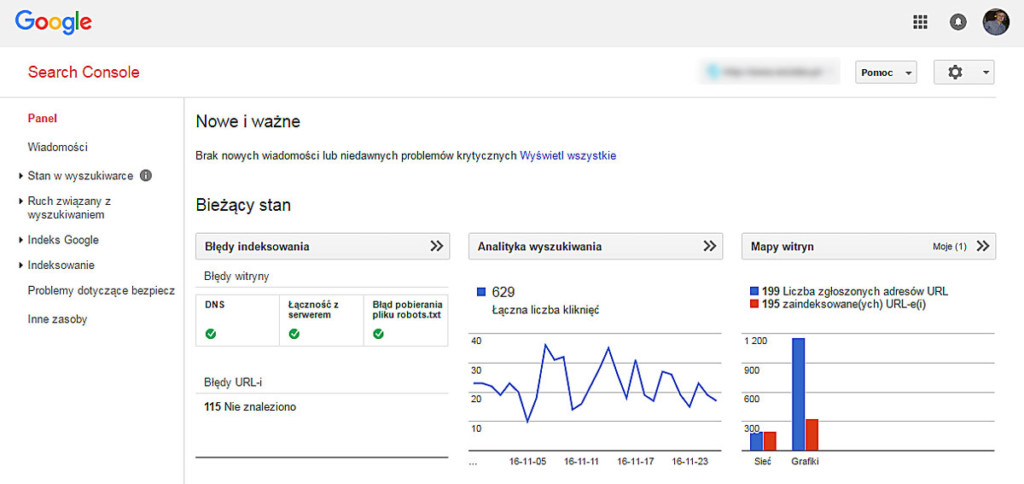
27. Google Search Console analysis. GSC is one of the basic data sources. The audit checks clicks, impressions, CTR, average positions, queries, landing pages, indexing, the sitemap, Core Web Vitals, manual actions, security issues, structured data and links. A drop in position alone is not enough — if traffic has dropped, you need to check whether impressions have fallen, whether demand has changed, whether the CTR has dropped, whether Google is showing a different URL, whether the products are still available, and whether the problem affects the whole store or just one group of pages.
28. Google Analytics and sales analysis. An audit should not end with traffic. It is worth checking revenue from SEO, transactions, the conversion rate, the average order value, entry categories, devices, user paths, new and returning visitors, and measurement errors. Example: a category generates a lot of traffic but almost no sales — possible causes are overly informational keywords, a weak offer, unavailable products, uncompetitive prices, broken filters, a slow page or incorrect purchase measurement. The audit should indicate hypotheses and how to test them, not automatically conclude that a longer description is needed.
29. Merchant Center and product-data consistency analysis. In a store using free product listings or Shopping ads, it is worth checking the consistency of the data: prices, availability, product identifiers, GTIN, brands, variants, titles, images, product addresses, and the consistency of the data on the page and in the product source. Errors do not concern advertising campaigns alone — inconsistent data may point to a broader problem with the store integration, the variants or the catalogue update.
30. Analysis of the risk of migration and major changes. If the store is planning a change of platform, domain, address structure, a new theme, a category rebuild, a change of language versions or a merger of stores, the audit should be created before implementation. You need to record all the important URLs, traffic, positions, links, redirects, content, metadata, structured data and the analytics configuration in advance. A change made without such an inventory can remove elements that cannot later be easily restored. We describe the full procedure in the article store migration without losing positions — a checklist.
What should an audit report look like?
A good report should be understandable both to the store owner and to a technical person. Each problem is worth describing according to a single template.
| Element | What it should contain |
|---|---|
| Problem | What is wrong |
| Evidence | Example addresses, data or a screenshot |
| Scale | How many pages the problem affects |
| Importance | Why it is worth fixing |
| Recommendation | What exactly should be done |
| Priority | Critical, high, medium or low |
| Owner | SEO, content, developer, administrator |
| Verification | How to check the implementation |
An example of a good recommendation. Problem: sorting pages are indexable. Scale: about 12,000 addresses with the orderby parameter. Importance: Google visits many versions of the same categories that differ only in product order. Recommendation: remove the addresses from the sitemap, set the right indexing directives, unify the canonicals and limit robots' ability to discover the parameters. Priority: high. Verification: a fresh crawl, a check of the source code and monitoring of the indexing report.
An example of a weak recommendation: "Fix the duplicates and the crawl budget". Such a recommendation cannot be handed to a developer or verified after implementation.
Do you have a report full of warnings but do not know where to start?
As part of an SEO audit we can prepare a diagnosis of the store with a list of addresses, priorities and a breakdown of tasks into SEO, content and technical implementation.
How to set priorities in an audit?
Not every error has the same importance. It helps to assess them against four criteria:
- Impact — how strongly the problem can limit visibility.
- Scale — how many pages it affects.
- Implementation cost — how much work the fix requires.
- Risk — whether an incorrect change could do harm.
| Priority | Example |
|---|---|
| Critical | The entire store has noindex |
| High | Categories have a canonical to the home page |
| High | Filters create hundreds of thousands of indexable URLs |
| Medium | Some products have no useful descriptions |
| Medium | The blog links poorly to categories |
| Low | A few meta descriptions are too long |
| Low | Some individual images have non-descriptive names |
This does not mean that minor problems are unimportant. They should not, however, distract the team from errors that block the whole store.
What tools are used during an audit?
Depending on the scope, these can be: an SEO crawler, Google Search Console, Google Analytics 4, PageSpeed Insights, Chrome DevTools, visibility-analysis tools, link-analysis tools, structured-data validators, server logs, the store database, a product export and Google Merchant Center.
The tool, however, is not the main value of an audit. Two audits carried out with the same program can lead to completely different conclusions if one takes into account the offer, the margin and the company's plans, while the other is limited to an automatic export.
What access is needed for an audit?
The most commonly needed are: Google Search Console, Google Analytics 4, the store CMS, keyword-monitoring tools, Merchant Center (if used), the deployment history, information about migrations, a list of important categories and data on sales and margin.
Access to the server or the database is not always necessary at the first stage. It may be needed when analysing logs, performance, server errors, parameter generation, database queries and custom integrations.
When is it worth commissioning a store SEO audit?
Before starting positioning. An audit lets you establish whether the store is ready for content development and link building. Publishing articles will not fully help if categories have noindex, linking is broken, products are inaccessible to the robot, or the store generates thousands of duplicates. You will find a broader plan in the guide WooCommerce store SEO — where to begin.
When the store is not growing despite SEO efforts. If content and links have been produced for months while visibility stands still, you need to check the foundations. The problem may concern a poor structure, the wrong keywords, cannibalisation, the technical side, weak categories, poor linking or an uncompetitive offer.
After a sudden drop in traffic. The audit should establish exactly when the drop began, which pages were affected, whether the store was changed, whether indexing changed, whether the problem concerns demand, whether server errors occurred, and whether Google started choosing different URLs. Not every drop means a penalty or an algorithm update.
Before a migration. An audit before a migration protects what already works — it lets you prepare a list of URLs, a redirect map, a set of important content, baseline data, pre-launch tests and post-implementation monitoring.
After a migration or rebuild. If the store has already been moved, the audit checks redirects, 404 errors, canonicals, the sitemap, blocks, lost content, linking, structured data and sales measurement.
Before expanding the range. If the store is to go from 500 to 10,000 products, it is worth tidying up the categories, attributes, filters, variants, product templates and structured data beforehand. An error introduced into the template will later be replicated across thousands of pages.
After changing your SEO agency. A new contractor should get to know the state of the store, the work done and the remaining problems. An audit helps separate technical errors, unimplemented recommendations, actions requiring continuation and elements that should not be changed.
When Google indexes the wrong pages. Signals can include parameters in the results, tags instead of categories, test versions, old addresses, pages without products, or incorrect language versions.
When might a full audit not be needed?
A full audit is not always the first step. If the store has a confirmed, single error, needs a specific fix implemented, has recently been analysed in detail, or has not changed since the last audit, a narrower scope may be better: an indexing audit, a filter analysis, a Core Web Vitals audit, a migration analysis, a content audit, a structured-data check or a linking review. There is no point paying twice for a full analysis just to receive the same list of unimplemented problems again.
How often should you carry out an SEO audit?
There is no single frequency for all stores. A full audit is worth considering before a major project, after an important migration, after a significant drop, when changing strategy, after expanding the store and after a longer period of intensive changes. A large store may require constant monitoring rather than a single report once every few years. It is worth regularly checking indexing, 404 errors, server statuses, the sitemap, Core Web Vitals, structured data, filters and the traffic of the most important categories.
How long does a store SEO audit take?
The time depends on the number of addresses, the number of language versions, the complexity of the filters, access to data, the scope of the analysis, the quality of the current documentation and the number of integrations. A store with 300 products requires a different scope than a platform with 100,000 products, many countries and its own warehouse system. It is not worth judging an audit solely by the number of days or pages of the report — a short, precise document can be more useful than 300 pages of automatic warnings.
How to recognise a good and a poor SEO audit?
| Good audit | Poor audit |
|---|---|
| Relates to the specific store | Looks the same for every domain |
| Uses Search Console, analytics and a crawl | Relies solely on a single automatic scan |
| Shows example URLs and the scale of the problem | Contains general slogans without addresses or evidence |
| Distinguishes errors, warnings and hypotheses | Treats every warning as a critical error |
| Sets priorities | Demands fixing everything at once |
| Indicates the owner and the verification method | It is unclear who is to implement the recommendation and how |
| Takes into account sales, margin and the store's plans | Does not ask about business goals |
| Protects elements that work correctly | Proposes a rebuild without a risk assessment |
| Separates the report from the implementation scope | Does not explain what the price covers |
| Does not promise specific positions | Guarantees the TOP 3 after implementation |
Warning signals also include wholesale recommendations to change addresses without a redirect map, the automatic creation of long descriptions for every page, and the absence of any analysis of filters, variants and discontinued products.
What can you check yourself?
Treat the section below as a quick checklist before commissioning a full audit.
1. Check your five most important categories. In Google Search Console see whether they generate impressions, for what keywords, whether Google shows the right URL, whether traffic is growing and whether the CTR is dropping.
2. Compare the sitemap with the real offer. Check whether the sitemap contains important products and categories but is not filled with redirects, errors and technical addresses.
3. Go through the full purchase path on a phone: the menu, the search, a category, filters, a product variant, the cart, checkout.
4. Check a few removed products. See whether they lead to a sensible equivalent, the right category or a correct 404 or 410 error — they should not automatically end up on the home page.
5. Compare traffic with sales results. Check whether the categories with the most traffic really generate transactions. High traffic without sales may indicate the wrong keyword intent, a weak offer, availability problems, store errors or incorrect measurement.
6. Write down the recent changes to the store. Prepare the dates of migrations, theme changes, filter installations, category rebuilds, payment-system changes and the rollout of a language version. Such a history makes later diagnosis much easier.
When is it worth commissioning a specialist?
For a large store, the audit should combine SEO, e-commerce and technical skills. Simply knowing that a filter creates duplicates is not enough — you also need to know how to change its behaviour without breaking the navigation, indexing and valuable landing pages. A specialist team is especially needed when the recommendations cover, at the same time, the category structure, the store code, the server, integrations, analytics and thousands of existing addresses.
Frequently asked questions
What does an online store SEO audit contain?
It covers an analysis of indexing, technology, categories, products, filters, content, linking, structured data, speed, external links, competitors and analytics.
How much does a store SEO audit cost?
The price depends on the number of pages, products, language versions, filters and the scope of the report. A small store requires less work than a platform with tens of thousands of addresses and its own integrations.
Does an audit include implementing the fixes?
Not always. Some offers cover only the analysis and the report. Implementation in the CMS, development changes and post-launch verification may be billed separately.
Does a free SEO audit make sense?
It can point out basic problems, but it is usually an automatic scan or an introduction to an offer. It will not replace a full analysis of the store, the data and the business importance of the pages.
When should you commission a store SEO audit?
Before starting positioning, before a migration, a rebuild, an expansion of the range, and after a drop in traffic or indexing problems.
How often should you carry out an SEO audit?
A full audit is worth doing for major changes or problems. Indexing, errors, speed and structured data should be monitored regularly.
How long is an SEO audit valid?
An audit describes the state of the store at a specific moment. Its recommendations can become outdated after a change of platform, theme, plugins, structure or range.
Will positions rise immediately after an audit?
No. First you have to implement the recommendations, wait for Google to revisit the pages and develop the remaining SEO areas. The time and scale of the changes depend on the type of problem and the competition.
An audit is a sequence of decisions, not a list of errors
An online store SEO audit should show not only errors but, above all, a sequence of decisions. A good report answers the questions:
- What is blocking visibility?
- How large is the scale of the problem?
- Which pages and categories are the most important?
- What should be fixed first?
- Who should make the change?
- How can you check whether the implementation works?
In e-commerce, filters, variants, categories, discontinued products, structured data and integrations take on particular significance. It is precisely in these places that a single error can be replicated across thousands of pages.
If you want to check what is actually blocking your store's visibility, as part of an SEO audit we can analyse the technology, the structure, the content and the data. You will receive a list of specific problems, addresses and an implementation plan ordered by impact on the store.