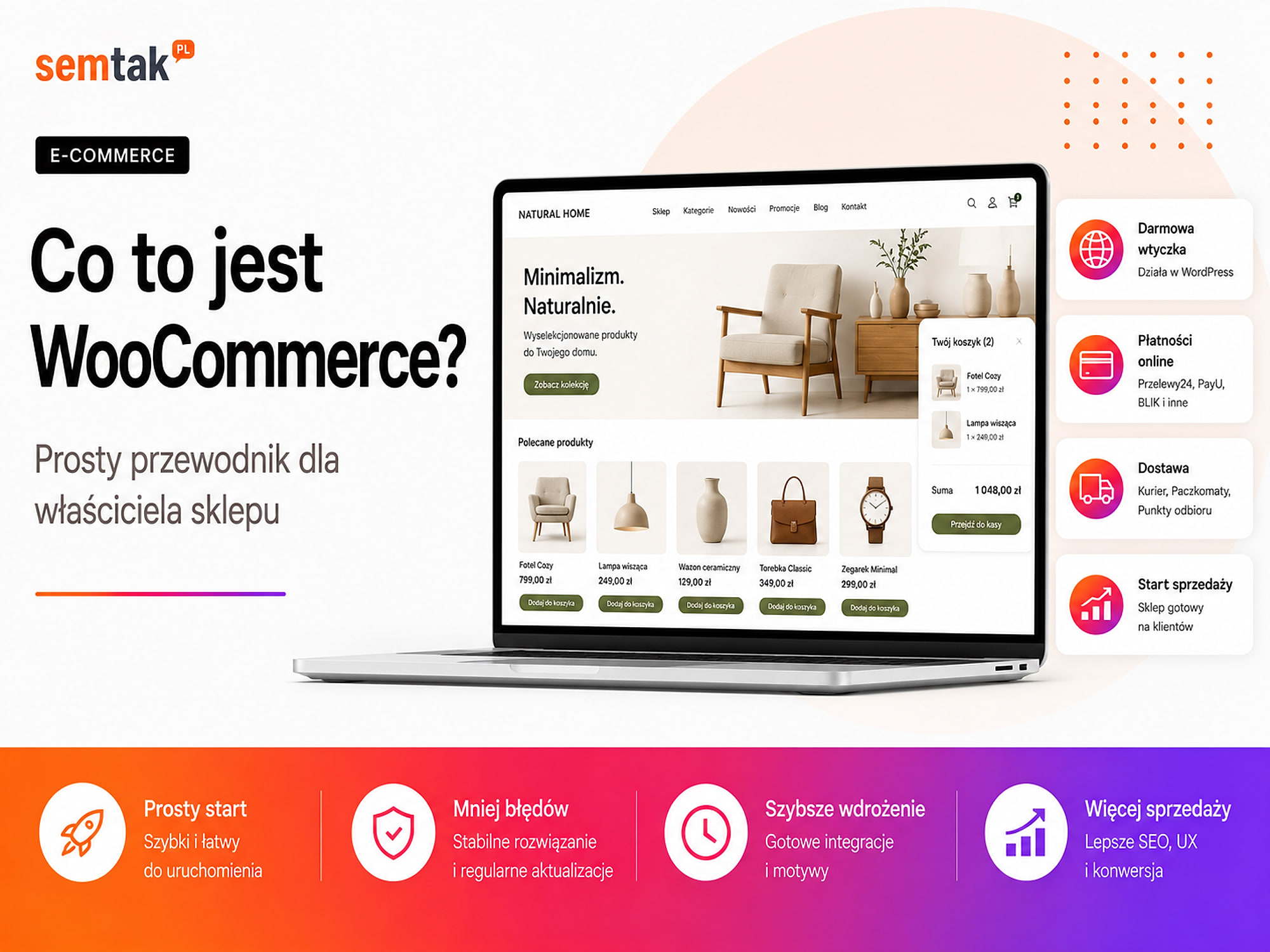
WooCommerce is a solution that turns a WordPress website into an online shop. Once it is up and running, you can add products, take orders, handle payments, set up delivery methods and keep track of stock levels.
The greatest advantage of WooCommerce is freedom. The shop runs on a server of your choice, and its appearance and features can be tailored to the way your business works.
That freedom also means greater responsibility. Someone has to keep an eye on updates, security, speed and the compatibility of additional plugins.
In this guide we explain in plain language what WooCommerce is, how it works, its advantages and drawbacks, and when it will be a good choice for your shop.
In short
WooCommerce is a free plugin that turns a WordPress website into a fully fledged online shop — it lets you add products, take orders, and handle payments, delivery and stock. Its greatest advantage is freedom: the shop runs on a server of your choice, and you tailor its appearance and features to your business. You do not pay for a licence, but rather for hosting, any premium plugins and the implementation.
In a nutshell (TL;DR)
- WooCommerce is e-commerce software that works together with WordPress.
- It adds products, a basket, orders, payments, delivery and stock to a website.
- The core of WooCommerce is free, but preparing and maintaining a shop generates costs.
- The platform can be extended with plugins, integrations and custom code.
- WooCommerce gives you a great deal of control over the shop, but it requires regular technical care.
- It works well both for simple shops and for elaborate B2B projects, provided it is set up correctly.
What is WooCommerce?
WooCommerce is a WordPress plugin that adds the features needed to run an online shop.
Technically, WooCommerce is a plugin. From a business owner's point of view it can be treated as the shop engine responsible for, among other things:
- products and their variants,
- prices and promotions,
- the basket,
- placing orders,
- stock levels,
- customer accounts,
- delivery methods,
- payments,
- discount coupons,
- basic sales reports.
After installation, an ordinary WordPress site gains features typical of e-commerce: a product catalogue, a basket, an order form and a customer account.
WordPress and WooCommerce — how do they differ? WordPress is used to manage the website and its content. WooCommerce adds online selling to it.
| WordPress | WooCommerce |
|---|---|
| Handles pages, posts and media | Handles products, the basket and orders |
| Lets you run a blog and a company website | Lets you sell online |
| Manages users and content | Manages customers, prices and stock |
| Is the foundation of the site | Is the sales layer running on WordPress |
The easiest way to picture it is to compare it to a building:
- WordPress is the entire building,
- the theme is responsible for how it looks,
- WooCommerce fits out a shop inside it,
- additional plugins add payments, couriers, invoices and other features.
The assumption behind this guide
We are talking about WordPress installed on your own hosting. In this model the shop owner chooses the server and is responsible for its technical maintenance.
How does WooCommerce work?
The customer chooses a product and places an order on the website, while the shop owner handles the sale from within the WordPress admin panel.
The way WooCommerce works can be looked at from two perspectives.
What does the customer see? The customer:
- visits the product page,
- chooses a variant, for example a colour or a size,
- adds the product to the basket,
- enters delivery details,
- chooses a shipping method,
- chooses a payment method,
- places the order,
- receives a confirmation.
What does the shop owner see? The owner or an employee:
- receives a new order in the panel,
- checks the payment and the customer's details,
- changes the order status,
- prepares the parcel,
- issues a sales document,
- hands the parcel over to the courier,
- informs the customer that the order is being processed.
In a small shop some of these tasks can be done manually. As the number of orders grows, WooCommerce is usually connected to an invoicing system, a warehouse, couriers, an order-management hub or an ERP system.
Abbreviations in one place
SKU — an internal product code used in the shop or warehouse.
ERP — a system for managing the company, for example the warehouse, invoices and finances.
PIM — a central database of product information, descriptions, images and parameters.
WMS — a system for managing warehouse operations.
CRM — a system that stores information about customers and the history of contact with them.
PHP — the programming language in which WordPress and WooCommerce run.
What can you sell with WooCommerce?
WooCommerce lets you sell physical, digital and virtual products, as well as products available in multiple variants.
Simple products. A simple product has no variants. It could be, for example, a book, a lamp, a cosmetic in a single pack or a specific furniture model. Such a product has one price, one stock level and one set of basic information.
Products with variants. A single product can come in different versions, for example:
- a T-shirt in several sizes and colours,
- a bed 140, 160 or 180 cm wide,
- a cream in a 30 ml and 50 ml pack,
- a desk with a black or white frame.
Each variant can have its own price, image, SKU code and stock level.
Digital products. WooCommerce can handle files made available to the customer after purchase, for example e-books, designs, graphic files, recordings and software.
Virtual products and services. A virtual product does not require physical delivery. It could be a consultation, a training course, a design service, access to materials or a ticket. More advanced models, such as bookings, subscriptions and recurring payments, usually require an additional extension.
What does WooCommerce offer out of the box?
A basic installation provides the most important shop features, but it does not include every integration needed to sell in the UK.
Product management. You can add names and descriptions, regular and promotional prices, images and galleries, categories, attributes, variants, SKU numbers and stock levels.
Basket and checkout. WooCommerce creates a process in which the customer adds products to the basket, enters their details and completes the purchase. The mere fact that the basket exists does not, however, mean it is convenient. Its appearance, the number of fields and how it behaves on a phone all need to be tailored to the shop's customers.
Order handling. In the panel you can browse orders, filter them by status, edit details, add notes, change the fulfilment status, process refunds and create orders manually.
Stock levels. WooCommerce can automatically reduce the stock level after a purchase and mark a product as out of stock. With a single warehouse, the basic handling may be enough. If you sell at the same time through your shop, marketplaces and a bricks-and-mortar point, you will need additional synchronisation.
Shipping zones and methods. You can set up, among other things, flat-rate shipping, free delivery above a certain amount, click and collect, and other rules for individual areas. Integrations with parcel lockers, couriers and automatic label creation usually require an additional plugin or an external system.
Basic tax settings. WooCommerce lets you enter tax rates and define how prices are displayed. The platform provides the technical settings — but it does not decide on the business owner's behalf which VAT rate should be applied. It is worth basing the configuration on the information provided by your accountant.
Discount coupons. You can create, for example, a percentage discount, a fixed-amount discount, free delivery, a promotion on selected products or a code valid for a limited time.
Which features does WooCommerce not provide automatically?
WooCommerce gives you the foundation of a shop, but payments, couriers, invoices and advanced integrations require additional configuration.
In a UK shop you often need to implement separately:
- instant and one-click payments,
- a payment gateway such as Stripe, PayPal or another provider,
- parcel lockers and a pickup-point map,
- a courier integration,
- automatic invoicing,
- a connection with an order-management hub,
- synchronisation with an ERP system or warehouse,
- a marketplace integration,
- GA4 and Google Ads analytics,
- a product feed for Google Merchant Center,
- multilingual support,
- a returns and complaints system,
- more advanced reports.
Installation is only the beginning
This is an important difference between "I have WooCommerce installed" and "I have a finished shop". Payments, delivery, sales measurement and automations all require separate preparation and testing.
Is WooCommerce free?
The basic WooCommerce plugin is free, but preparing and maintaining a professional shop generates costs.
You do not pay a subscription for the WooCommerce core itself. You still need a domain, hosting and configuration, however.
| Element | Is it mandatory? | Cost model |
|---|---|---|
| WooCommerce | Yes | Free core |
| WordPress | Yes | Free software |
| Domain | Yes | Annual fee |
| Hosting or server | Yes | Monthly or annual fee |
| SSL certificate | Yes | Often included with hosting |
| Theme | Not always | Free or paid |
| Online payments | Usually yes | Transaction commission |
| Delivery integrations | Depends on the shop | Free or paid extension |
| Additional plugins | Depends on your needs | One-off or subscription |
| Shop implementation | Depends on the provider | One-off project cost |
| Technical maintenance | Recommended | Monthly package or hourly billing |
Does WooCommerce charge a commission on sales? The WooCommerce core itself does not add a standard platform commission to every order. A commission may, however, be charged by:
- the payment provider,
- an instalment system,
- a marketplace,
- an external platform,
- the provider of a chosen extension.
The statement "WooCommerce has no commission" therefore refers to the software itself, not to all the costs involved in handling transactions.
WooCommerce versus a subscription platform — what is the difference?
WooCommerce gives you more control over the shop, whereas a subscription platform takes over more of the technical duties.
| Area | WooCommerce | Subscription platform |
|---|---|---|
| How it works | Your own WordPress and hosting | A service from the platform provider |
| Fee for the core | None | Usually a monthly subscription |
| Choice of hosting | Yes | Usually no |
| Access to the code | Very broad | Limited by the platform's rules |
| Extension | Plugins, API and custom code | Features available within the ecosystem |
| Updates | On the owner's or maintainer's side | Mainly on the provider's side |
| Technical responsibility | Greater | Smaller |
| Migration | Possible, but requires preparation | Depends on the available exports |
| Costs | Depend on infrastructure and extensions | Depend on the plan and add-ons |
A subscription platform can be more convenient when you want to launch a simple shop quickly and are not interested in its technical backend. WooCommerce can be a better solution when you need:
- custom integrations,
- advanced SEO,
- an unusual checkout process,
- fuller control over your data,
- freedom to choose your server,
- the ability to expand further.
What are the biggest advantages of WooCommerce?
The biggest advantages of WooCommerce are control over the shop, flexibility of expansion and the ability to combine selling with WordPress content.
A great deal of control over the shop. You can choose the hosting, the theme, the provider, the payment operator, the integrations and the way data is stored. This does not mean complete independence from other companies — the shop can still use couriers, payment operators and an external ERP. You do, however, have more influence over how all the elements are connected to one another.
The ability to expand. A simple shop can over time gain:
- a warehouse integration,
- a B2B panel,
- individual price lists,
- a product configurator,
- a loyalty programme,
- subscription selling,
- automation of invoices and shipping,
- a connection with a production system.
If a ready-made plugin is not enough, a custom solution can be prepared.
Flexible content management. WooCommerce runs on WordPress, which is why a shop can at the same time be an extensive content service. You can run a blog, guides, a knowledge base, rankings, manufacturer pages, buying guides and detailed category descriptions. This is especially useful when the shop is meant to attract customers through SEO.
The ability to change providers. You are not permanently tied to a single hosting provider, contractor or payment operator. The change will not always be easy, especially when the shop contains a lot of custom code, but you have more freedom to migrate and rebuild than in many closed systems.
What are the drawbacks of WooCommerce?
The main drawbacks of WooCommerce stem from the fact that the shop owner is responsible for maintenance, updates, security and the quality of the extensions used.
Updates are the shop owner's responsibility. You have to update WordPress, WooCommerce, the theme, additional plugins, the PHP version (the language in which WordPress runs) and the server configuration.
A note on updates
Do not make major changes without a backup. In an elaborate shop, it is worth testing updates first on a staging environment, that is a copy of the shop that is invisible to customers.
Plugins create dependencies. Additional WooCommerce features are most often created by installing plugins. Every plugin, however, adds code and may affect other parts of the shop. That is why it is not worth installing an extension for every minor feature without checking:
- who develops it,
- when it was last updated,
- whether it works with the current version of WooCommerce,
- whether it duplicates the function of another plugin.
Speed depends on the implementation. WooCommerce on its own does not guarantee fast performance. Performance is affected by, among other things:
- the hosting,
- the quality of the theme,
- the number of plugins,
- the size of the images,
- the database,
- the product filters,
- caching, that is the mechanism that stores ready-made versions of pages,
- connections with external systems.
A shop with 200 products can be slow if it was poorly prepared. A much larger shop can run smoothly if it has the right architecture and server. We have described the problems and the ways to fix them in our guide on how to speed up a WooCommerce shop.
Security requires constant care. The shop stores information about customers and orders. You therefore have to keep an eye on updates, backups, strong passwords, two-factor authentication, the SSL certificate, monitoring and protection against bots and attacks. You will find more information in our guide on WooCommerce shop security.
If no one at the company looks after the shop, it is worth considering ongoing WordPress and WooCommerce technical care.
Who is WooCommerce for?
WooCommerce works well for companies that want to develop their own shop and need more freedom than a simple subscription system offers.
A small cosmetics shop. The shop has 80 products, several brands, instant payments, parcel lockers and basic stock management. WooCommerce lets you start with a simple configuration and later add a blog, product bundles, a discount programme, Google Shopping and automatic invoices.
A furniture shop with variants. A product may have several colours, sizes and finishes. The price and the lead time depend on the chosen variant. WooCommerce can be extended with a configurator and connected to the company's system. Such a project, however, requires considerably more work than installing a ready-made template.
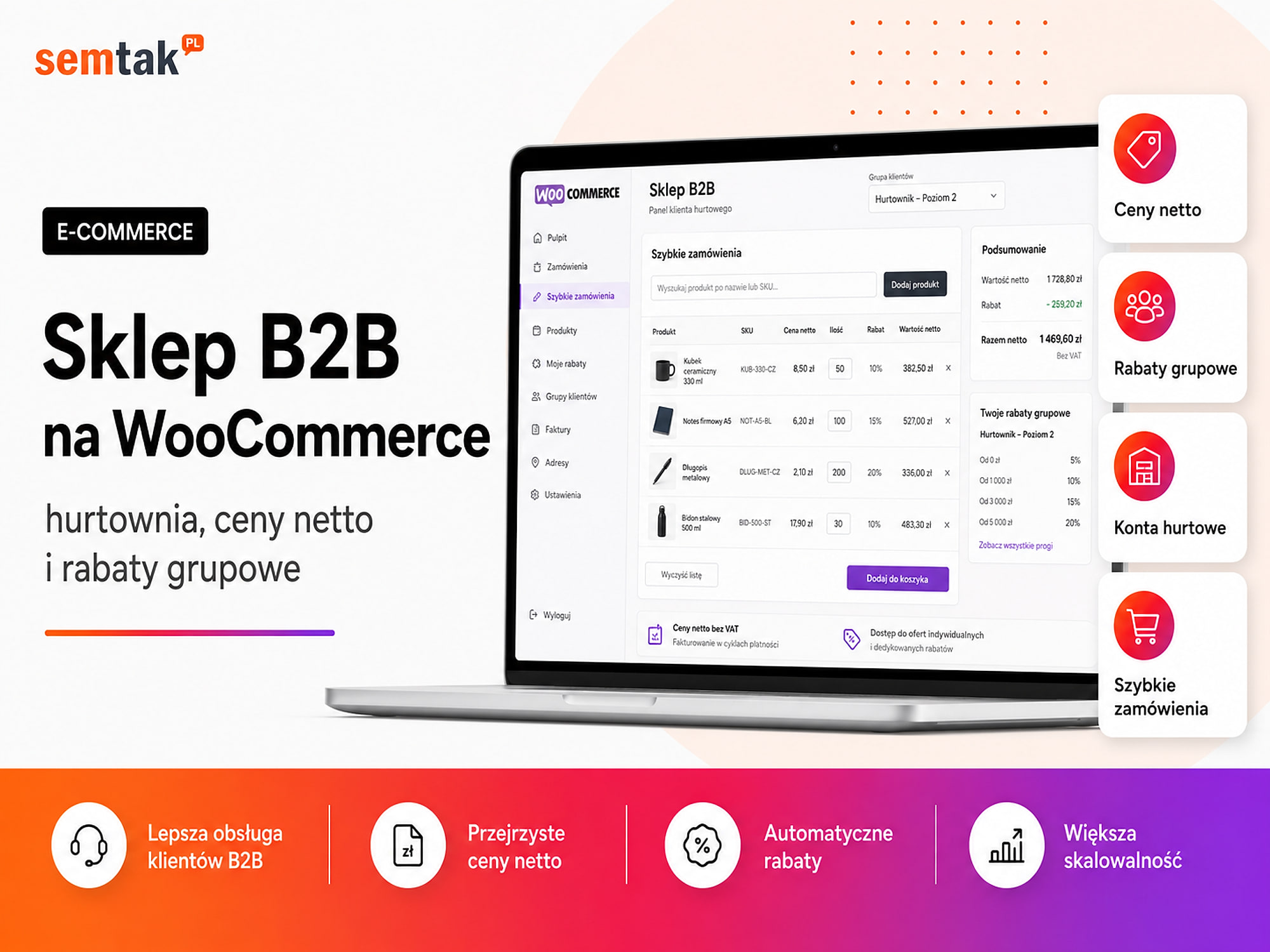
A B2B wholesaler. Business customers may have different prices, individual terms and the ability to place large orders. WooCommerce can be extended with:
- customer-dependent prices,
- trade credit limits,
- quick tabular ordering,
- deferred payments,
- an ERP integration,
- stock synchronisation.
In such a case WooCommerce is the foundation, and the actual B2B system is created as part of an additional implementation.
A company selling digital products. WooCommerce can handle e-books, files, training courses and access to materials. For subscriptions and recurring payments, additional extensions will be needed.
You now know what WooCommerce is. If you want to launch your own shop, take a look at WooCommerce store development. We start with the sales process and the company's needs, not with picking a random template.
When might WooCommerce not be a good choice?
WooCommerce may not be the best solution if your priority is, above all, a very simple start and you do not want to be responsible for the shop's technical maintenance.
It is worth considering another platform when:
- you only need a simple test shop,
- you do not want to deal with hosting and updates,
- you want a ready-made solution that works almost straight away,
- you accept the limitations of a subscription system,
- you are not planning any unusual integrations,
- you do not have anyone responsible for technical maintenance.
WooCommerce may also not be enough as the only system in a very complex organisation. In a larger company it can act as a sales layer connected with:
- an ERP — a company management system,
- a PIM — a product database,
- a WMS — a warehouse system,
- a CRM — a customer relationship management system.
Is WooCommerce suitable for a large shop?
Yes, but the performance of a large shop is determined by the architecture, the server, the database, the integrations and the way the catalogue is prepared.
There is no single number of products after which WooCommerce automatically stops working. What matters is whether the shop has:
- 500 simple products,
- 500 products with hundreds of variants,
- thousands of stock levels being updated,
- elaborate filters,
- individual customer prices,
- synchronisation with many sales channels.
Two shops with the same number of products can place completely different demands on the server. With a large catalogue you have to plan in advance:
- the model of products and variants,
- the way data is imported,
- the search engine and the filters,
- stock synchronisation,
- caching, that is the storing of ready-made versions of pages,
- the database structure,
- task queues, that is running heavier operations in the background instead of during a customer's visit,
- the integrations,
- indexing in Google.
What can go wrong in WooCommerce?
The most common problems are visible symptoms of incorrect configuration, a faulty integration or a conflict between the shop's elements.
The payment does not update the order status. The customer pays, but the order still has the status "awaiting payment". The cause may be a problem with communication between the payment operator and WooCommerce.
Delivery charges the wrong price. The basket may show the wrong rate when the shipping zones, product classes, free-delivery thresholds or weights and dimensions have been set up incorrectly.
Stock levels do not match across channels. The shop shows a product as available even though it was previously sold on a marketplace or in a bricks-and-mortar point. The problem usually concerns synchronisation between WooCommerce, the warehouse, the marketplace and the ERP.
Messages to customers do not arrive. The shop may save the order correctly, but the customer does not receive a confirmation. The cause can be a misconfiguration of message sending or problems with email deliverability.
The product import stops halfway through. With large files, an import can overload the server, create incomplete variants or skip some images. Such operations are best split into batches and checked after each stage.
Google indexes unnecessary addresses. Badly configured filters and parameters can create thousands of URLs. If the shop has 100 products, the problem may still be barely noticeable. With 10,000 products, filters can generate an enormous number of combinations that Google should not be indexing. We have described the basic order of actions in our guide WooCommerce shop SEO — where to start.
How do you get started with WooCommerce?
First plan the sales process, payments, delivery and integrations, and only then choose the theme and additional plugins.
The basic process looks as follows:
- Choose a domain and hosting.
- Install WordPress.
- Install WooCommerce.
- Configure the basic settings.
- Add products and categories.
- Connect payments.
- Set up delivery methods.
- Prepare the terms and conditions and information for customers.
- Configure analytics.
- Test the whole order.
This is only a shortened plan, not a full implementation manual. You will find the detailed order in our guide on how to set up an online shop step by step.
What can you check yourself?
The most information about the state of the shop will come from a complete test order placed on a computer and a phone.
1. Place a test order. Choose a product, add it to the basket, go through the delivery selection and make a test payment. Afterwards, check the order status, the message to the customer, the reduction in stock level, the sales document and the information passed on to the courier.
2. Check the shop on a phone. Pay attention to whether the menu is legible, the filters work, the variant is easy to choose, the buy button is visible, the basket fits on the screen and the order form is convenient.
3. Check whether the shop is regularly maintained. Establish who is responsible for updates, backups, checking payments, error monitoring and responding to failures.
Very important
Do not update a neglected shop without first making a backup and running tests. A single plugin or theme update can stop sales if the shop has gone a long time without care.
4. Review the list of plugins. Check whether each active plugin has a specific purpose, is still being developed, does not duplicate another extension and comes from a trustworthy source.
5. Compare stock levels. Check a few products in WooCommerce, the warehouse, the ERP and the remaining sales channels.
6. Check the most important types of page. Test the home page, a category, a product, the basket and the order form. Do not judge the shop on the basis of the home page alone.
When is it worth commissioning a specialist?
A specialist is needed when the shop requires a custom architecture, integrations or the resolution of problems spanning several systems at once.
It is worth considering help when:
- you are still planning the structure of the shop,
- you need unusual variants or a configurator,
- the shop is to be connected with an ERP or a warehouse,
- you are moving products from another platform,
- you handle many thousands of products,
- your stock levels are inconsistent,
- payments or delivery work unreliably,
- the shop is slow,
- traffic is growing but the number of orders is not,
- Google is indexing the wrong pages,
- you do not know which plugins and integrations are actually needed.
A specialist should start by understanding how the company works, not by installing random extensions. A shop with 50 cosmetics needs one solution, a wholesaler with individual prices another, and a furniture manufacturer with hundreds of product combinations yet another.
Frequently asked questions
Is WooCommerce the same as WordPress?
No. WordPress is a website management system, while WooCommerce is e-commerce software that runs on it. To use WooCommerce you need WordPress.
Is WooCommerce free?
The basic WooCommerce core is free. You do, however, have to pay for, among other things, the domain, hosting, implementation and selected extensions.
Does WooCommerce charge a commission on sales?
WooCommerce itself does not charge a standard platform commission on every order. The commission is usually charged by the payment operator or another external provider.
Is WooCommerce suitable for a beginner?
Basic products can be added without any programming. Correctly implementing payments, delivery, security and integrations may, however, require technical help.
Can you sell services with WooCommerce?
Yes. Services can be sold as virtual products. Booking time slots, subscriptions and elaborate forms may require additional extensions.
Does WooCommerce support instant payments and parcel lockers?
Yes, but usually through additional integrations with a payment operator and a courier. These are not complete features provided automatically by the basic installation.
Is WooCommerce suitable for a large shop?
Yes, provided the server, database, product catalogue and integrations are prepared correctly. The number of products alone does not allow you to assess the shop's requirements.
Do you have to update WooCommerce?
Yes. WooCommerce, WordPress, the theme and additional plugins require regular updates carried out after a backup has been made.
Do you need a WooCommerce shop tailored to your business?
Installing WooCommerce itself is simple. Most of the decisions arise around the product structure, variants, payments, shipping, integrations and performance. If you are planning a new shop or want to rebuild your current one, we will start with the sales process and the company's needs — and only then choose the theme, plugins, server and integrations:
- WooCommerce store development — a shop built around the sales process, not around a random template.
- How to set up an online shop step by step — the full implementation order.
- How to speed up a WooCommerce shop — performance and Core Web Vitals.
- WordPress and WooCommerce technical care — updates, backups and security.