Sharing a Google Ads account
Sharing a Google Ads account lets you work on a single account together with other employees. Thanks to this there is no need to create a separate account for every new colleague. Granting access to someone else takes just a few moments. Below we show, in a few steps, how you can grant access to your account.
Sharing a Google Ads account in a few steps:
1. Sign in to your Google Ads account.
2. In the top right-hand corner select the gear icon, that is SETTINGS, and then select ACCOUNT SETTINGS.
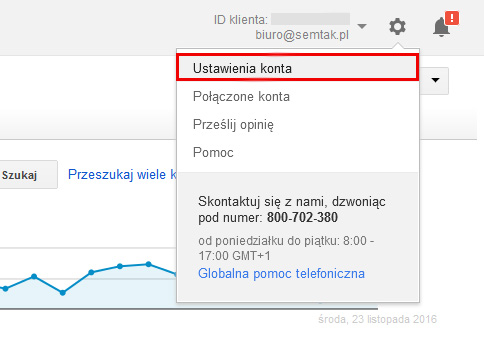
3. From the menu on the left, select ACCESS AND SECURITY.
4. To grant other people access to the Google Ads account, click the blue + (PLUS) / USERS button.
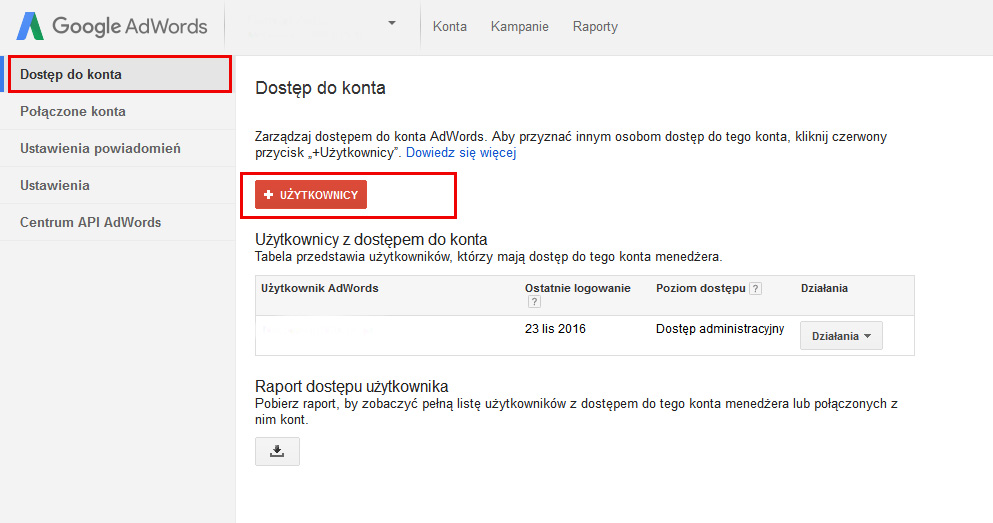
5. Enter the e-mail address of the person you want to share your account with.
6. Enter a name for the new user (thanks to it you will know who makes changes on a given account!).
7. Below, set the access level to the account that you want to grant to that person.
8. Click SEND INVITATION. The person who receives the invitation must confirm it by clicking the link included in the e-mail message.
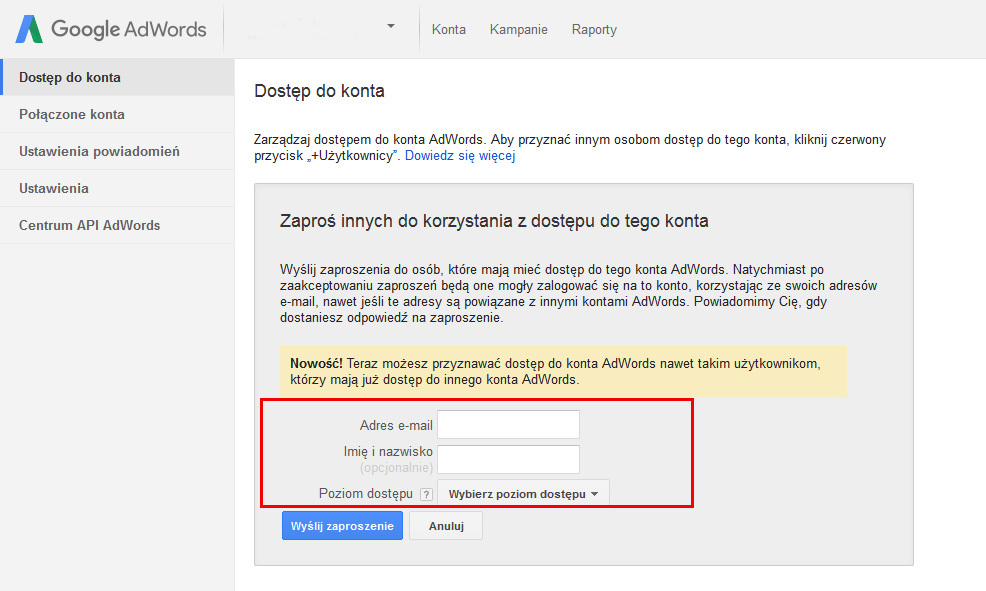
Choose the right access level for the account:
At each access level granted, the user has different capabilities. Thanks to this solution you do not have to grant full permissions to everyone, only to those people who will actually use them. Choosing the access level is in fact crucial, because by granting it you can not only assign permissions to a given person/company but also limit them.
In the table below you can check which functions are assigned to each access level.
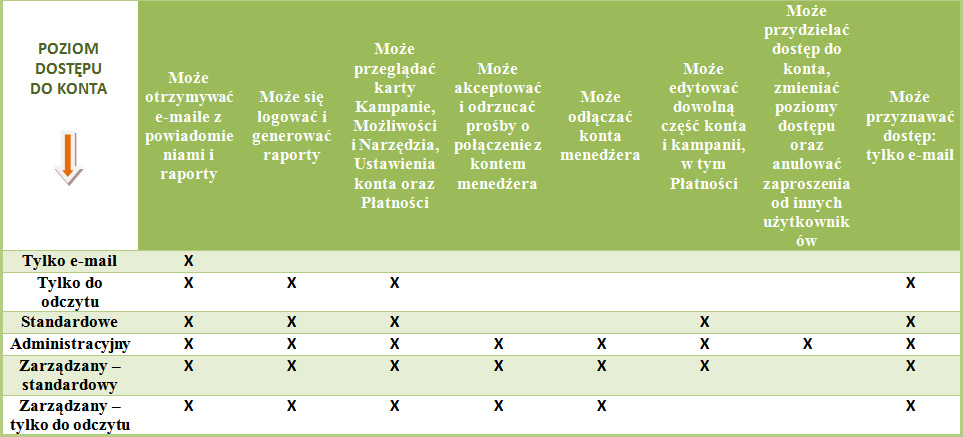
To make things easier, we have prepared a table divided into 8 types of permissions/access levels. As you can see, each access level has specific functions assigned to it, starting from the basic ones all the way up to administrative access, where the user has unlimited capabilities and permissions. Sharing a Google Ads account also means being able to grant a specific access level to people or agencies that handle running a Google advertising campaign. As the example above shows, adding access is incredibly simple. Google has made sure that every step is described in detail. Thanks to this, no one should have a problem assigning access on their own.