Google Ads Campaign Management — What It Covers and How It Works

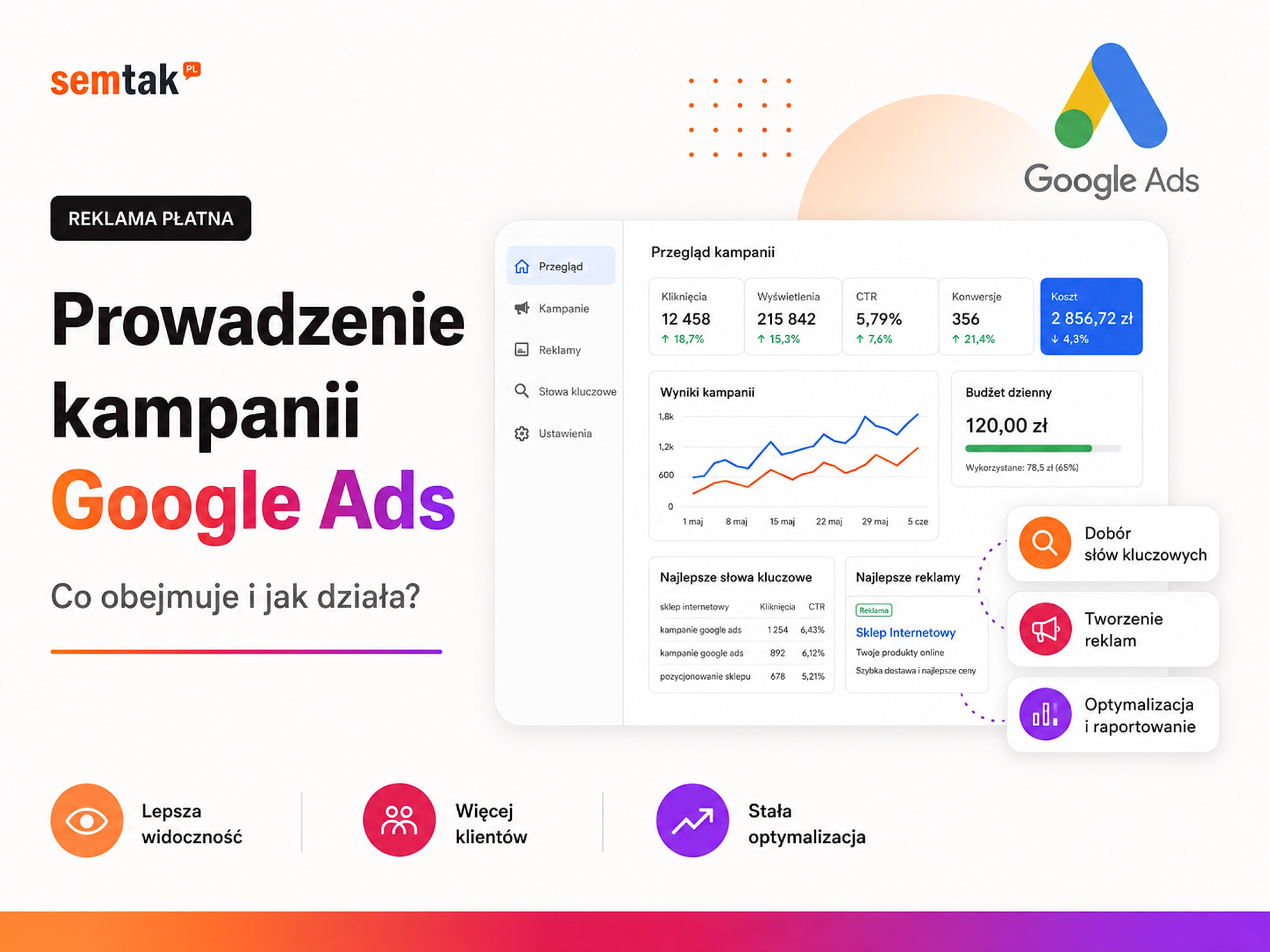
Managing a Google Ads campaign does not end when the ad goes live. It is a continuous process — from setting the goal and configuring measurement, through preparing the campaign, all the way to analysing results and shifting budget to where it delivers the best effect.
A well-managed campaign should answer specific questions: how much it costs to acquire a customer, which ads generate sales or enquiries, which search terms the business is paying for, which products, services and locations are profitable, and whether the problem lies in the ad, the website, the offer or the measurement.
If a report shows only clicks, impressions and the average cost per visit, that is not enough. A business should know whether Google Ads is genuinely helping it win customers. In this guide we explain what managing Google Ads covers, what working on a campaign looks like, and how to tell whether an account is actually being managed.
In short
Managing a Google Ads campaign usually covers four main areas:
- Strategy and preparation — goal, offer, budget, profitability and landing page.
- Measurement — configuring purchases, forms, phone calls and other conversions.
- Building the campaign — structure, keywords, ads, products and targeting.
- Ongoing analysis — cost control, customer quality, optimisation and reporting.
Management does not end on the day the ads launch. Only after data has been gathered can you assess which elements are working and which need improvement.
In a nutshell (TL;DR)
- Managing Google Ads is the continuous analysis and improvement of a campaign, not a one-off setup.
- Before you start, you need to define what a valuable conversion is: a purchase, a form, a phone call or a qualified lead.
- Google's automated strategies need correct data. Faulty measurement means faulty decisions by the system.
- In an online store, it is not only revenue and ROAS that matter, but also margin, returns, delivery cost and product availability.
- The advertising budget paid to Google is something different from the fee for managing the campaign.
- A good report shows the business result and the actions taken, not just the number of clicks.
What is Google Ads campaign management?
Managing Google Ads is the ongoing work of making sure the advertising budget reaches the right users and leads to valuable actions.
Such an action could be a purchase in a store, submitting a form, a phone call to the company, booking an appointment, requesting a quote, downloading an offer, creating an account or a valuable lead passed to a CRM. A mere visit to the site need not be a success.
Example: a company paid for 1,000 visits from ads. Traffic rose, but no one submitted a form or called. The campaign generated clicks but did not solve the business problem. The person managing Google Ads should check who clicks the ads, what they are looking for, how much the traffic costs, what the user does after landing on the site, which clicks lead to customers and where the budget is being wasted.
One-off setup versus ongoing Google Ads management
These two scopes are often confused: setup launches the ads, while management keeps them effective over time.
A one-off campaign setup may cover creating or tidying up the account, building the campaign, preparing keywords, writing ads, setting locations, defining the budget, configuring basic conversions and starting delivery. Once this work is done the ad begins to run — but that does not mean it will keep performing well in the following months.
Ongoing campaign management covers, among other things, analysing search terms, adding exclusions, assessing lead quality, controlling the budget, testing ads, analysing devices and locations, monitoring conversions, responding to changes in the offer, shifting funds between campaigns and improving results based on data.
Example: a company offers air-conditioning installation in Rzeszów. The campaign was launched on the term "air conditioning". After launch it turns out the ads also appear for queries such as car air conditioning, car AC repair, air-conditioning fitter jobs, used air conditioner or air-conditioner manual. Without regular monitoring, part of the budget will reach people who are not looking for the service on offer.
What does Google Ads campaign management cover?
The scope depends on the company, the budget, the type of campaign and the way customers are acquired. The areas below, however, appear in most well-managed accounts.
1. Defining the business goal. Work should not begin with the question "which campaign do we launch?" but "what result is the advertising meant to deliver?". For a service business the goal might be phone calls, forms, bookings or quote requests; for an online store — purchases, a specific sales value, sales of selected categories, acquiring new customers or selling products with an appropriate margin.
ROAS is not the same as profit
ROAS shows the revenue attributed to advertising relative to ad spend. It does not automatically mean profit, because it does not account for margin, delivery, returns or the cost of handling the order. A high ROAS on low-margin products with a large number of returns can mean a campaign that does not actually earn money.
Why does the goal matter? Google Ads can aim, among other things, to increase the number of clicks, the number of conversions, the conversion value or ad visibility. If the system is given the wrong goal, it may effectively deliver an action that has no value for the business. Example: visiting the contact page was set as the main conversion. The campaign began to generate many such "conversions", even though there were still few forms — the system was learning to attract people who open the "Contact" tab, not people who actually send an enquiry.
2. Analysing the company, the offer and profitability. Not every service or product is worth promoting in the same way. Before launching a campaign you need to establish what the company wants to sell, which products are a priority, what their margin is, how much it can afford to spend acquiring a customer, where the company operates, how long the purchase decision takes, which products are available and what limitations exist in fulfilling orders.
| Product group | Average order value | Margin | Availability |
|---|---|---|---|
| Accessories | £24 | high | permanent |
| Furniture | £359 | medium | 4–6 weeks |
| Promotional products | £49 | very low | limited |
Directing the same budget at all groups may make no sense. A promotional product may generate sales, but once margin, commission and delivery are taken into account the advertising turns out to be unprofitable.
3. Auditing the existing account. If the company has already run Google Ads, you do not always have to start from scratch. An audit should cover the campaign structure, the history of results, the conversions set up, the bidding strategies, budgets, search terms, exclusions, locations, schedule, the connection to GA4, audience lists, disapproved ads and the change history. An old account may contain valuable information about working terms, categories, products and audiences. If campaigns are already running but the results are unclear, it is worth starting with a Google Ads audit.
4. Checking the landing page. A campaign can bring in the right users, but it will not fix a weak page. Before increasing the budget it is worth checking whether the offer is clear, whether the site works on a phone, whether the form works, whether the phone number is visible, whether prices are up to date, whether the user lands on the right subpage, whether the store allows a convenient purchase, whether the page loads fast enough and whether the customer sees information that builds trust. Example: an ad promises a "free installation quote within 24 hours", but after clicking the user lands on a generic home page with no mention of a free quote and no form. The problem need not be the ad — the problem is the lack of consistency between the promise and the page.
5. Configuring conversion measurement. Without correct measurement you cannot honestly assess a campaign. A conversion can be a purchase, an order value, submitting a form, a phone call, a booking, starting checkout, downloading a document or a valuable lead saved in a CRM. Not every click should be the main conversion that the system bids against. A primary conversion is the action the campaign should aim for, for example a purchase or submitting a form. A supporting action provides information but does not have to drive the campaign — it could be scrolling the page, watching a video, clicking an e-mail address or adding a product to the basket. If all minor actions are treated the same way, the campaign may start acquiring cheap but low-value interactions. We describe the full process in the guide conversions in Google Ads — how to measure them correctly. If the company has no reliable data, it is worth sorting out analytics and conversion measurement before scaling the campaign.
6. Choosing the right campaign types. The campaign type should follow from the goal and the way the customer makes decisions.
| Campaign type | Main use |
|---|---|
| Search | Reaches people typing specific queries |
| Shopping | Shows products, images and prices |
| Performance Max | Uses many Google surfaces and automation |
| Remarketing | Returns to people who visited the site |
| Demand Gen | Builds interest using images and video |
| Video | Uses ads on YouTube |
| App campaigns | Promote installs and in-app actions |
Not every company needs all campaign types at once. A local service business can start with Search; a store with a large assortment usually needs product campaigns based on data sent from the store catalogue. You will find more examples in the guide types of Google Ads — campaign types and when to choose them.
Product campaigns in e-commerce. Google Merchant Center is the system into which a store sends data about its products. The product feed is an organised source of information containing, among other things, the product name, price, availability, image, brand, identifier and product page URL. Shopping and Performance Max campaigns can run on the basis of this data. In product campaigns you need to control not only the ads but also Merchant Center errors, disapproved products, price accuracy, availability, product titles, variants, image quality and the split of the assortment by margin. We cover this in more depth in the article Google product advertising — Shopping and Performance Max.
Remarketing lets you reach people who have visited the site or viewed products again. It does not replace a campaign that acquires new users — it can complement one, especially when the purchase decision takes longer or the customer is comparing several offers. You will find more in the guide Google Ads remarketing.
7. Preparing the account structure. The structure determines whether the results can be controlled — it is not worth dumping the whole offer into a single ad group. Example of a renovation company:
Campaign: Flat renovation — Kraków
├── Group: Flat renovation
├── Group: Bathroom renovation
├── Group: Kitchen renovation
└── Group: Turnkey finishing
Each group can have its own keywords, matching ads, a separate landing page and separate results. In a store the split can take into account categories, brands, margin, seasonality, popularity, availability and new versus returning customers. A good structure tells you which service is winning enquiries, which category has the best results, where to increase the budget, which products to pause and which groups need a separate campaign.
8. Selecting keywords and analysing intent. In a Search campaign it is not enough to prepare a list of popular words — you have to understand the user's intent. Compare: "what is a heat pump", "is a heat pump worth it", "heat pump installation Rzeszów", "heat pump price with installation". Each query can mean a different stage of the decision. Someone looking for a definition need not be ready to make contact, while a phrase that includes the service, the location and the price may be more purchase-oriented. It is worth distinguishing two concepts: a keyword is a setting in the campaign, whereas a search term is the actual text typed by the user. It is the search terms report that shows whether the ad is reaching the right people.
9. Preparing negative keywords. Exclusions limit ads from showing on irrelevant queries — these can include, among others, jobs, internship, manual, forum, used, training or definition. You should not, however, copy a single list into every campaign. For a software maker the phrase "free demo" may be valuable, while for a company that does not offer a trial version it may generate accidental traffic. The exclusion list should be developed on the basis of real queries.
10. Preparing the ads. An ad should answer what the customer is looking for. It can contain a specific service or product, the area of operation, an important benefit, a differentiator, a deadline, a price (if it can be given) and a call to action.
Weak message: "Best quality and professional service. Check us out!" — text like this could fit almost any company.
Better message: "Air-conditioning servicing in Kraków. Inspection, cleaning and disinfection. Book a slot online." — it says what service is offered, where, what it covers and what to do next.
In a store the ad should be consistent with the real price, availability and variant of the product.
11. Preparing ad assets. Google Ads uses additional elements that extend the ad: sitelinks, callouts, price information, promotions, a phone number, a contact form, a location, images and the company name and logo. In Performance Max you may also need headlines, long headlines, descriptions, images, logos, videos and a product feed. The materials should be matched to a specific product or service group, not thrown at random into a single campaign.
12. Setting locations, language and schedule. A mistake in location can quickly drain the budget — a company operating in Lublin should not be paying without reason for clicks from users across the whole of Poland. You need to check the area of operation, excluded regions, the way a user's location is determined, the campaign language, the hours of delivery and the ability to handle enquiries outside working hours. A law firm may only answer the phone until 4 p.m., but forms can be submitted in the evening too — calls and forms are therefore worth analysing separately.
13. Setting the budget and bidding strategy. The budget should follow from the campaign goal, the cost per click, the competitiveness of the industry, the number of promoted services, the area of operation, the customer value, the margin and the expected number of conversions. There is no single amount that suits every company. On a limited budget it is sometimes better to promote one category and one market than to split funds across ten campaigns, none of which will gather data. You will find more about planning spend in the guide how much Google Ads costs.
How do automated bidding strategies work? Google can automatically set the bid for each ad auction, taking into account, among other things, the query, the device, the location, the time, previous results, the probability of conversion and the predicted purchase value. Automation, however, does not relieve you of managing the campaign. A person still defines the right goals, conversion values, campaign structure, budget, promoted products, exclusions, messaging and business conditions. If the system receives incorrect conversions, it will make decisions based on incorrect data.
14. Launching and monitoring the first data. After launch you need to check whether the ads are approved, whether the budget is being spent, whether the location works correctly, whether the right queries are appearing, whether the links lead to good pages, whether conversions are being recorded, whether a single conversion is not counted several times and whether Merchant Center is not disapproving products. This does not mean making large changes several times a day — the first data can be unstable, and rebuilding too often makes it harder to assess what actually affected the result.
15. Regular analysis of results. The analysis should combine advertising data with what happens on the company's side. Checking lead quality is especially important.
| Phrase | Leads | Cost per lead | Sales |
|---|---|---|---|
| CRM system for business | 10 | £19 | 3 contracts |
| free CRM | 20 | £9 | 0 contracts |
The second phrase looks better if you only look at the number and cost of forms. Once the data is combined with the CRM, however, it turns out it brings in no customers at all. Similarly in a store: a campaign may generate high revenue but promote low-margin products with a high number of returns.
Campaign generating traffic but no customers?
As part of Google Ads management we check the account, the conversions, the traffic quality and the landing pages. This makes it possible to separate a campaign problem from a problem with the page, the offer or the measurement.
16. Optimising the campaign. Optimisation means making decisions based on data. It can include adding exclusions, pausing irrelevant phrases, changing budgets, shifting funds between campaigns, changing the bidding strategy, testing ads, improving assets, changing locations, turning off weak products, separating out the best categories, adjusting the schedule, changing the landing page and changing the conversion goal. Not every campaign needs a major change every month — sometimes the best decision is to leave a stable configuration in place and gather more data.
17. Budget control. Managing a campaign should include controlling how much was spent, where it was spent, whether campaigns are limited by budget, whether funds are reaching the priority offer, whether increased spend brings more valuable customers and whether the ads are not promoting unavailable products. Increasing the budget does not always increase sales proportionally. If the market has a limited number of valuable queries, the extra funds may start reaching a broader and less profitable audience.
18. Testing ads and solutions. A test can concern headlines, descriptions, the call to action, the landing page, the form, the price, the campaign type, the product group, the bidding strategy, the location or the images. A test should have a defined hypothesis, for example: showing a starting price in the ad will limit accidental clicks and improve form quality. Once the data is gathered, you compare the results and make a decision. Changing five elements at once makes it harder to determine what actually helped.
19. Analysing the page and the customer journey. Sometimes a campaign works correctly but the page does not turn traffic into customers. Possible problems: the form is too long, the phone number is invisible, the page works poorly on a phone, the offer is unclear, the product is unavailable, the delivery cost appears too late, checkout returns an error or the ad leads to too generic a page. The person managing the campaign should flag such a problem, even if fixing it requires separate technical work.
20. Reporting and recommendations. A report should answer the question of what the campaign brought the company and what was done in the latest period. For a service business it may contain the ad cost, the number of enquiries, the cost per enquiry, phone calls, lead quality, effective services, changes made and recommendations. For a store — ad cost, number of transactions, revenue, ROAS, cost of purchase, basket value, product and category results, feed problems, disapproved products and profitability after margin. A good report should clearly show: how much was spent, what was achieved, how much the result cost, what works best, what does not work, what changes were made and what will be tested next. A mere table export from Google Ads is not a report — the data needs commentary and conclusions.
What does managing Google Ads look like month by month?
The scope of work depends on the campaign stage — from preparation, through the first decisions, to stabilisation and growth.
| Stage | What usually happens? |
|---|---|
| Preparation | Goal, audit, analytics, structure, ads and launch |
| First data | Monitoring delivery, queries, conversions and errors |
| First decisions | Exclusions, budget changes, improving ads and pages |
| Stabilisation | Analysing costs, lead quality and profitability |
| Growth | New campaigns, products, locations and scaling up |
This should not be treated as a rigid calendar. A campaign with a large budget can gather data faster than a small local one. A store with a long purchase process, on the other hand, may need more time to assess the real result.
Does a campaign need changing every day?
No. The account should be monitored regularly, but not every check has to end in a change.
Modifying too often can make analysis harder, disrupt automated strategies, prevent comparison between periods and lead to decisions based on too little data. How often work is needed depends on the level of spend, the number of campaigns, the number of conversions, seasonality, changes in the offer, the scale of the store and technical problems. An account spending several hundred pounds a day needs a different monitoring frequency than a small local ad.
Which metrics matter most?
Not every metric carries the same weight — the number of clicks has to be read together with conversion quality and profitability.
| Metric | What it means | What to watch out for |
|---|---|---|
| Clicks | Number of visits from ads | They do not tell you whether customers were won |
| CTR | Share of impressions that ended in a click | A high CTR does not guarantee sales |
| CPC | Average cost per click | A cheap click may be worthless |
| Conversions | Number of measured actions | They must be configured correctly |
| CPA | Cost of a single conversion | Conversion quality must be taken into account |
| Conversion rate | Share of visits that ended in an action | Also depends on the page and the offer |
| ROAS | Revenue relative to ad cost | It is not the same as profit |
| Conversion value | Value assigned to actions | Must match real results |
| Impression share | How often the ad can appear | A larger share is not always profitable |
In a service business it is worth checking how many leads were valid, how many conversations ended in an offer, how many offers ended in a sale and what the customer value was. In an online store, besides ROAS, it is worth analysing margin, returns, delivery cost, new customers, product availability, category profitability and customer value over the longer term.
Ad budget versus the cost of managing a campaign
The ad budget is the amount allocated to running the ads and paid to Google. Managing the campaign is a separate cost — the work of a specialist or an agency.
In addition, there may be separate charges for, among other things, work on the landing page, the store, the product feed, analytics, the CRM, graphic materials or development solutions. The exact scope should be described before the cooperation begins.
Who should own the Google Ads account?
The account should belong to the advertiser, that is the company funding the campaigns. The agency or specialist should be granted the appropriate permissions.
The company should retain access to Google Ads, Google Analytics 4, Google Tag Manager, Merchant Center, the billing account and the dashboards. As a result, once the cooperation ends it keeps the history of results, audience lists, settings, conversions, data on keywords and products, and ad materials.
Warning sign
It is worrying when a client has no access to the account and, after the contract ends, has to build everything from scratch. The account, the audience lists and the conversion history are company assets — they should not stay with the contractor.
What can you check yourself?
Most signals of how well an account is managed can be verified without specialist knowledge.
1. Check account ownership. Log in and make sure your company has administrative access. Warning sign: the agency refuses to hand over access, or the account exists only under its address.
2. Check the main conversions. See whether purchases, forms, phone calls, bookings or other actions important to the business have been set as conversions. Warning sign: the campaign optimises for visits to the site, scrolls or clicks on random buttons.
3. Compare the results with reality. If Google Ads shows 40 forms, compare that result with your inbox, CRM, WooCommerce or booking system. A large difference may indicate a measurement error.
4. Open the search terms report. Check what users typed before clicking the ad. Look for other towns, job offers, manuals, free solutions, products you do not sell and meanings unrelated to your offer.
5. Check the landing pages. Does the user land on the page of a specific service or category, or always on the home page?
6. Check the locations. Make sure the ads are not consuming the budget outside your service area.
7. Check the products in Merchant Center. In a store, verify disapproved products, incorrect prices, outdated availability, missing images and variant problems.
8. Check the change history. Google Ads records modifications to the account. A lack of changes does not always mean a lack of work, but over many months you should see actions resulting from analysis.
9. Check the report. It should show spend, conversions, cost of the result, revenue or lead value, the actions taken, conclusions and a plan for the next tests. Warning sign: the report consists solely of the number of impressions, clicks and a general comment that "the campaign is working well".
When is it worth hiring a specialist?
Help may be justified when the budget grows without sales growing, the data is inconsistent or the account covers many campaigns and products.
Consider support if you do not have conversions configured correctly, you do not know which campaigns are winning customers, the budget is growing while sales are not, the account has many campaigns and products, the store uses Merchant Center, Merchant Center is disapproving products, the feed has outdated prices or availability, you operate in a competitive industry, leads are cheap but low quality, you have no time for regular analysis, the Google Ads data does not match the CRM or WooCommerce, you are planning to increase spend, or the previous agency did not provide concrete conclusions.
A specialist, however, should not work without information from the company. To assess lead quality, margin, returns or availability, data is needed from the owner, the salespeople or the e-commerce team. The best model of cooperation arises when the person managing the campaign and the company exchange information regularly.
Frequently asked questions
What does Google Ads campaign management cover?
It covers setting the goal, configuring measurement, building the campaign, preparing the ads, controlling the budget, analysing results, optimisation and reporting.
Does campaign management include the ad budget?
Usually not. The ad budget is paid to Google for running the ads. The agency or specialist fee is a separate cost.
How often should campaigns be checked?
It depends on the budget, the number of campaigns and the number of conversions. The account should be monitored regularly, but not every check requires an immediate change.
How long do you have to wait for results?
Traffic can appear quickly, but assessing the cost of acquisition and customer quality requires gathering an appropriate amount of data. The time depends on the industry, the budget and the length of the purchase process.
Can Google Ads run automatically?
Google can set bids automatically and choose placements. You still have to set the goal, the budget, the conversions, the offer and the structure, and monitor the results.
Do you need GA4 to manage Google Ads?
A campaign can technically be launched without GA4, but without good analytics it is harder to check what the user does after clicking. Data from Google Ads, GA4, the store and the CRM should complement one another.
Should the Google Ads account belong to the client?
Yes. The company should retain ownership of the account and administrative access, and the agency should be granted management permissions.
Does a high ROAS always mean a good campaign?
No. ROAS does not automatically account for margin, returns, delivery and handling costs. It has to be analysed together with sales profitability.
Judge the campaign by customers, not by clicks
Managing a Google Ads campaign is a process that combines advertising, analytics, the website and business data. Good management covers choosing the right goal, correct measurement, a well-thought-out structure, matching ads, analysis of real queries, budget control, assessing customer quality, testing and reporting both decisions and results.
The most important question is not "how many clicks did the campaign generate?" but "how many customers did we win, how much did it cost us and was it profitable?".
If you want to check whether your ads are configured correctly, or commission their ongoing management, as part of Google Ads campaigns we can analyse the account, the conversions, the landing page, the products and the budget. You will receive concrete information on what is worth improving before increasing spend.