Conversions in Google Ads — how to measure them correctly in 2026

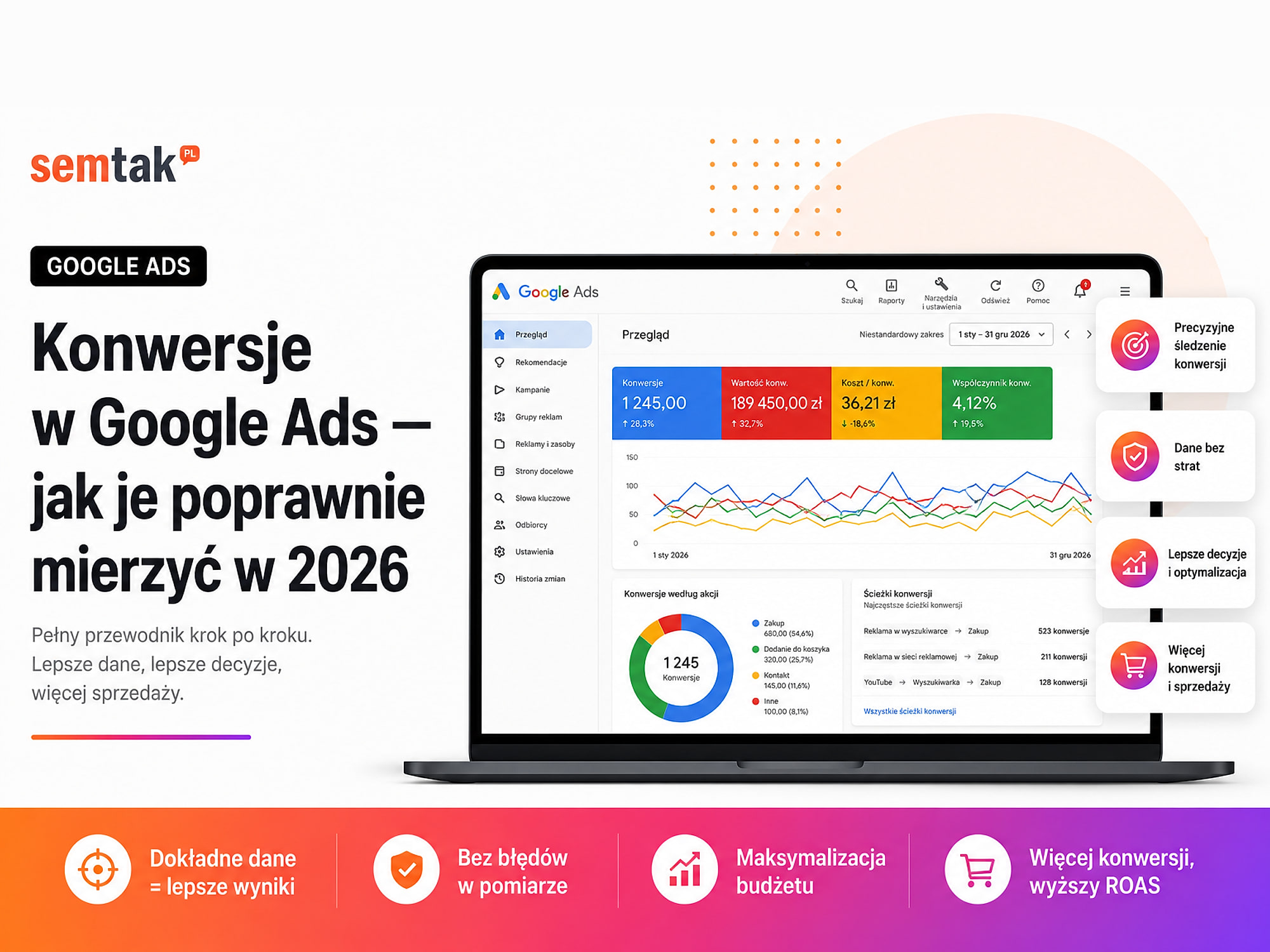
A campaign can generate sales or enquiries, yet Google Ads doesn't see them. The opposite can also happen: conversions appear in the panel that never actually occurred. A single purchase is counted twice, a phone-number click is treated as an acquired customer, and refreshing the thank-you page creates another transaction.
This is not just a reporting problem. Google Ads uses conversion data to set bids, choose audiences and decide where to spend the budget. If the data is wrong, the campaign may automatically look for people who click buttons rather than people who buy.
In this guide we show what is worth measuring as a conversion, how to set up a purchase and a lead, how primary and secondary conversions differ, and how to verify your setup in Google Ads, GA4, Google Tag Manager and WooCommerce.
In short
Correct conversion tracking in Google Ads should record a real business outcome: a purchase, a submitted form, a booking, a qualified lead or a sale confirmed in the CRM.
For an online store the most important conversion is usually a purchase with a unique transaction number, the real order value, the correct currency and protection against double counting. For a service business, simply clicking the "Send" button does not always mean a lead has been acquired — the form may fail validation, the message may be spam, and the same customer may send several identical enquiries. That is why, with larger budgets, it is worth also measuring later stages: qualifying the enquiry, signing a contract or making a sale.
The most important rule
One business action should have one primary conversion source used for bidding. You can measure a purchase via both the Google Ads tag and GA4 in parallel, but do not set both actions as primary goals of the same campaign — otherwise a single transaction can be treated as two conversions.
TL;DR
- Not every interaction on the site should be a primary conversion in Google Ads.
- In a store, a purchase should send a dynamic value, the currency and a unique
transaction_id. - For a purchase choose to count every conversion, and for a form usually one conversion per ad click.
- Adding to the cart or starting checkout is better set as a secondary action, not the main campaign goal.
- If the same purchase reaches Google Ads directly and via GA4, only one source should influence bidding.
- Consent Mode works with the consent banner but does not replace it.
- Enhanced Conversions can supplement measurement, but they will not fix a faulty purchase event.
- The setup must be checked with a test purchase and compared with orders in WooCommerce or the CRM.
What is a conversion in Google Ads?
A conversion is a user action that has value for the business and happened after contact with an ad.
This can be a purchase in the store, submitting a form, making a call, booking an appointment, creating an account, downloading an offer, starting a paid subscription, qualifying a lead or a sale recorded in the CRM. Google Ads uses conversions in two ways: it reports campaign performance (showing the number of conversions, their cost and value) and it drives automated bidding (it learns which clicks and which people are more likely to lead to the desired action).
That is why an incorrect conversion is not just a statistical error. If you set adding a product to the cart as your primary goal, the system may start looking for users who happily add products but never buy them. If you set the purchase, the system receives a signal that is closer to the actual business outcome.
What should be a conversion and what only an event?
Not everything that can be measured should influence automated bidding.
Example for an online store:
| User action | Measure it? | Recommended role in Google Ads |
|---|---|---|
| Viewing a product | Yes | Analytics event |
| Adding a product to the cart | Yes | Secondary conversion |
| Starting checkout | Yes | Secondary conversion |
| Purchase | Yes | Primary conversion |
| Newsletter sign-up | Depends on the goal | Usually secondary |
| Creating an account | Depends on the goal | Usually secondary |
| Clicking the phone number | Yes | Secondary, or primary in selected campaigns |
| Order return or cancellation | Yes | Data correction, not a new conversion |
In a store the most important signal is usually the purchase. Earlier events show where the customer drops off the path, but they should not automatically carry the same weight as a sale.
Example for a service business:
| User action | Measure it? | Recommended role |
|---|---|---|
| Visiting the contact page | Yes | Analytics event |
| Clicking the "Send" button | As a helper | Not the only measure of the form |
| A correctly submitted form | Yes | Primary or secondary conversion |
| Clicking the phone number | Yes | Usually secondary |
| A call actually made | Yes | Primary or secondary |
| Qualified lead | Yes | Primary conversion |
| Signed contract | Yes | Primary offline conversion |
If a business gets a few enquiries a month and each is analysed manually, you can start with correctly measuring submitted forms. With a larger budget and a high number of weak enquiries, simply submitting a form may be an insufficient signal — then Google Ads should receive information about which leads were qualified or ended in a sale.
What should a conversion measurement plan look like?
Before you create the tags, prepare a simple table.
| Conversion | Data source | Primary or secondary? | Counting method | Value |
|---|---|---|---|---|
| Purchase | WooCommerce | Primary | Every | Order value |
| Add to cart | GA4 | Secondary | Every | No value or auxiliary |
| Submitted form | Site / GTM | Primary | One | Fixed or dynamic |
| Phone click | GTM | Secondary | One | No value |
| Qualified lead | CRM | Primary | One | Value depends on quality |
| Offline sale | CRM / API | Primary | Every | Sale value |
The plan should answer five questions:
- Which action really has business value?
- How do we know it was performed?
- Should it influence automated bidding?
- How many times should it be counted?
- What value should be assigned to it?
Without this, an account quickly turns into a list of a dozen actions with names like "form", "form GA4", "form new", "lead Ads", "lead test", "CTA click", "contact", "contact old". After a few months no one knows which of them work and which are driving the campaigns.
Primary and secondary conversions — what is the difference?
In Google Ads a conversion action can be set as primary or secondary.
A primary conversion appears in the main "Conversions" column, can be used by automated bidding strategies and tells the system what to look for when serving ads. Examples: a purchase, a correctly submitted form, a qualified lead, a signed contract, a paid booking.
A secondary conversion is mainly for observation. You can analyse it in the column that covers all conversions, but by default it should not drive bidding. Examples: adding to the cart, starting checkout, a phone click, downloading a catalogue, a control purchase source from GA4, an old conversion left in place for the comparison period.
Example of an incorrect setup. A store has set as primary: Google Ads purchase, purchase imported from GA4, add to cart, start checkout and viewing the thank-you page. A single customer may perform all of these actions during one order — the system receives several positive signals even though the store completed a single sale.
Example of a better setup. Primary conversion: Google Ads purchase with the transaction value. Secondary conversions: purchase from GA4 for comparison, add to cart, start checkout, newsletter sign-up. Google Ads learns on purchases, but you can still observe the earlier stages of the path.
Google Ads or import from GA4 — which source to choose?
A purchase or a form can be sent to Google Ads in several ways: directly via the Google Ads tag, through a GA4 event used as a Google Ads conversion, through an offline data import, through Enhanced Conversions for Leads, through a CRM connection, or through the Google Ads API or Data Manager (a tool for connecting data sources to the ad account). There is no single method that is right for every business.
The direct Google Ads tag is a good solution when Google Ads campaigns are an important sales channel, you care about a setup dedicated directly to bidding, you want to use Enhanced Conversions, you need dynamic values and transaction identifiers, or you have a correctly prepared Google Tag Manager or site code.
A conversion created from a GA4 event is convenient when the events are already correctly implemented in Analytics, you want to keep a shared event structure across many channels, you have well-configured e-commerce measurement, Google Ads and GA4 are correctly linked, and auto-tagging of campaigns is enabled.
Can you use both sources? Yes. It makes sense, for example, during a test or a migration. You can set the purchase sent directly to Google Ads as primary and the purchase from GA4 as secondary, and over a fixed period compare the number and value of transactions. Once you have confirmed correctness, you leave one source as primary. Do not set both as primary just because "more data is better" — Google Ads does not automatically merge two separate conversion actions into a single purchase.
How to set the conversion counting method?
Google Ads lets you choose whether to count every conversion after an ad interaction, or just one.
Every conversion is usually right for sales. Example: a customer clicks an ad and then places two separate orders — for the store both purchases have value, so it is worth counting two conversions. Most common uses: purchases, bookings, paid subscriptions, ticket purchases, offline transactions.
One conversion usually fits lead generation better. Example: one person, after clicking an ad, submits the same form three times — the business did not gain three different customers, only one contact. Most common uses: contact forms, quote requests, registrations, content downloads, candidate applications. This is not a rule without exceptions — if one person can send several independent and valuable enquiries, the counting method must be adapted to the sales process.
Why is the conversion value so important?
The number of conversions alone does not tell you whether a campaign earns money. Two orders may look like this:
| Order | Value |
|---|---|
| Order A | £18 |
| Order B | £420 |
If both are sent as a single conversion worth £1, Google Ads treats them similarly. With correct measurement the system receives the real transaction value and can report ROAS, that is the ratio of revenue attributed to the ads to the cost of the campaign.
A simple ROAS example. A campaign spent £2,000 and generated £10,000 in revenue:
ROAS = £10,000 / £2,000 = 5This means £5 of revenue for every pound spent on advertising. ROAS is not profit, though — it does not automatically account for product margin, shipping cost, payment fees, returns, handling cost, taxes or warehousing costs. That is why two products with the same revenue can have completely different profitability.
What value for a lead? If you don't know the value of a specific enquiry, you can start with an estimated value. Example: on average 20% of leads end in a sale, and the average sale value is £5,000. The estimated value of a single lead:
£5,000 × 20% = £1,000This is still a simplification. A more accurate model should take into account margin, enquiry quality and differences between services. The best data appears when the CRM sends information about qualified leads and actual sales to Google Ads.
How to correctly measure a purchase in WooCommerce?
A purchase should only be recorded once a valid order has been created. Depending on the payment method this may mean displaying the order confirmation page, a change in payment status, confirmation by the payment operator, or an event sent from the server or order system. Simply entering the cart page is not a purchase.
What data should a purchase contain?
| Parameter | Example | Why is it needed? |
|---|---|---|
transaction_id | WOO-10584 | Identifies the specific order |
value | 412.80 | Passes the transaction value |
currency | GBP | Specifies the currency |
items | List of products | Shows what was bought |
coupon | SUMMER10 | Reports the coupon used |
shipping | 14.99 | Passes the delivery cost |
tax | Tax amount | Completes the transaction data |
The most important things for Google Ads are usually the unique order identifier, the value and the currency. In GA4 it is also worth sending the full list of products, so you can analyse sales by product, category and variant.
What is transaction_id for? The transaction identifier helps limit double counting of orders. Without it, this scenario can occur: the customer places an order, opens the thank-you page, the tag records the purchase, the customer refreshes the page, and the tag sends the purchase again. Two conversions may appear in the panel, even though WooCommerce has a single order. The identifier should be unique for each order, pulled dynamically from WooCommerce, the same across different reporting systems and free of the customer's personal data. Do not set a static value like transaction_id = order — each transaction must receive a different identifier.
Watch out for unpaid orders. In some stores the purchase event fires immediately after the order is placed, even though the payment has not been completed. This applies especially to bank transfers, declined payments, interrupted online payments, cash-on-delivery orders and manual order acceptance. You need to decide what the store treats as a conversion: creating the order, paying for it, accepting it for fulfilment or completing the sale. There is no single answer for all stores — the important thing is that the rule is consistent and known to the people analysing the reports.
How to measure forms without false conversions?
The most common mistake is firing the conversion after a click on the "Send" button. A click does not confirm that the form was submitted. The user may not have filled in a required field, entered an invalid email address, failed to tick a required consent, hit a server error or closed the page before the submission finished.
Better ways to measure a form. The conversion can be fired on a correct form-submission event, a success confirmation message, a response from the form system, the display of a unique thank-you page, or the creation of a record in the CRM. A thank-you page is a simple solution, but it must be protected against accidental visits — if anyone can open the /thank-you/ address without submitting the form, the page view alone will not always be reliable proof of a conversion.
A phone-number click is not a call. Clicking a tel: link only means the phone app was opened. It is not known whether the user started the call, got through, spoke to the business and whether they were a valuable customer. The click is worth measuring, but usually as a helper signal. More accurate measurement requires a call-tracking system or data from the phone exchange.
How to measure lead quality and offline sales?
In many businesses the form is just the start of the process. A sample path looks like this:
Ad click
→ form submission
→ sales rep contact
→ qualification
→ offer
→ contract signing
→ payment
If Google Ads only sees the form, it doesn't know which enquiries were valuable. So it may generate a lot of cheap submissions that are spam, concern a different service, come from outside the served region, have too low a budget, or never lead to a conversation.
What is worth sending from the CRM? Depending on the process you can measure a new lead, a qualified lead, a booked meeting, an accepted offer, a signed contract, a sale and the sale value. At the start the campaign can run on forms — once you have collected the right data, it is worth moving closer to the real business outcome.
What are Enhanced Conversions?
Enhanced Conversions supplement standard measurement with first-party data provided by the user during a purchase or form submission — this can be, for example, an email address, phone number, first and last name and address details. The data is prepared and hashed before being sent to Google.
The mechanism can help connect conversions with earlier ad contact, but it does not replace the core event. You still need to correctly measure the purchase or form, the value, the currency, the transaction identifier and the moment the action was performed. If the purchase tag fires twice, Enhanced Conversions will not fix this. If the form records a click instead of a correct submission, they will not improve the data either.
Enhanced Conversions for purchases and leads. In a store they can use the data provided during the order. In a service business, Enhanced Conversions for Leads can help connect form data with the later outcome recorded in the CRM — qualifying the contact, booking a meeting, signing a contract or making a sale. The data can be passed via a tag on the site, a CRM integration, Data Manager or the API. This does not mean, however, that you should create several primary conversions measuring the same purchase or lead — the sources must be deliberately mapped to a single measurement logic. The implementation should take into account customer-data rules and a consent-management system.
Consent Mode in conversion measurement
Consent Mode lets Google tags react to the user's consent choice. It is not a cookie banner, terms of service, privacy policy or a replacement for a consent-management platform. It works with a banner or CMP system that collects the user's decision.
How should the consent mechanism work? A sample flow:
- The user visits the site.
- The system sets the default consent state.
- The banner is displayed.
- The user accepts or rejects specific categories.
- The consent status is updated.
- The tags act according to the decision received.
The configuration includes signals related to, among others, storage of advertising data, analytics data, the use of user data for advertising and ad personalisation. It is not enough to install a banner that visually has "Accept" and "Reject" buttons — you need to check whether the decision actually changes the behaviour of the tags.
What needs to be tested? Test at least three scenarios: no decision made, rejecting consent and accepting consent. Also check a return visit to the site, changing an earlier decision, moving between subpages, the cart and checkout, an external payment gateway and the mobile version. Consent Mode can support modelling of missing conversions, but it does not guarantee that the report will be identical to the number of orders in WooCommerce.
How to implement conversion measurement step by step?
Step 1. Approve the measurement plan. Go back to the table in the "What should a conversion measurement plan look like?" section and approve the primary actions, secondary actions, the source of each action, the counting method and the assigned value. Don't start by creating tags — first you have to decide what the business really treats as a result.
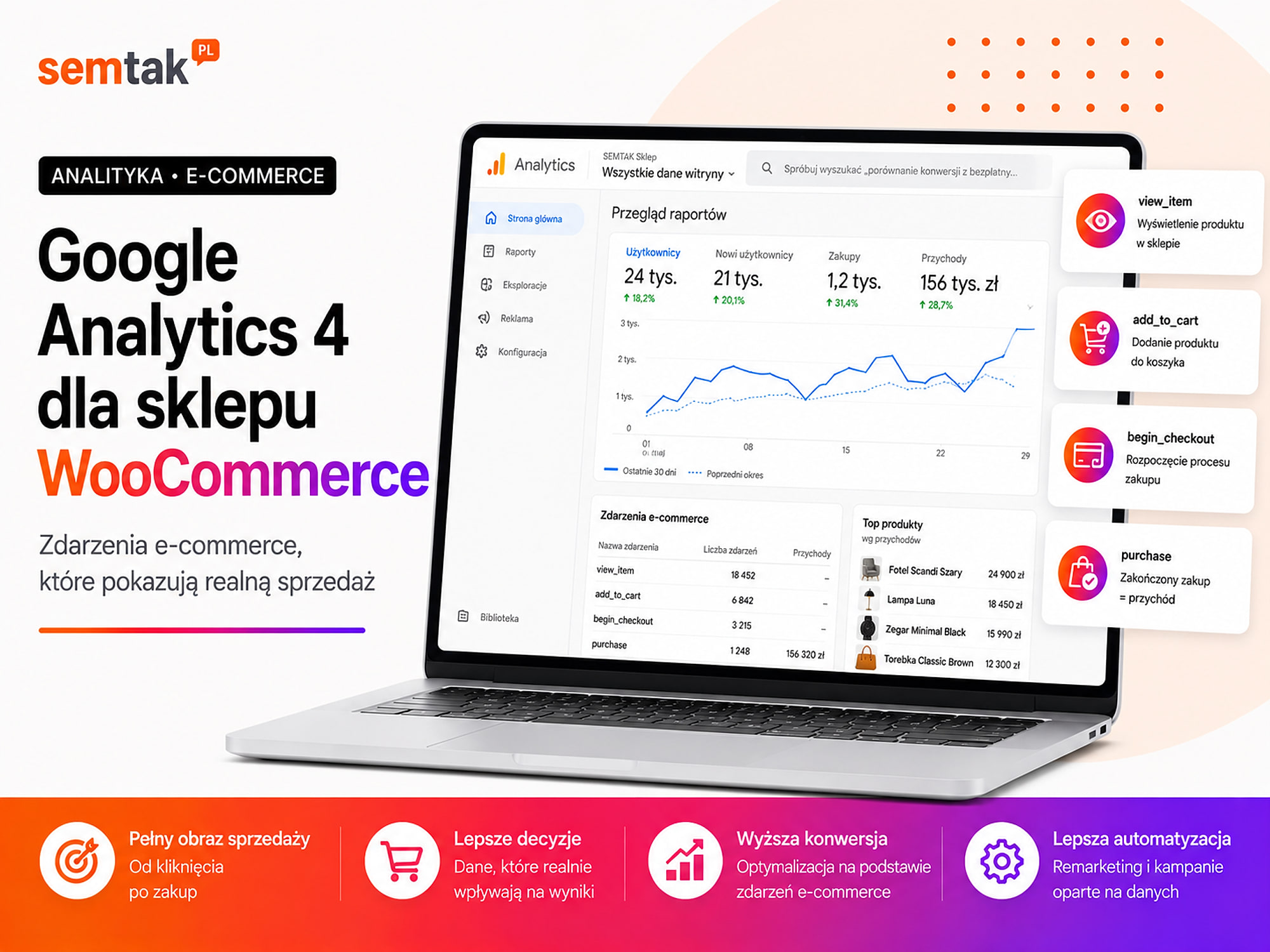
Step 2. Tidy up GA4 and Google Tag Manager. Check whether one correct GTM container is running on the site, whether there are not several GA4 codes, whether the Google tag is not implemented in parallel through several plugins, whether the events have consistent names, whether WooCommerce passes data to the data layer and whether GTM preview mode does not show double firings. Sample e-commerce events are view_item, add_to_cart, begin_checkout and purchase. This article focuses on how data becomes a conversion that drives bidding in Google Ads — the full implementation of events, product parameters, the data layer and reports is described in the guide Google Analytics 4 for a WooCommerce store.
Step 3. Link GA4 with Google Ads. Check whether the Google Ads account is linked to the correct GA4 property, whether the user has the right permissions, whether auto-tagging is active in Google Ads, whether the campaigns pass click identifiers and whether you are not, by mistake, using a test GA4 property. Linking accounts does not automatically create correct purchase measurement — it enables data exchange, but the events still have to work on the site.
Step 4. Create the conversion actions. For each action set the name, goal category, source, value, counting method, conversion window, attribution model and the primary or secondary role. The names should be unambiguous:
PURCHASE — Google Ads — WooCommerce
PURCHASE — GA4 — control
LEAD — Quote form
QUALIFIED LEAD — CRM
PHONE CLICK — secondary
Step 5. Implement the value and transaction identifier. The data should be pulled from the specific order:
value = 412.80
currency = GBP
transaction_id = WOO-10584
Do not use one static value for all orders.
Step 6. Assign roles to the goals. Apply the split decided earlier. For a typical store: primary — purchase; secondary — add to cart, start checkout, control purchase from a second source, newsletter, phone click. Also check the default goals at account level and the goals set separately for a specific campaign.
Step 7. Implement Enhanced Conversions. Check whether the customer data is available at the right moment, whether it is prepared correctly, whether the tag fires at the right event, whether the implementation respects the user's choice and whether the Google Ads diagnostics do not show errors.
Step 8. Configure Consent Mode. Connect the consent banner with Google Tag Manager or the direct tag configuration. Do not assume that a WordPress plugin's default settings are correct — check the actual behaviour of the tags using preview mode and diagnostic tools.
Step 9. Perform a test conversion. For WooCommerce make a test purchase and record the order number, value, currency, products, transaction time, the cookie consent chosen and the payment method. Then check the data layer, GTM preview mode, Tag Assistant, DebugView in GA4, the conversion diagnostics in Google Ads and the order in WooCommerce.
Step 10. Compare the data with the source system. Compare the number of orders in WooCommerce, the number of purchase events in GA4, the number of conversions in Google Ads, the total sale value, the transaction identifiers and cancelled and returned orders. Do not expect a perfect match between every system — differences may result from attribution, consent, conversion windows and how dates are assigned, but they should be understandable and explainable.
Why do GA4, Google Ads and WooCommerce show different results?
Differences do not always mean an error.
A different purpose of the system. WooCommerce shows all orders recorded in the store. Google Ads shows conversions attributed to ad contact according to the account settings. GA4 analyses user paths and traffic channels according to the Analytics configuration.
A different moment of attribution. An order may be attributed to the day of the ad click, the day of the purchase, a specific interaction on the path or a different channel according to the attribution model. That is why comparing only a single day can give different results.
Consent and measurement blocking. Some users reject cookies, use ad blockers, have browser restrictions, switch devices or finish the purchase after a longer time. Not all conversions will be observed directly.
Different conversion windows. If a customer clicks an ad but buys after a certain time, the conversion will only be attributed if it falls within the set conversion window.
Problems with external payments. The customer may move to the payment operator and then return to the store. With an incorrect setup the session is interrupted, the payment operator appears as the sales source, the campaign parameters are lost and the purchase event does not fire on return. In GA4 you need to check unwanted referrals, and with several of your own domains also cross-domain measurement.
Returns and cancellations. Google Ads may record a purchase at the moment of the order, while WooCommerce changes its status to cancelled or returned a few days later. Without importing corrections, the two systems will show a different sale value.
Attribution model and conversion window
The attribution model determines how Google Ads assigns the share in a conversion to the individual ad interactions. In many actions data-driven attribution is used — the system analyses the available paths and assigns a share to the individual ad contacts. This does not mean the report shows the full history of every customer. The result depends, among other things, on consent, devices, available identifiers, path length, campaign type and the set conversion window.
How to choose the conversion window? For a simple impulse purchase the path can be short. For furniture, B2B services, machinery, software, investments and expensive products the customer may take the decision over many days or weeks. The window should match the real purchase cycle, not a random value left in the panel.
A broader discussion of CTR, conversion rate, cost of acquisition, ROAS and ROI can be found in the guide how to measure the effectiveness of online campaigns. That material covers evaluating the results of different channels and metrics. This article focuses on the technical preparation of conversion data in Google Ads.
The most common conversion-measurement mistakes
The most damage is done by: a purchase counted on every visit to the thank-you page, two primary sources for the same purchase, a fixed purchase value, and measuring a click instead of a form submission.
- 1. A purchase counted on every visit to the thank-you page — there is no correct
transaction_idor protection against resending the same order. - 2. Two primary sources for the same purchase — the purchase arrives directly via the Google Ads tag and as an import from GA4, and both actions drive the campaign.
- 3. A fixed purchase value — every order sends the same amount regardless of the real value.
- 4. Add to cart as the most important goal — the campaign reports a lot of conversions, but this does not translate into orders.
- 5. A button click instead of a form submission — the conversion is counted even when the form shows errors.
- 6. A phone click treated as an acquired customer — the panel shows a lead even though the user only opened the phone app.
- 7. No value and currency — Google Ads sees the purchase but cannot correctly report the sale value and ROAS.
- 8. A static transaction identifier — every order sends the same identifier, so valid transactions may be treated as duplicates.
- 9. The conversion fires before payment confirmation — the store reports declined and unpaid orders as sales.
- 10. The cookie banner does not control the tags — the buttons work visually, but the advertising and analytics tags always fire in the same way.
- 11. Old conversions still influence the campaign — after implementing new measurement the old actions were not set as secondary or removed from the campaign goals.
- 12. No testing after a WooCommerce update — changing the payment plugin, the checkout, the theme or the consent system can break measurement even though the campaign keeps spending budget.
What can you check yourself?
1. Check what is in the "Conversions" column. See which actions are included in the basic Google Ads report. If it contains, at the same time, the purchase, add to cart, start checkout, phone click, purchase from GA4 and purchase from the Google Ads tag, the account probably needs tidying up.
2. Compare the account goals with the goals of a specific campaign. A campaign may use the account default goals, its own set of goals or older actions left over from a previous setup. Checking only the general conversion list is not enough.
3. Submit a form with an error. Try to submit an empty form. If the conversion appears despite the message about missing fields, the rule probably reacts to the button click instead of a correct submission.
4. Test consent. Check separately no decision, rejecting consent and accepting consent. See whether the status of the tags actually changes after the user's choice.
When is it worth handing this over to a specialist?
Help is advisable when budget is being spent without certainty about sales, the purchase appears several times, or the campaign uses several conflicting goals.
Consider support when Google Ads spends budget but it's not clear whether it generates sales, the purchase appears several times, the revenue in Google Ads differs significantly from the store data, the campaign uses several conflicting goals, the store has several payment operators, checkout runs on a different domain, the forms are embedded in an external system, you want to import qualified leads from the CRM, you are implementing Enhanced Conversions, Consent Mode does not pass the tests, WooCommerce has a custom cart or order process, purchases stopped appearing after an update, you use Performance Max or Google Shopping and don't trust the reported ROAS, you need server-side measurement, or no one can explain which conversions drive bidding.
A good measurement audit doesn't end with checking whether a tag has the "active" status. You have to go through the full user path, run tests, compare the data with the store or CRM and check what actually reaches the bidding strategy. As part of analytics and conversion tracking you can tidy up GA4, Google Tag Manager, e-commerce events, Consent Mode, Enhanced Conversions and the integration with Google Ads. If the problem concerns shopping campaigns, it is worth checking, in parallel, the guide on Google Shopping and Performance Max — even a well-built campaign will not make good decisions based on incorrect purchase data.
Frequently asked questions
What is a conversion in Google Ads?
A conversion is a valuable action performed after contact with an ad, for example a purchase, submitting a form, a booking, a call or a sale recorded in the CRM.
Should adding to the cart be a conversion?
It is worth measuring, but usually as a secondary conversion. A store's main goal should be the sale, not simply adding a product to the cart.
Is it better to measure conversions via Google Ads or GA4?
Both methods can be correct. The important thing is that one source is chosen as primary for a given action, while the other is used, if at all, for comparison.
Why is a purchase counted twice?
The most common causes are the lack of a unique transaction identifier, the tag firing again after a page refresh, or two primary actions measuring the same purchase.
What does a primary conversion mean?
A primary conversion appears in the basic reports and can be used by automated bidding. It should represent an action that is genuinely important for the business.
Does Consent Mode replace the cookie banner?
No. Consent Mode works with a banner or a consent-management platform and passes the user's decision to the tags.
Are Enhanced Conversions mandatory?
They are not a condition of basic measurement. They can supplement the data, but first you have to correctly implement the event itself, the value, the currency and the transaction identifier.
Why does Google Ads show different sales than WooCommerce?
WooCommerce shows all orders, while Google Ads shows only those attributed to ad contact. Differences may also result from attribution, consent, dates, returns and technical errors.
Measure the result, not every click
Correct conversion measurement is not about adding as many events as possible to Google Ads. You have to point the system to the actions that really mean a business result. In a store this will usually be a purchase with a value, currency and a unique identifier; in a service business — a correctly submitted form, a qualified lead or a sale sent from the CRM. Additional events are still useful, but they should help analyse the path, not pretend to be a sale.
If the report shows conversions but you can't connect them to orders or enquiries, we can check the configuration of Google Ads, GA4, Google Tag Manager and WooCommerce. We will run a test pass through the form or purchase, point out double-counted events and tidy up the goals so that the campaign learns on sales and valuable leads, not on random clicks. As part of analytics and conversion tracking we will prepare a full event map and a safe implementation plan.