WooCommerce Faceted Navigation and Filters — SEO Without Duplicates

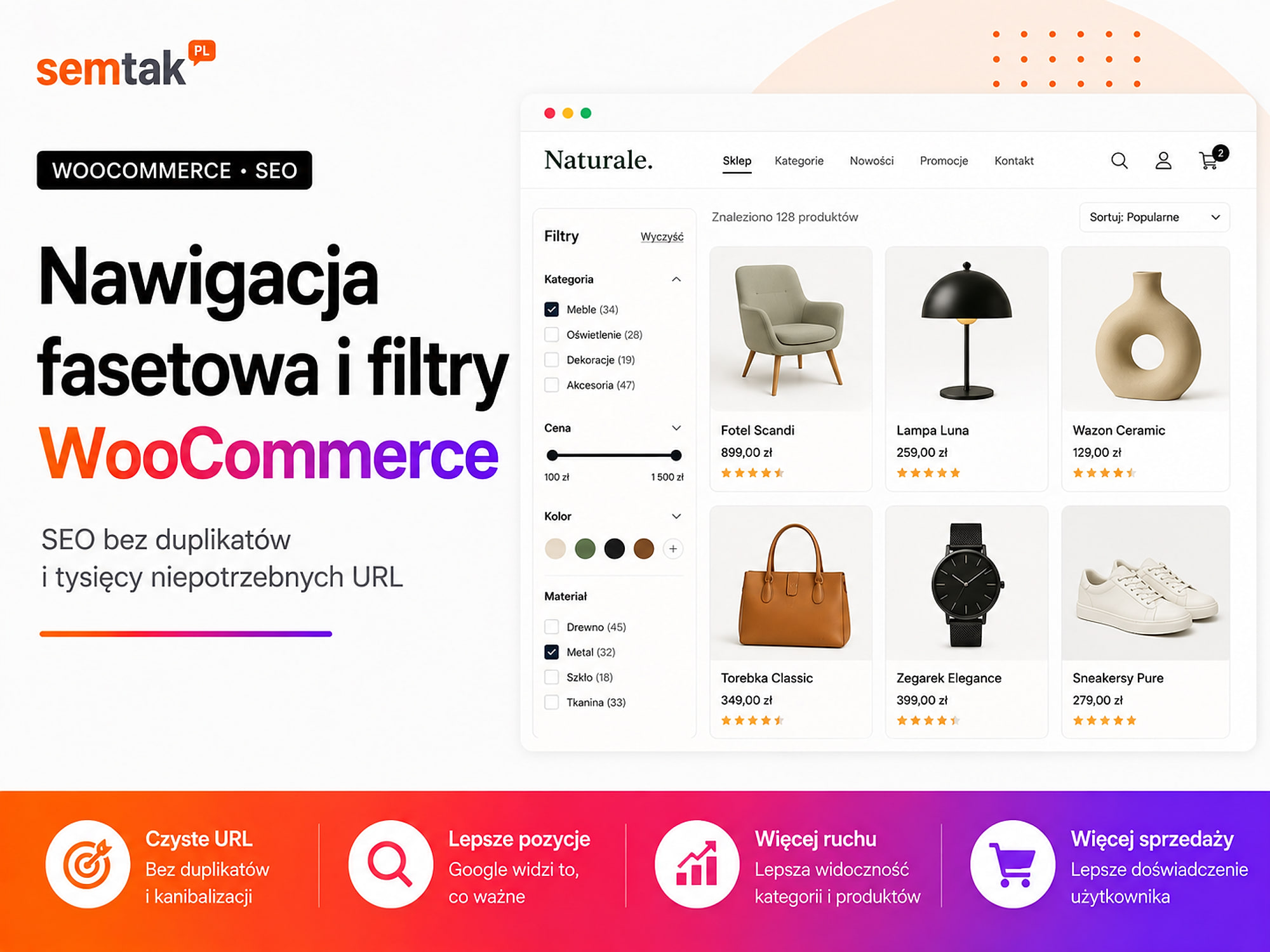
Filters help a customer find a product without browsing through hundreds of items. They can choose a brand, colour, size, price or a specific property and immediately see a matching offer.
The problem begins when every combination of filters creates a separate URL. A store with a few categories and a dozen or so filters can generate thousands of pages with almost identical content. Google then visits sorting options, empty results and random parameter combinations instead of focusing on the important categories and products.
The solution is not to disable all filters. You need to separate two functions: convenient filtering for customers, and pages that are meant to attract traffic from Google. In this guide we will show you how to set up faceted navigation in WooCommerce, which filter results are worth indexing and how noindex, canonical and a block in robots.txt differ.
In short
Faceted navigation is a system of filters that lets you narrow a product list by several features at once — for example category, brand, size, colour and price. A safe SEO model usually looks like this:
- The main categories and subcategories are indexed.
- Ordinary filter combinations serve customers but do not end up in Google's results.
- Selected, valuable combinations receive a dedicated SEO landing page.
- Sorting, display mode and technical parameters are not indexed.
- Empty and illogical combinations do not create valuable pages.
- Links, the sitemap and canonicals point to the right URLs.
You should not automatically index every filter result. At the same time, it is not worth blocking everything with a single rule without checking whether some of the URLs generate traffic or should be developed further.
In a nutshell (TL;DR)
- Faceted navigation lets you combine filters, but it can generate an enormous number of URLs.
- Not every combination of brand, price, colour and size deserves a separate page in Google.
noindex, canonical androbots.txtserve different functions and should not be used interchangeably.- If a URL is blocked in
robots.txt, Google may not see thenoindexor the canonical placed on it. - Valuable combinations are better developed as controlled landing pages with their own URL, content and linking.
- Empty combinations should return a proper 404 error or be impossible to generate.
- Before implementing rules, you need to check how the specific filtering plugin behaves.
What is faceted navigation?
Faceted navigation is advanced product filtering by several independent features. A customer in a cosmetics store can select a category (serum), an ingredient (vitamin C), a skin type (dry), a brand (Brand X), a price (up to £19) and availability (in stock) all at once. Each of these features is a facet, that is a single criterion for narrowing the product list.
In WooCommerce, filters are most often based on global product attributes, categories, tags, price, stock status, ratings, brand and custom fields added by a plugin. If you first want to organise your categories, subcategories and attributes, start with the guide categories in a WooCommerce store — SEO architecture.
An ordinary filter versus faceted navigation. A simple filter may allow you to select a single feature, for example a price range. Faceted navigation lets you combine several criteria at once — "black trekking boots, size 43, waterproof, up to £99". This is very convenient for the customer, but for SEO each additional combination can mean another URL.
When are filters needed?
Filters make sense when, without them, the customer has to browse a long and varied list of products.
For example: a category contains 12 similar products — an extensive panel with 15 filters is probably not needed. Another category has 800 products differing in brand, size, material and use — the lack of filters forces the customer to manually browse many pages. Faceted navigation is worth considering when categories contain a lot of products, customers choose by specific parameters, the offer has many brands and variants, technical products require comparison, users often use the internal search, or the assortment looks similar but differs in its properties. There is no single number of products at which filters become mandatory — what matters more is whether the customer can conveniently find the right offer.
Why can filters create SEO problems?
Every combination can have its own URL. Let's assume a store has six filters, each with ten values. Selecting just one value from each filter can theoretically create up to a million combinations. In practice some combinations will not occur, but even a small percentage of that number can mean thousands of URLs:
/serum/?brand=x
/serum/?ingredient=vitamin-c
/serum/?skin-type=dry
/serum/?brand=x&ingredient=vitamin-c
/serum/?ingredient=vitamin-c&brand=x
/serum/?brand=x&ingredient=vitamin-c&price=50-100
Two URLs may show the same product list but differ in the order of the parameters.
Very similar pages are created. Filter results often inherit the H1, meta title, meta description, description, breadcrumbs and most of the products from the category. Only a few items on the list change. For the user this can be useful, but it does not mean that every version constitutes a separate, valuable page for Google. This is not about an automatic "duplicate content penalty" — the problem is mainly that the search engine has to visit many similar URLs, establish the relationships between them, choose the main version and decide which pages are worth indexing.
Google visits unnecessary URLs. Crawling means search engine robots visiting URLs. If a robot lands on thousands of sortings, parameters and empty combinations, it may discover new products, new categories, price changes, availability updates and important guides more slowly. In a small store the problem may be barely noticeable; in a site with thousands of products and many filters the number of unnecessary URLs grows quickly.
Filters can put a load on the server. Each act of filtering may require running a database query, recalculating the available values, fetching the products, generating the page, running the plugins' code and processing JavaScript. If robots mass-visit parameter combinations, the problem is not limited to indexation — the store may be performing a lot of unnecessary operations.
Similar pages start competing with each other. Four different URLs may show similar products and answer the same query:
/vitamin-c-serum/
/serum/?ingredient=vitamin-c
/serum/?filter_ingredient=vitamin-c
/product-tag/vitamin-c/
The store then creates several competing URLs instead of one strong page.
Pages with no products are created. Not every filter combination returns results. For example: "Brand X + vegan product + SPF 50 + 200 ml volume + price up to £5". If the store does not have such a product, the page may still return a 200 code and a "No products found" message. For the server and the robot this is a technically existing page, even though it does not contain a useful offer.
A utility filter or an SEO landing page?
This is the most important distinction in the whole process.
A utility filter is meant to help someone who is already in the store: products priced between £15 and £25, only available in stock, sorted from cheapest, size 43 and 44 at the same time, two selected brands, a rating of at least four stars. Such a result does not have to be a separate page in Google.
An SEO landing page is prepared for a specific need and can attract traffic from search: vitamin C serum, men's trekking boots, 160 × 200 cm mattresses, corner gaming desks, sliding-door wardrobes with a mirror. Such a page should have a permanent URL, its own H1, its own meta title, a description tailored to the topic, an appropriate offer, internal links, a self-referencing canonical and a presence in the sitemap. This does not mean that every landing must be hand-built from scratch — it can automatically display products from a given attribute, but its SEO behaviour should be controlled.
Which filter results are worth indexing?
A simple decision matrix helps here.
| Type of page | Example | Typical decision |
|---|---|---|
| Main category | /serum/ | Index |
| Subcategory | /face-serum/ | Index if it has a distinct topic |
| Important feature with demand | /vitamin-c-serum/ | Consider a separate landing |
| Brand page | /brand/x/ | Index if the brand has an offer and significance |
| Sorting | ?orderby=price | Do not index |
| Grid or list view | ?view=grid | Do not index |
| Number of products per page | ?per_page=96 | Do not index |
| Price range | ?price=50-100 | Usually do not index |
| Several brands at once | ?brand=x,y,z | Usually do not index |
| Multiple combination | brand + price + colour + size | Usually do not index |
| No products | empty combination | 404 or no possibility to create |
| Pagination | /page/2/ | Should be accessible to the robot |
| Tracking parameters | ?utm_source=... | Do not treat as a separate page |
"Usually" is an important word here. The decision depends on the assortment, the demand, the store's structure and the way the plugin works.
How to choose filter combinations for a landing page?
Before you create an indexable page from a filter, check the demand, the offer, the durability of the topic and whether a similar page does not already exist.
Are customers searching for such a group? "Vitamin C serum" describes a specific need and group of products. "Serum priced between £16 and £23" is more of a user setting than a durable topic.
Is the offer sufficient? There is no single required number of products. Check, however, whether the customer has anything to compare, whether the products are regularly available, whether the offer will be developed and whether the page will not become empty in a month.
Is the topic durable? A "men's trekking boots" page may work for years. A "products on sale until Sunday" landing has short usefulness and requires a different way of handling.
Does a similar page not already exist? Do not simultaneously create a "Vitamin C serum" category, a "Vitamin C" attribute archive, an indexable filter result and a "Vitamin C serum" tag. Choose one main URL.
Does the topic have business significance? Take into account margin, availability, seasonality, share in sales, competitiveness and the ability to develop the offer.
Can you link to the page? An indexable landing should not be hidden solely behind a filter form. It should receive ordinary links from the parent category, the menu or mega menu, category descriptions, guides, sections of popular choices and related landing pages.
noindex, canonical and robots.txt — how do they differ?
These three elements solve different problems. They should not be used interchangeably.
noindex — do not show the page in results. The tag tells the search engine that a given page should not be in the index:
<meta name="robots" content="noindex,follow">For Google to see this tag, it has to be able to visit the page. noindex can make sense when the number of URLs is limited, Google can visit them, you want to remove existing URLs from the index or the page should remain available to customers. noindex on its own does not stop the page from being visited — Google may still fetch the URL to check whether the directive has changed. With an enormous number of combinations this limits indexation, but it does not always reduce the load associated with visiting the URLs.
Canonical — point to the main version. The canonical tells Google which URL is the main version of similar pages:
<link rel="canonical" href="https://shop.com/serum/">The URL /serum/?orderby=price can point its canonical to /serum/. The canonical is helpful when different URLs show practically the same content, a parameter only changes the order, several technical versions of the same view exist or you want to consolidate signals around the main URL. The canonical is, however, a signal and not an absolute command. If a filtered page differs significantly from the category, Google may decide that the indicated canonical does not match the content. You should not point all combinations to the category simply because you do not want to index them — first you need to determine which URLs are duplicates and which are distinct sets of products.
robots.txt — do not visit the URL. The file can block robots' access to specific parameters:
User-agent: *
Disallow: /*?filter_color=
Disallow: /*?filter_size=
Disallow: /*?orderby=
This is only an example. The parameter names depend on the store and the plugin used — such rules should not be copied without checking the actual URLs. A block can limit the visiting of unnecessary combinations, reduce the number of unnecessary requests, take the load off a large store and direct robots to more important URLs.
robots.txt does not remove a page from the index
robots.txt is not a reliable tool for removing an already indexed URL. If you block a URL, Google will not enter the page and will not see the noindex, the canonical or the changes in the content placed on it. This is the most common mistake when tidying up filters — a block applied too early freezes URLs in the index instead of removing them from it.
Why does the order of implementation matter?
Let's assume thousands of filter results are already in Google. If you block them in robots.txt straight away, the robot will not be able to enter the pages and see the noindex tag. A safer process can look like this:
- Identify the URLs that should disappear.
- Set the appropriate
noindexon them. - Let Google visit them again.
- Check whether the URLs are disappearing from the index.
- Only later consider blocking their further visiting.
The order should be tailored to the specific store. Mass changes without control may also exclude valuable pages.
Is it worth using nofollow on filter links?
nofollow indicates that the search engine should not follow a specific link in the standard way — it is not, however, a sufficient method for managing a large faceted navigation.
The same URL can be found through another link without nofollow, the sitemap, an external link, an earlier robot visit or another variant of the URL. nofollow can be part of a strategy, but it should not be the only safeguard.
Filters based on the # fragment
Some filters store the selection after the # character, for example /serum/#brand=x&ingredient=vitamin-c.
Google usually does not treat the fragment after # as a separate page to index. This can limit the creation of indexable URLs, but it also has a consequence: you cannot develop such a filter result directly as an SEO page. If a combination is to attract traffic, it should receive a separate, normal URL.
Empty results and illogical combinations
A page with no products should not pretend to be a valid category.
Possible solutions: do not show options leading to zero results, disable unavailable filter values, return a 404 code for a non-existent combination or show the customer the option to remove one of the conditions. A 404 code informs that there is no valid page at a given URL. Do not redirect all empty results to the main category — a user choosing a specific combination should not suddenly see the whole offer with no information about what happened.
Recurring order of parameters
The same result can occur as several URLs differing only in the order of the parameters:
/serum/?brand=x&color=clear
/serum/?color=clear&brand=x
The system should establish a single order of parameters or redirect alternative versions. You should also avoid repeating the same parameter, empty values, parameters in several formats, upper and lower case meaning the same thing, and several names for one feature:
?color=black
?colour=black
?filter_color=black
?pa_color=black
If all versions show the same result, the store needlessly creates additional URLs.
Should filter pages be in the sitemap?
Ordinary, non-indexable filter results should not be in the sitemap.
The sitemap should mainly contain URLs that can be indexed, point their canonical to themselves, return a 200 code, are significant for the user and are part of the store's target structure. If a page has noindex and is at the same time in the sitemap, you are sending contradictory signals: the sitemap says "this is an important URL", while noindex says "do not show it in the results".
Should Google pass through the filters?
It depends on the role of a given result.
Indexable landing pages should be accessible through ordinary HTML links:
<a href="/vitamin-c-serum/">Vitamin C serum</a>Such a link can be placed in a category, a description, a menu, a guide or a section of popular filters. Ordinary utility filters can work dynamically and do not have to create links intended for indexing. You should, however, preserve accessibility for users, keyboard operation, legible buttons, the ability to remove a filter and the ability to return to the previous view.
How to set up filters in WooCommerce?
The exact behaviour of the URLs depends on the WooCommerce version, the theme used, the store blocks, the filtering plugin, the way AJAX loads and any custom modifications. That is why there is no single rule that fits every store.
Step 1. Tidy up the global attributes. Go to Products → Attributes and create global, consistent attributes, for example colour, size, material, brand, volume, ingredient, skin type, use. Avoid several names meaning the same thing (Black, black, czarny, the colour black) — such a mess makes filtering, product imports, integrations and the creation of landing pages more difficult.
Step 2. Match the filters to the category. Not every filter should appear everywhere. In the "Face serum" category, skin type, ingredient, effect, brand, volume and price may be useful; a "clothing size" filter makes no sense there. Matching filters to a category shortens the list of options, makes the choice easier, reduces the number of impossible combinations and limits unnecessary queries.
Step 3. Check what URLs the plugin creates. Select several filters one by one and watch the address bar. Note the parameter name, the order of parameters, the behaviour with several values, the URL after a refresh, the URL after a change of sorting, the URL of an empty result and the behaviour of the "Back" button.
| Action | URL created | Decision |
|---|---|---|
| Selecting a brand | ?brand=x | Utility filter |
| Selecting an ingredient | ?ingredient=retinol | Landing candidate |
| Sorting by price | ?orderby=price | Do not index |
| View of 96 products | ?per_page=96 | Do not index |
| No products | Parameter combination | 404 or block creation |
Step 4. Prepare an indexation matrix. Do not configure every parameter separately without a common plan.
| URL type | Visiting by robots | Indexation | Canonical | Sitemap |
|---|---|---|---|---|
| Category | Yes | Yes | To itself | Yes |
| SEO landing | Yes | Yes | To itself | Yes |
| Sorting | Limit | No | Category | No |
| Ordinary filter | According to strategy | No | Depending on content | No |
| Empty result | Unnecessary | No | None | No |
| Pagination | Yes | According to the project | To itself | Usually no |
| Tracking parameter | Limit | No | Clean URL | No |
Do not copy this table without analysis. It is a starting point, not a ready-made configuration.
Step 5. Single out the valuable landing pages. If a filter has SEO potential, create a controlled page for it. Instead of /serum/?filter_ingredient=vitamin-c it is better to prepare /vitamin-c-serum/. The page should have its own title, H1, description, a list of the right products, logical breadcrumbs, internal links, a stable offer, a self-referencing canonical and a presence in the sitemap. The products can be fetched automatically based on an attribute, but the page should behave like a normal part of the store's structure.
Step 6. Remove duplicating archives. Check whether the same group does not exist at once as a category, tag, attribute archive, filter result, brand page and manual landing. For each topic choose one main URL. The remaining versions may require a 301 redirect, a canonical, noindex, disabling the archive or removing the links. Before changing URLs, check the guide 301 redirects and 404 errors in a WooCommerce store.
Step 7. Check the sitemap and the linking. Indexable pages should be accessible through ordinary links, logically placed in the structure, included in the sitemap and linked from parent categories. Ordinary utility filters should not be mass-added to the XML map, the menu, the footer, automatic link lists or category descriptions.
Step 8. Test the performance. Check the reaction time after selecting a filter, the speed on a phone, the number of database queries, the behaviour with several filters, the workings of the cache, the server load and JavaScript errors. A filter that needs several seconds for every change does not help the customer even when its SEO configuration is correct.
Has your store generated thousands of URLs from filters and parameters?
As part of technical SEO we can check the way the plugin works, the indexation, the canonicals, the sitemap and the rules for robots visiting URLs. The result is a URL map: what to keep, what to develop, what to exclude and in what order to implement the changes.
How to design filters that are convenient for the customer?
SEO should not worsen the usability of the store.
Show the filters that are important for a given category. In a furniture category these may be width, height, material, colour, style, function and price; in a cosmetics category — skin type, effect, ingredient, brand, volume and certification.
Show the number of products next to each filter value, so the customer immediately sees whether the choice makes sense:
Vitamin C (24)
Retinol (17)
Ceramides (9)
Do not lead to zero results. If after selecting one filter some of the remaining options become impossible, it is worth hiding them or marking them as unavailable.
Show the active filters. The customer should see what they have selected, how to remove a single condition and how to clear all filters:
Serum
Ingredient: vitamin C ×
Skin type: dry ×
Clear all
Take care of the phone. On a small screen filters are usually better shown in a slide-out panel. What matters is a visible "Filter" button, the number of active filters, a legible apply button, the ability to clear the selection and preserving the position in the product list.
Preserve the selection on return. The customer opens a product, returns to the list and should not lose all the filters they set. Do not overdo the number of options — a panel with dozens of rarely used features can make the choice harder. Show the most important filters straight away and hide the additional ones under an expandable section.
Faceted navigation and pagination
Pagination is not a filter, but it often occurs together with one:
/serum/page/2/
/serum/?brand=x&page=2
The robot should be able to find the products located on the further pages of a category. Problems can appear when products are loaded only with a "Load more" button, infinite scrolling does not create further URLs, the filter resets the pagination in an unpredictable way, page 20 exists despite there not being that many products, or every page of filtered results is indexed. A category should have a normal path to the products even when the interface uses AJAX or infinite scrolling.
Faceted navigation in a multilingual store
Language versions increase the number of possible URLs.
If a store has 10,000 products, three languages, several currencies, filters, sortings and variants, the chaos can quickly multiply. In that case check whether the parameters have consistent equivalents, whether the canonical leads to the same language version, whether hreflang (the marking of corresponding language versions) points to the right pages, whether the landing page exists in all the needed languages, whether the currency does not create indexable duplicates and whether the filters do not mix language versions.
A quick list of the most common mistakes
Treat the list below as a summary for a quick check:
- several URLs lead to the same combination of filters,
- sorting and the number of products per page are indexed,
- empty results return a 200 code,
- a landing page has no internal links,
- the same feature exists as a category, tag, attribute and filter,
- the plugin was launched without checking the URLs it generates.
What can you check yourself?
Most filter problems can be diagnosed preliminarily without specialist tools.
1. Click a few filters and watch the URL. Check whether the URL changes, what parameters appear, whether the order matters and what happens after a refresh.
2. Change the order of selection. First select the brand, then the colour. Then clear the filters, select the colour first and the brand second, and check whether you get the same URL.
3. Check the sorting. Change the price order, popularity, the number of products per page and the display mode. See whether each option creates a new URL.
4. Check the source code. Look for <meta name="robots" and <link rel="canonical". See which URL the canonical points to and whether the page has index or noindex.
5. Check the sitemap. See whether it contains URLs with ?, sorting, filters, parameters or noindex pages.
6. Run a site: search. The operator will not show the full number of pages, but it may reveal unexpected URLs in the results:
site:yourstore.com inurl:filter
site:yourstore.com inurl:orderby
site:yourstore.com inurl:?
7. Check Google Search Console. In the indexing report, look at duplicate pages, URLs excluded by noindex, URLs with a different canonical, pages blocked in robots.txt, pages discovered but not indexed and 404 errors.
8. Check empty combinations. Select several mutually exclusive features and check what code the page returns, whether the URL can be indexed and whether the user can easily change the selection.
9. Check the speed of the filters. Test the store on a computer, on a phone, after logging in, in private mode and with several active filters.
10. Prepare a list of important combinations. Write down the topics that may deserve separate landing pages, and for each one check the demand, the offer, the margin, the stability, existing similar pages and the ability to link to them.
When is it worth outsourcing this to a specialist?
Technical help is advisable when the store generates thousands of URLs with parameters, the filters have already been indexed or the problem covers many language versions and plugins.
Consider support when the store generates thousands of URLs with parameters, the filters have already been indexed, Google visits many sortings and empty results, it is not clear which combinations generate traffic, the plugin creates several URLs for the same result, the store has many language versions, the filters work via AJAX or JavaScript, the canonicals change incorrectly, noindex pages are in the sitemap, the block in robots.txt covers valuable pages, the store runs more slowly after the filters are enabled, a change of plugin is planned, categories/attributes/tags duplicate the same topics, or landing pages created on the basis of filters are needed.
In such a case you need to combine a crawl of the whole store, data from Google Search Console, server log analysis, the plugin configuration, the category structure, a parameter map and data on traffic and sales. Simply adding a single Disallow or noindex rule may shift the problem somewhere else.
Frequently asked questions
What is faceted navigation?
It is a system of filters that lets you combine several product features at once, for example brand, size, colour, price and material.
Do WooCommerce filters harm SEO?
Not the filters themselves, but their uncontrolled URLs. The problem appears when combinations create thousands of similar, empty or unnecessary pages.
Should every filter have noindex?
No. The decision depends on the type of filter and its significance. Sortings usually should not be indexed, but a selected combination can be developed into a valuable landing page.
Does robots.txt remove a page from Google?
It is not a reliable tool for removing a URL from the index. The file blocks the visiting of the page, which means Google may not see the noindex tag placed on it.
Does canonical block the indexing of filters?
No. The canonical indicates the preferred version of a similar page, but it is a signal that Google may interpret differently. It does not replace a complete indexation strategy.
Is it worth indexing brand pages?
Yes, if the brand has a sufficient offer, is searched for by customers and the page has its own content and linking. An empty brand archive will not add value.
What should you do with a filter that has SEO potential?
It is best to prepare a controlled landing page with a permanent URL, its own H1, content, a self-referencing canonical and internal links.
Should empty filter results return a 404?
If a combination has no products and is not a useful page, a proper 404 code is a good solution. It is even better to limit the ability to create impossible combinations.
A URL map first, the rules only afterwards
Faceted navigation should help customers, but it cannot decide the store's SEO structure on its own. The safest model separates:
- Categories and landing pages intended for indexing.
- Filters used solely for convenient browsing of the offer.
- Technical parameters that should not create separate pages.
- Empty combinations that should be limited or handled with a 404 code.
There is no single rule that can be pasted into every WooCommerce. Filters in WooCommerce blocks behave one way, AJAX plugins another, and solutions using their own URLs yet another. First check what URLs your store generates and which of them are already visible in Google, and then prepare a matrix: what to index, what to leave solely to users, what to limit and which combinations to develop as landing pages.
If you want to tidy up the filters without the risk of disabling important pages, as part of technical SEO we can analyse the parameters, canonicals, indexation and workings of the WooCommerce plugin. You will receive a concrete URL map and the order for safely implementing the changes.