You choose a professional WordPress theme by what happens under the hood: loading speed, code quality, block editor compatibility and real author support — not by the graphic design alone. A pretty theme that drags along a dozen plugins and seconds of delay costs you rankings in Google and abandoned carts. Below you will find the criteria that genuinely matter in 2026.
In short
Choose a professional WordPress theme not by its looks, but by its fundamentals: speed and lightweight code, support and regular updates, compatibility with the plugins you need (e.g. WooCommerce), flexibility, and clean, SEO-friendly code. A good-looking demo can be recreated, but a slow, badly written theme cannot be easily fixed. Function, performance and support first — aesthetics are the last criterion, not the first.
Why looks are the last criterion
The graphic design is something you can change — colours, fonts and section layout can be set up in an hour. What you cannot change without replacing the whole theme is its foundation: how fast it loads, how many database queries it generates and whether it blocks page rendering. These are the elements that decide whether your site climbs in search and whether a visitor stays on it.
Google evaluates pages partly through Core Web Vitals — a set of metrics measuring the real user experience: the time it takes to display the largest element (LCP), the response to the first interaction (INP) and layout stability (CLS). A bloated theme hurts all three. That is why you should start your theme choice with the technology and treat looks as a layer on top.
Speed and Core Web Vitals — criterion number one
An "all-in-one" theme with dozens of sliders, animations and a built-in heavy page builder loads code on every subpage that you do not use 90% of the time. The result: slow LCP, high INP and a frustrated mobile user. Before you buy a theme, check its demo version in PageSpeed Insights — the tool will show you how the demo performs on a phone, and that is the closest thing to what your customer will see.
What to look at:
- Lightweight, modular code — the theme loads styles and scripts only where they are needed, not globally.
- No imposed heavy page builder — a built-in builder can be convenient, but it is often the thing that adds the most weight.
- Block editor (Gutenberg) compatibility — this is WordPress's native standard, lighter than most external builders.
- Image optimisation and lazy loading — a decent theme does not force you to bolt on yet another plugin for the simplest things.
If the theme's demo runs slowly on a phone, on your site — with real photos and content — it will be even slower. There is no shortcut here. You will find more on how to speed up a site and store in our guide: how to speed up a WooCommerce store.
Code quality and compatibility with current WordPress
A professional theme is written to WordPress standards and updated regularly for new versions of the engine and PHP. A theme abandoned by its author is a ticking time bomb: sooner or later it will stop being compatible with current WordPress or become a security loophole.
Before buying, check:
- the date of the last update — avoid a theme that has not been updated in over a year,
- compatibility with the current version of WordPress and PHP (the information is usually on the product page),
- reviews and the number of sales — a large, active user base is a signal that the author is maintaining the product,
- whether the theme forces dozens of plugins without which it is useless.
Technical support and documentation
This is exactly where free and premium themes part ways. The paid version gives you access to author support, documentation and an update path — when something stops working after a WordPress update, you have someone to turn to. Free themes can be a good start, but often come with no support and no guarantee that anyone is still developing them.
Check whether the author answers questions within a reasonable time and whether the demo lets you edit key elements without digging into the CSS code. The more you can set up from the panel, the less you will pay later for minor changes.
Responsiveness and accessibility
Most traffic today comes from phones, and Google indexes pages mobile-first — it assesses the mobile version as the primary one. A theme must look and work flawlessly on small screens: readable typography, tappable buttons, no horizontal scrolling. While you are at it, pay attention to accessibility (contrast, keyboard navigation) — this is increasingly a requirement, not an add-on.
SEO and clean markup
A good theme generates proper, semantic HTML: one H1 heading per page, a logical H2/H3 structure and clean code without hundreds of nested divs. This makes it easier for search engines — and today also for AI systems generating answers (AI Overviews) — to understand the content. A theme stuffed with artificial headings and a mess in the code makes indexing harder and lowers how citable your content is.
If you are not sure whether your current theme is hurting your visibility, the fastest diagnosis is an SEO audit — we will check the code structure, speed and what is actually blocking your rankings.
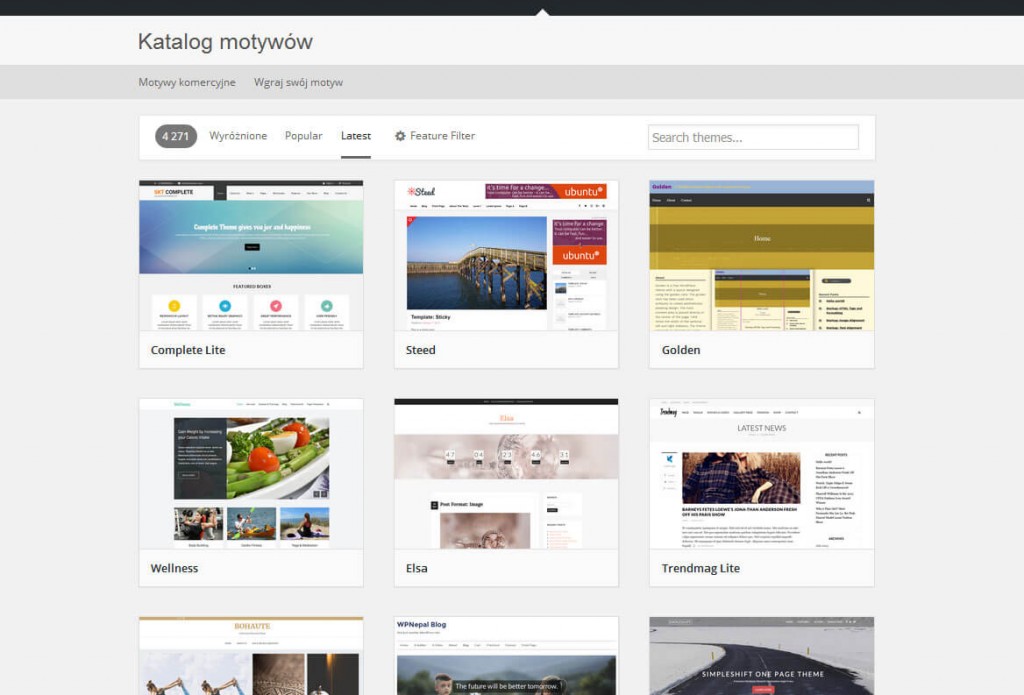
Where to download themes
Download themes only from trusted sources. "Free premium versions" from random sites are the most common way malicious code reaches WordPress. Safe places are:
- the official theme directory WordPress.org (free),
- reputable marketplaces and verified premium theme authors,
- a theme prepared or selected for you by an agency — for a specific goal and performance.
Frequently asked questions
A free or paid WordPress theme?
A free one is enough for a simple blog or a business-card site when you do not have big requirements. For a company website or a store, choose a premium or custom theme — you get support, regular updates and a help path when something stops working. It also matters who configures the theme: a good theme implemented badly will still be slow.
Does a heavy theme really hurt rankings in Google?
Yes. Slow loading worsens Core Web Vitals (LCP, INP) and increases the number of people who leave before the page loads. Google takes the real user experience into account when assessing a page, so a bloated theme can genuinely cost you visibility and sales.
Can I change the theme on a live site?
Yes, but it is a technical operation, not just "switching a skin". You need to check content compatibility, redirects, subpage layouts and performance after the change. Always test a theme change on a staging copy first, so you do not lose traffic or rankings.
Do I need a page builder in the theme?
Not necessarily. WordPress's native block editor (Gutenberg) is lighter and is enough for most sites. Heavy page builders give editing convenience at the cost of speed — if you care about results in Google, go for a block-compatible theme rather than another builder layer.
Need a fast, well-built WordPress site?
At SEMTAK Marketing Agency we select and implement themes for a real goal — speed, clean code and visibility in Google, not just a pretty render:
- WordPress website development — a site built for performance and Core Web Vitals.
- SEO audit — we will check whether your theme and code are blocking your rankings.
- Website positioning — more customers from search.
- WooCommerce store development — when the site also needs to sell.
Already have a store that runs slowly? See how to speed up a WooCommerce store, or start with WooCommerce store SEO — where to start.