WooCommerce Accounting Integrations — Xero, QuickBooks, Fakturownia and BaseLinker

Manually re-typing data from WooCommerce into your accounting software works as long as the store handles a few orders a day. At 30, 100 or 300 orders, mistakes start to appear: a wrong VAT number, a missing invoice, a duplicate document, an inconsistent amount or a credit note your accountant only learns about a few weeks later.
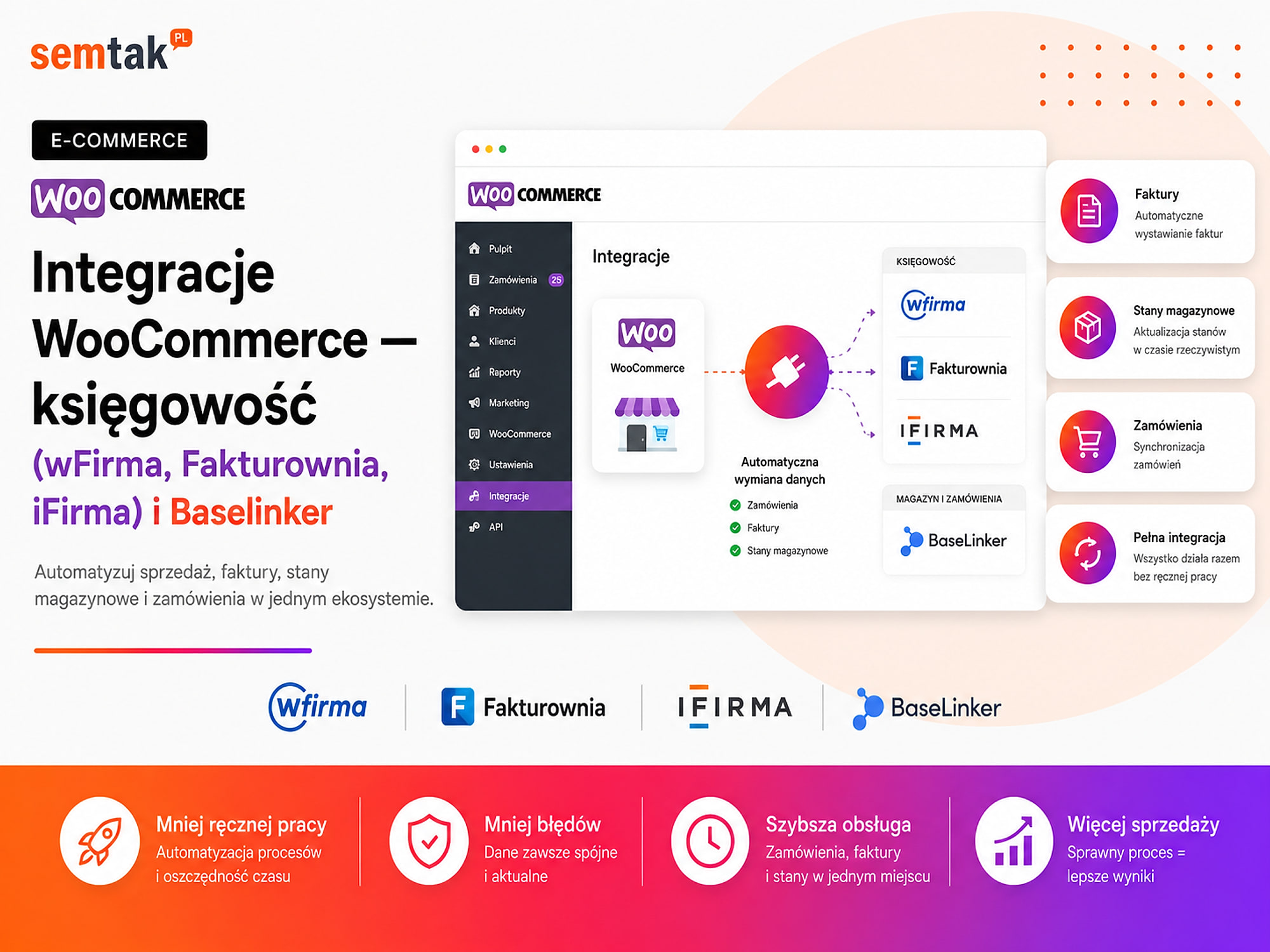
An integration lets you pass order data automatically to Xero, QuickBooks or Fakturownia. You can do it directly from WooCommerce or through BaseLinker, a multichannel order-management platform.
A more elaborate setup is not always better. A store running solely on WooCommerce may only need a simple connection to its invoicing tool. A company that also sells on Amazon, eBay or across several stores will usually benefit more from central handling through BaseLinker.
In this guide we show how to choose the right architecture, which data to sync, what can break and how to test the integration before going live. For a more custom process you may need dedicated system integrations.
In short: you can connect WooCommerce directly with Xero, QuickBooks or Fakturownia, or pass orders to BaseLinker first and only then to accounting. A direct connection is simpler with a single store. BaseLinker works better when you handle several sales channels, a warehouse, couriers and marketplaces.
E-invoicing — the move toward structured, machine-readable invoices exchanged through government or network platforms (such as Peppol in the EU and Making Tax Digital in the UK) — is becoming mandatory in more and more markets. That is why in 2026 an integration should account not only for generating a PDF file, but also for the correct flow of the document between the store, the accounting software and the e-invoicing platform.
TL;DR
- An integration can automatically create invoices, send them to the customer and pass data to accounting.
- With a single store, a direct connection between WooCommerce and the invoicing tool is often enough.
- With multiple sales channels, consider the WooCommerce → BaseLinker → accounting flow.
- You must designate one system responsible for numbering and issuing documents.
- The most common errors are duplicate invoices, the wrong moment of issuing a document and mismatched SKUs.
- The integration should account for the e-invoicing document flow.
- Before going live you must test payment, cancellation, refund, credit note and a business order.
What does a WooCommerce accounting integration give you?
An integration takes over most of the tasks you would otherwise have to do manually after every order.
The simplest process without an integration looks like this:
- The customer places an order.
- An employee opens WooCommerce.
- They copy the customer's details and products.
- They log in to the accounting software.
- They issue the document.
- They download the PDF.
- They send the invoice to the customer.
- They manually mark the order as handled.
An integration can perform most of these steps automatically. After an order status change (for example to "paid" or "processing"), the system can fetch the buyer's details, recognise a business order by its VAT number, create the right document, apply the correct numbering series, pass over the line items, VAT, discount and shipping cost, send the invoice to the customer, save the document number in the order, pass the document to accounting and trigger further actions, such as preparing the shipment. An employee should still handle exceptions, but no longer needs to re-type every order by hand.
Direct integration or a connection through BaseLinker?
This is the most important decision before implementation.
Option 1: WooCommerce connects directly with accounting. The scheme: WooCommerce → Xero, QuickBooks or Fakturownia → customer and e-invoicing platform. WooCommerce passes data directly to the chosen software. The integration is handled by an official module, a plugin or an API connection. An API is the technical way two systems exchange data without manual copying — we explain more about how it works in our article on the WooCommerce API — what it is and what it does. A direct connection is usually enough when you run a single store, you don't sell across many marketplaces, WooCommerce is your main source of orders, you mainly need invoices and credit notes, you don't have an elaborate warehouse process, and your staff handle orders in the WordPress panel.
- Advantages: fewer systems along the way, simpler configuration, fewer places where an error can occur, usually a lower implementation cost, easier to pinpoint the source of a problem.
- Limitations: every additional order source needs a separate connection, logistics automations may be limited, it is harder to centrally handle several stores and marketplaces, and the features depend on the capabilities of the specific plugin or API.
Option 2: WooCommerce connects with accounting through BaseLinker. The scheme: WooCommerce + Amazon + other channels → BaseLinker → accounting → customer and e-invoicing platform. BaseLinker becomes the central place where orders are handled: it pulls sales from WooCommerce and marketplaces, then triggers the defined actions — it can, for example, fetch an order from WooCommerce, assign it to the right status, create a sales document, pass the data to Xero/QuickBooks/Fakturownia, fetch the finished PDF, send the invoice to the customer, prepare a courier label and update the order status. This option works well when you sell through WooCommerce and marketplaces, you have more than one store, several people handle orders, you want to manage statuses centrally, you use multiple warehouses, you need shipping automation or you plan to grow your sales further.
- Advantages: all orders in one place, a single process for different channels, advanced automated actions, easier handling of couriers and marketplaces, central management of statuses and documents.
- Limitations: an extra system and subscription, more settings to configure, the need to decide where the invoice is created, a higher risk of duplicates with poor configuration, and more complex testing and error handling.
The most important rule: choose a single source of truth
The source of truth is the system whose data you treat as authoritative.
You must clearly decide where the invoice number is created, which system stores the proper document, where the stock level is pulled from, where the price is changed, which status marks a paid order, who sends the invoice to the customer and which system passes the document to the e-invoicing platform.
An example of bad configuration
WooCommerce issues an invoice through a plugin. After pulling the same order, BaseLinker also issues a document and then passes a second document to the accounting software. The result: the customer receives two invoices, the documents have different numbers, accounting sees double sales, one invoice may be sent to the e-invoicing platform unnecessarily, and a credit note becomes harder.
An example of a proper split of roles
WooCommerce collects the order. BaseLinker handles statuses and triggers automations. Fakturownia assigns the proper document number. BaseLinker fetches the PDF and sends it to the customer. Accounting carries out the further handling of the document in Fakturownia. Each system has a clear-cut role — and only one issues the invoice.
How does the WooCommerce–Fakturownia integration work?
Fakturownia has a direct integration with WooCommerce, configured from within the system's own panel.
The connection uses the REST API keys generated in WooCommerce. Once it is up and running, you can define, among other things, at which status a document should be created, which type of document to issue, whether the invoice should be sent automatically, how to handle shipping, whether to create documents for £0 orders, how to handle cancellation and a full refund, and which department the sale should be assigned to. Fakturownia can also use product codes, that is SKUs, to match line items across both systems. An SKU is an internal, unique product code — for example a black chair in size L could have the code CHR-BK-L. The same code should appear in WooCommerce and in the warehouse system.
Stock synchronisation in Fakturownia. A direct integration can update WooCommerce stock based on the warehouse in Fakturownia. This is one-way synchronisation. That means that before turning it on, you need to check which system is the master warehouse, whether all products have correct SKUs, whether variants have separate codes, whether the stock levels in Fakturownia are up to date and what will happen to products with no match.
Don't enable synchronisation "just to try it"
Don't run stock synchronisation on a live store without a test on a copy. A wrong SKU match can change the availability of many products at once — and before anyone notices, the store will show false stock or hide products that are in fact available.
When is Fakturownia a good choice? When you mainly care about invoicing, you run one or several WooCommerce stores, you want to configure documents by status, you need automatic PDF sending, you want to match products by SKU and you don't need an elaborate marketplace handling hub.
How does the WooCommerce–QuickBooks integration work?
QuickBooks can pull order, customer, product, amount and payment-status data from WooCommerce, and on that basis automate the issuing of documents and send them to customers.
This option is useful for companies that want to combine invoicing, bookkeeping, sales records, document handover and the accountant's further work in one system. The connection requires an active account, a suitable plan and the right API permissions (typically through an official connector or a third-party app from the QuickBooks marketplace).
What to check before implementing QuickBooks? Whether the VAT number is passed from the correct WooCommerce field, how a business customer is recognised, which order status triggers the issuing of a document, whether the discount and shipping cost land on the right line items, how the system handles different VAT rates, whether the invoice is sent to the customer automatically, how credit notes are made, how full and partial refunds work, whether product variants are passed with the correct SKU and whether the chosen QuickBooks plan covers the features you need. It is also worth checking whether the integration saves the document number against the WooCommerce order — that way the store team can quickly tell whether an invoice has been created, without logging in to several systems.
QuickBooks directly or through BaseLinker? A direct connection will be simpler when WooCommerce is the only source of sales. BaseLinker makes more sense when QuickBooks is to receive documents also from Amazon, eBay, a second store or manual sales. In the BaseLinker option, the order first reaches the central panel, and then BaseLinker passes the document data to QuickBooks, fetches the finished file or saves the information needed for further handling. Don't assume that every integration handles receipts, credit notes, partial refunds, numbering series, currencies, foreign orders and SKU codes identically — the scope has to be checked on the specific account and tested before handling real orders.
When is QuickBooks a good choice? When the company already uses QuickBooks for accounting or invoicing, you want to reduce manual handover of documents to the accountant, you care about linking invoices with further records, the store has one main sales channel, and the invoicing process doesn't require many custom exceptions.
How does the WooCommerce–Xero integration work?
WooCommerce can be connected with Xero using an integration plugin, the API or through BaseLinker.
Depending on the chosen solution, you can, among other things, create invoices, issue pro formas, handle receipts, pass buyer data, transfer products and VAT rates, send documents to the customer and update payment information. The most important thing is to check who is responsible for a given plugin — some WooCommerce extensions are developed by third-party companies rather than directly by the accounting software vendor. Before buying a plugin, check the date of the last update, compatibility with the current version of WordPress and WooCommerce, the supported PHP versions, the API authentication method, the technical-support terms, support for credit notes and refunds, e-invoicing compatibility and the option to run tests.
Xero through BaseLinker. BaseLinker can pass documents to Xero, fetch the finished document and use it further in the order-handling process. Depending on the configuration, the integration can handle, among other things, invoices and selected receipts, credit notes, numbering series, payment types, SKU handover and scenarios related to cross-border VAT. Cross-border VAT schemes (such as the EU One Stop Shop or UK VAT for distance selling) are simplified ways of accounting for VAT on sales to consumers in other countries. The exact settings have to be checked on the specific account and tested on real sales examples.
What exactly is BaseLinker and when is it worth adding?
BaseLinker is not merely a "marketplace plugin".
It is a platform that can connect a WooCommerce store, marketplace accounts, a warehouse, couriers, accounting, printers, email and SMS communication, returns handling and automated actions. For a small store such a system may be an unnecessary extra element; for a company handling several hundred orders a day it can become the main operational hub.
An example automation in BaseLinker
1) BaseLinker fetches a paid order from WooCommerce. 2) It checks the delivery country and payment method. 3) It moves the order to the right status. 4) It issues an invoice or passes it to the accounting system. 5) It fetches the finished PDF. 6) It sends a message to the customer. 7) It creates a courier shipment. 8) It prints the label and the warehouse document. 9) It passes the tracking number back to WooCommerce. 10) It changes the order status to shipped. The employee only steps in when data is missing or an external system returns an error.
A comparison of WooCommerce accounting integrations
| Solution | How to connect? | Who is it for? | What to watch out for? |
|---|---|---|---|
| Fakturownia | direct integration, API or BaseLinker | one or several stores, automatic invoices | stock-sync direction, SKUs, partial refunds |
| QuickBooks | e-commerce connector, API or BaseLinker | a company linking invoicing with accounting | document scope, API permissions, operation through BaseLinker |
| Xero | plugin, API or BaseLinker | a company already using the Xero ecosystem | plugin vendor, updates, document mapping |
| BaseLinker | WooCommerce REST API | multichannel sales, marketplaces, several warehouses | more settings and a risk of duplicate documents |
| Dedicated integration | custom API, webhooks or n8n | a non-standard process, ERP, B2B, several companies | build cost, monitoring and maintenance |
n8n is a tool for building your own automations that connect systems without a ready-made plugin. Don't choose software based solely on the number of available features — the best integration is the one that fits your company's actual process.
Which data should be transferred?
The minimum scope covers customer, order, product and additional data.
Customer data: full name, company name, VAT number, address, country, email address.
Order data: order number, sale date, payment method, payment status, currency, discounts and coupons.
Product data: name, SKU, quantity, net or gross price, VAT rate, product variant.
Additional data: shipping cost, delivery method, tracking number, customer notes, document number, e-invoicing identifier (where applicable).
Not all data has to be transferred in both directions. The more elaborate the synchronisation, the more cases you have to test.
At what moment should the invoice be issued?
A document should not be created automatically the instant someone clicks "Order".
An order may remain unpaid, be cancelled or fail payment authorisation. Most often the invoice is issued after payment is confirmed, the status changes to "processing", the order is manually approved or the shipment is prepared. The right moment depends on the way you sell and on your accounting arrangements.
Bank transfer. It is not worth issuing an invoice immediately if the customer may never pay for the order.
Online payment. The document can be created after a valid payment status is received from the provider.
Cash on delivery. The company must decide whether the document is created before shipping or after delivery is confirmed.
B2B sales with a payment term. The invoice can be issued after the order is manually approved or trade credit is granted. It is worth agreeing the rule with accounting before configuration.
What breaks most often in integrations?
| Problem | Effect | What to check? |
|---|---|---|
| Two systems issue an invoice | a duplicate document and incorrect sales | a single source of numbering |
| The invoice is created too early | a document for an unpaid order | the triggering status |
| Missing VAT number | an invoice for a private person instead of a company | checkout field mapping |
| Different SKUs | the wrong product or stock | unique product and variant codes |
| Wrong VAT rate | an incorrect document | tax and country-of-sale configuration |
| Discount split differently | the document total doesn't match the order | coupons, line-item discounts and shipping |
| No partial-refund handling | the invoice doesn't match the refund | the partial-credit-note scenario |
| Two stock synchronisations | stock levels overwrite each other | the master warehouse system |
| Expired API key | documents stop being created | alerts and error logs |
| No retry after a failure | some orders are left without invoices | a queue and a retry mechanism |
A retry means an automatic repeated attempt to perform an operation when an external system temporarily fails to respond. An integration must not assume that the API always works correctly — it should log the error, notify the team and allow a safe retry without creating a duplicate.
How to implement the integration step by step?
1. Map out your current process. Write down what happens from the moment of the order to the booking of the sale: payment, order confirmation, invoice or receipt, warehouse, shipping, refund, credit note, e-invoicing. First you need to understand the process — only then choose a plugin.
2. Choose the architecture. Make the decision: WooCommerce → accounting, WooCommerce → BaseLinker → accounting, or WooCommerce → dedicated integration → ERP or accounting. Don't add BaseLinker just because it's popular — add it when it genuinely solves a multichannel or multi-process problem.
3. Designate the master systems. Decide separately for each type of data which system is the source of truth:
| Type of data | Master system |
|---|---|
| Orders | WooCommerce or BaseLinker |
| Invoices | the accounting software |
| Stock levels | WooCommerce, BaseLinker, WMS or ERP |
| Prices | the store, ERP or BaseLinker |
| Shipping | BaseLinker or WooCommerce |
| Accounting data | Xero, QuickBooks or Fakturownia |
A single answer doesn't have to apply to all data.
4. Tidy up products and SKUs. Before synchronising, check for missing codes, duplicate SKUs, variants without their own codes, different labels across systems, outdated products and wrong VAT rates. With 50 products you can fix the data by hand; with 10,000 products you may need an export, a comparison of the databases and automatic mapping.
5. Configure statuses and documents. Decide when an invoice is created, when a pro forma is created, when a document is sent, which status marks an error, what happens on cancellation, what happens on a refund and who issues the credit note.
6. Test typical and atypical cases. A single test order is not enough. Check at least:
- an individual customer,
- a company with a VAT number,
- an online payment,
- a bank transfer,
- cash on delivery,
- a percentage discount,
- free shipping,
- a full refund,
- a partial refund,
- an order in another currency,
- an API error,
- a retry after an error.
7. Turn on monitoring. After going live it is worth tracking the number of orders without a document, API errors, duplicated documents, amount mismatches, missing e-invoicing identifiers and the time from payment to issuing the invoice. An integration without monitoring may fail to work for several days before anyone notices the problem.
WooCommerce accounting integration and e-invoicing in 2026
In 2026 it is no longer enough to check whether the system generates a tidy PDF. For invoices covered by the obligation, you also need to plan the handover of documents to the e-invoicing platform and the receipt of its responses.
In practice you need to decide which software sends the document to the e-invoicing platform, whether it returns a reference number, where the sending status is saved, what happens when a document is rejected, what the fallback mode looks like, who handles credit notes, what document the customer receives and whether the invoice won't be sent twice.
Only one system sends to the e-invoicing platform
The safest model: 1) WooCommerce or BaseLinker passes the sales data, 2) the accounting software creates the proper invoice, 3) the accounting software sends it to the e-invoicing platform, 4) the system saves the reference number and status, 5) the customer receives the proper visualisation or link, 6) the team can see whether the process succeeded. Do NOT configure sending to the e-invoicing platform in several systems at once — it leads to duplicated documents. The scope of the obligation depends on the type of sale, the document and the buyer's status; confirm the settings with your accountant or tax adviser.
What can you check yourself?
Before ordering an integration, run a simple check.
1. Check your order sources. Note down whether sales come from WooCommerce, Amazon, eBay, phone sales, B2B orders or other stores. If there are several sources, BaseLinker may simplify the whole process.
2. Check where invoices are created today. Establish whether documents are created by WooCommerce, the accounting software, BaseLinker, an employee by hand or several systems at once. The last option needs urgent tidying up.
3. Compare SKUs. Export the products from WooCommerce and from your warehouse program. Check whether the codes are identical and unique.
4. Check the company data in an order. Place a test order with a VAT number. See where WooCommerce saves the company name and the tax number.
5. Test a refund. Check whether a full and a partial refund automatically lead to the right document or a task for accounting.
6. Ask accounting about e-invoicing. Establish which system is to be responsible for sending, receiving statuses and credit notes.
When is it worth handing this to a specialist?
Technical help is needed when:
- you sell across several channels,
- you have more than one warehouse,
- stock or prices regularly drift apart,
- documents are created in several systems,
- you use a custom B2B checkout,
- you need partial credit notes and multiple numbering series,
- you connect WooCommerce with an ERP, a WMS or your own panel,
- the integration stopped working after an update,
- you want to implement monitoring and automatic retries,
- ready-made plugins don't support your process.
For a simple store the configuration can often be done yourself. With higher sales volumes an integration error can affect hundreds of documents, which is why you need a test environment, a backup and a rollback plan. Ongoing updates and operational checks can also be carried out as part of WooCommerce technical care.
Frequently asked questions
Can WooCommerce be connected with Fakturownia?
Yes. Fakturownia has a direct integration with WooCommerce. It can generate documents based on the order status, send them to customers and pass over product data.
Can WooCommerce be connected with Xero?
Yes. The connection can work through an integration plugin, the API or BaseLinker. Before implementation you should check the document scope, credit-note handling and the plugin's compatibility with the current WooCommerce.
Can WooCommerce be connected with QuickBooks?
Yes. QuickBooks can pull order data from WooCommerce and, on that basis, automate the issuing of documents and further accounting handling.
Are BaseLinker and "Base" the same system?
Yes. BaseLinker is a multichannel order-management platform; in some markets it has also been rolled out under the name "Base". Store owners and integrators often still use the older name.
Do I need BaseLinker with a single WooCommerce store?
Not always. If you have one store and mainly need automatic invoices, a direct connection with accounting may be simpler. BaseLinker is more useful with multiple channels, warehouses and automations.
Where should the invoice be created?
Ideally in one clearly designated system. Most often the proper document is created in the accounting software, and WooCommerce or BaseLinker only passes the data.
Will the integration automatically handle refunds and credit notes?
Not every one. Full refunds are usually easier to automate than partial ones. The scope of handling has to be checked in the documentation and tested before going live.
Will a WooCommerce integration automatically handle e-invoicing?
Only when the chosen software or module supports e-invoicing and has been configured correctly. You also need to decide which system is responsible for sending and receiving statuses.
Get your invoices, orders and warehouse in order
A good integration is not about installing a random plugin. First you need to decide where the order is created, which system issues the document, where stock is pulled from and what should happen on an error or a refund. If you want to connect WooCommerce with Xero, QuickBooks, Fakturownia, BaseLinker or your own system, we'll map out the data flow, choose the technology, configure the integration and test it on real sales scenarios:
- System integrations for e-commerce — the core scope of the service.
- Automation and integrations for businesses — broader options for connecting systems.
- WooCommerce API — what it is and what it does — how systems exchange data.
- A B2B store on WooCommerce — when the integration covers B2B prices and processes.