WordPress Website Maintenance — What It Covers and How Much It Costs?

A company website can run correctly for many months and then suddenly stop sending form submissions. A store can look normal yet fail to accept payments. Updating a single plugin can also break the menu, the cart or the entire page layout.
The worst part is that the business owner often finds out about a failure from a customer. Only then do they start looking for someone who knows WordPress, has server access and can quickly find the cause of the problem.
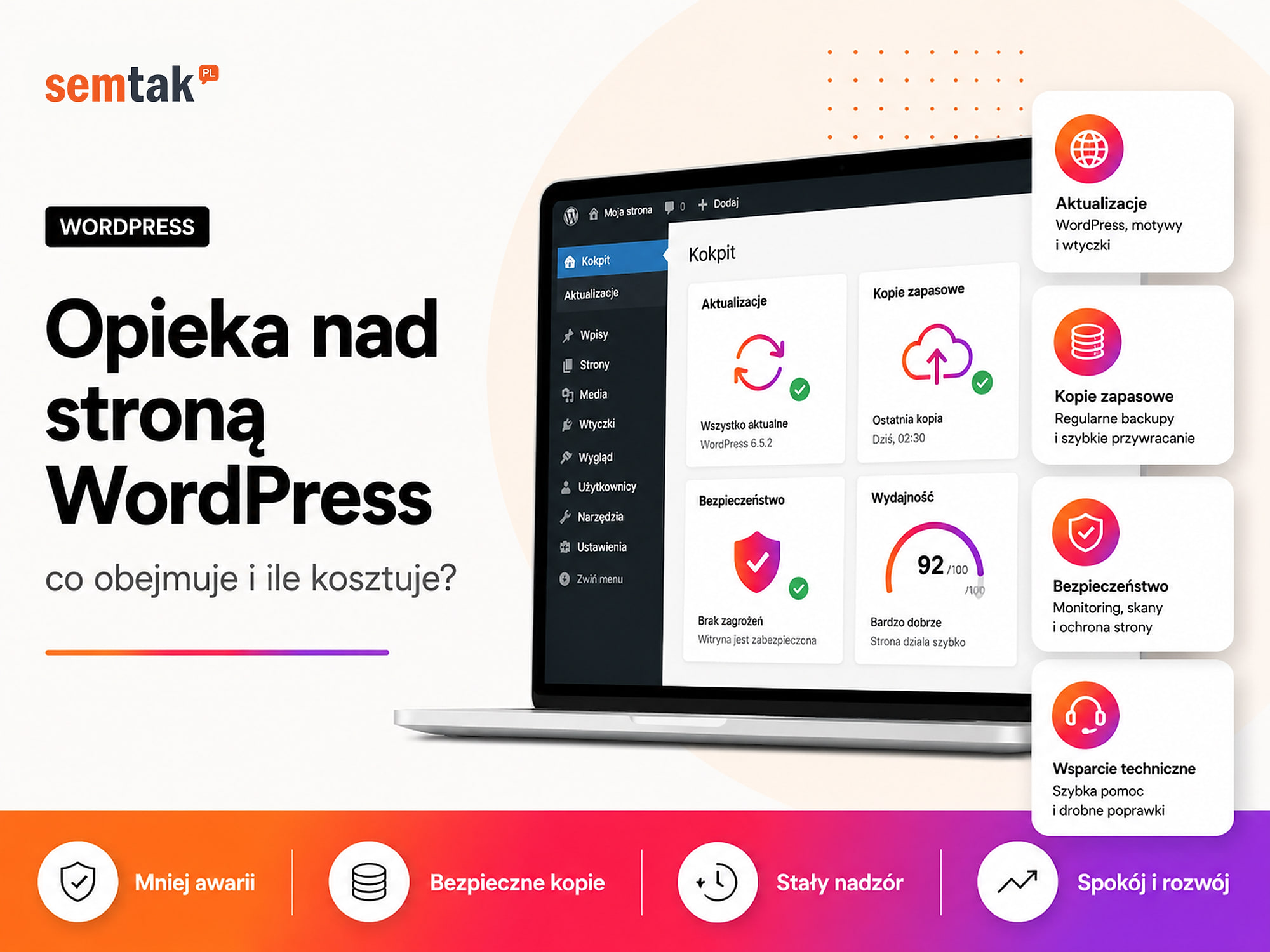
Ongoing WordPress website maintenance is meant to limit situations like this. It covers updates, backups, monitoring, security and an agreed way of responding to errors. In this guide we explain what should be included in a maintenance plan, what it usually does not cover and how much WordPress maintenance costs.
In short
WordPress website maintenance covers regular updates (WordPress, theme, plugins), backups, availability and security monitoring, fixes after updates and minor content changes. It most often costs from around £29 to a few hundred pounds per month, depending on scope and response time. Going without maintenance can be more expensive — a broken form, broken payments or a hack cost more than the plan. If visibility also matters to you, start with WordPress website positioning.
TL;DR
- Basic maintenance for a simple WordPress site usually costs around £29–69 net per month.
- An extended plan for a business site or a small store can cost £69–179 net per month.
- Maintenance for a larger WooCommerce store with integrations most often costs from a few hundred to a few thousand pounds per month.
- A good plan should cover updates, a working backup, availability monitoring and a defined response time.
- 24/7 monitoring does not always mean a specialist will fix the site the moment a failure is detected.
- New features, a redesign, positioning and removing an extensive infection are usually quoted separately.
What is WordPress website maintenance?
WordPress maintenance is an ongoing technical service whose goal is to keep the site in a secure and functional state.
It is not just about logging into the dashboard once a month and clicking "Update all". A safe update should cover:
- checking or creating a backup,
- assessing the available updates,
- updating WordPress, the theme and the plugins,
- checking the most important site functions,
- responding if an error appears after the changes,
- restoring the previous version when an immediate fix is not possible.
Depending on the plan, the person in charge may also monitor forms, security, performance, the order process and WooCommerce integrations.
Technical maintenance vs. content administration. These terms are often used interchangeably, but they do not always mean the same thing:
| Type of service | Example activities |
|---|---|
| Technical maintenance | Updates, backups, monitoring, security and response to failures |
| Content administration | Adding posts, images, products, banners and changes to texts |
| Site development | New subpages, features, forms, modules and integrations |
| Marketing | SEO, Google Ads, analytics and content creation |
A plan can combine several of these elements — but you need to check its exact scope. The phrase "full website maintenance" is not precise: for one company it means an update once a month, and for another also a backup, form monitoring, an hour of minor work and weekend help.
What should WordPress maintenance cover?
The basic scope should cover updates, backups, availability monitoring, security and response to failures.
1. Updates to WordPress, the theme and the plugins. WordPress is made up of several cooperating elements: the core system, the active theme, the plugins, the server configuration, the PHP version and external integrations. PHP is the language WordPress runs on — its version is set on the server or in the hosting panel, and a version that is too old can cause problems with compatibility, performance and security. Updates can fix bugs, close security gaps or change how a plugin behaves, which is why they should not be carried out without a backup and a subsequent test. After an update it is worth checking at least the home page, the menu, the contact form, the mobile version, the dashboard login, the most important subpages, and the cart and checkout in WooCommerce. For larger sites it is worth running updates first on a staging environment — a working copy of the site where you can check changes before moving them to the version available to customers.
Never update without a backup
A typical scenario: after a plugin update the form is still visible but stops sending messages. The site looks fine and for several days the company receives no enquiries. A backup is only useful when it is complete and can be restored smoothly — it is safest when at least one copy is held off-site (away from the main server). If the entire server fails or someone takes over the hosting account, a copy kept only in the same place may not be enough.
2. Automatic backups. It is worth establishing how often a backup is made, whether it covers files and the database, how long earlier versions are kept, where the backup is stored, who can restore it and whether restoration has been tested. The frequency depends on how often the data changes:
| Type of service | Example frequency |
|---|---|
| Simple company website | Once a day or a few times a week |
| Active blog | Once a day |
| WooCommerce store | At least once a day |
| Store with many orders | Several times a day or more often |
| Booking service | Depending on the number of new reservations |
In WooCommerce, the database holds orders, payment statuses, customer accounts and stock levels. If the store takes several dozen orders a day, restoring a copy from 24 hours ago may mean losing a significant part of the data.
3. Availability monitoring. Monitoring automatically checks whether the site responds and is available to users. If the site goes down, the system sends an alert to the person in charge — so a failure can be noticed earlier than a customer would report it.
"The site is up" does not mean "the store is selling"
Basic monitoring only confirms that the site opens — not that every function works. The site can be available while the form does not send messages, the cart does not add products, payment returns an error, the courier integration does not load pickup points or transactional emails do not reach customers. That is why for a company website it is worth checking the form separately, and in WooCommerce additionally monitoring the entire purchase process.
4. Site security. Basic WordPress security can include limiting the number of login attempts, two-factor login for administrators, control of user accounts, scanning changed files, removing unused plugins and themes, regular updates, SSL certificate control and an application firewall. SSL is a certificate that provides an encrypted connection between the user and the site — thanks to it the browser shows a padlock and uses HTTPS. An application firewall can block some suspicious traffic and automated attack attempts. No security measure guarantees that a site will never be attacked — the goal is to limit risk, detect problems faster and be able to restore a safe version.
5. Response to failures. A plan should define what happens when the site stops opening, a white screen or error message appears, the admin dashboard does not work, an update causes a conflict, the form does not send messages, the store does not accept orders, the SSL certificate expires or an infection is suspected. It is worth checking whether the plan covers only diagnosis, or also a defined number of hours of work on the fix — some plans guarantee a fast response, but the repair itself is billed separately.
What does SLA mean in WordPress maintenance?
An SLA defines the rules for handling tickets, including the maximum time to start responding to a problem.
Example terms might provide for a response within 24 hours on working days, within 12 hours seven days a week, or within 4 hours for critical failures.
Response time ≠ resolution time
Response time is the moment when a specialist replies or begins diagnosis. Resolution time is the moment when the problem is completely removed. A four-hour SLA does not have to mean that every failure will be fixed in four hours — it may mean that analysis will start within that time. Example: a store stops accepting payments on Saturday at 6 p.m. If the plan covers help only on working days, the problem may not be picked up until Monday; in a 24/7 plan the response starts in line with the agreement. For a simple landing page the difference is small; for a store selling at the weekend — enormous.
Are minor changes to the site part of the plan?
Minor changes can be included in the plan, but a monthly time limit usually applies.
A plan can include one, two or a few hours for: changing text, swapping an image, adding a banner, publishing a ready-made post, fixing a button, changing contact details, adding a few products, a minor form correction or a small change to the site's appearance. It is worth checking how many hours the plan includes, what exactly can be billed from that time, whether unused hours carry over to the next month and what the rate is once the limit is exceeded.
What is not a minor change. It usually will not be designing a whole subpage, building a configurator, implementing a booking system, integrating with an ERP, writing a dedicated plugin, rebuilding the cart, changing the entire theme or fully speeding up the site. Such tasks require separate analysis, testing and a quote.
What else does WooCommerce maintenance cover?
WooCommerce maintenance should monitor not only the store's availability, but the entire process leading to placing an order.
In a store it is worth checking the product page, prices and taxes, adding a product to the cart, discount codes, delivery methods, online payments, creating an order, changing the order status, sending emails to the customer, stock levels, invoices and integrations with external systems. A store can be available and yet not sell — e.g. after a payment plugin update the customer goes through the cart but receives an error when trying to pay, while basic monitoring still shows the site as working.
Larger stores can be connected to an ERP system, a warehouse, accounting software or Base (formerly BaseLinker). Such systems often communicate through an API — a way of exchanging data between different programs, for example WooCommerce and a warehouse system. As part of maintenance, you can also monitor the product feed, that is a file with product information passed e.g. to Google Merchant Center. If you are only planning a store, it is worth agreeing the scope of later upkeep already at the stage of building a WooCommerce store.
How much does WordPress website maintenance cost?
Basic maintenance usually costs from around £29–69 net per month, but plans for stores and services that require a fast response can cost over £199 per month.
Public price lists have no single standard. A plan for £39 may cover only updates and a backup, while another also monitoring, a report and help in case of a failure. The approximate ranges are as follows:
| Type of maintenance | Approx. price net / month | Typical scope |
|---|---|---|
| Simple WordPress site | £29–69 | Updates, backup and availability monitoring |
| Business website | £69–179 | Security, tests, shorter response and minor changes |
| Small or medium WooCommerce | £119–299 | Order, payment and integration control plus an hour bank |
| Larger store or critical service | from £239 | Extended monitoring, priority support and more hours |
These are approximate ranges. The final price depends above all on the number of features, integrations, the expected response time and the number of work hours included in the plan.
How much WordPress maintenance costs at SEMTAK. According to the price list available on 5 June 2026, WordPress and WooCommerce technical maintenance at SEMTAK was divided into three plans:
| Plan | Price net / month | Intended for |
|---|---|---|
| Basic | £39 | Company sites, landing pages, blogs and one-pagers |
| Pro | £119 | Business sites and small to medium WooCommerce stores |
| Enterprise | £259 | Larger stores and services important for sales continuity |
Basic covers core updates, backups, availability monitoring, SSL control and a report. Pro adds, among other things, minor changes within a monthly limit, form and order-process monitoring and backup testing. Enterprise is intended for larger stores — it covers broader monitoring, a larger hour bank, periodic checks and priority handling. Prices and scopes can change, so before choosing a plan check the current price list on the service page.
What affects the price of WordPress maintenance?
The price grows with the number of features, integrations, the required response time and the responsibility for the site's operation.
Type of site. A simple landing page with five subpages is easier to maintain than a store with thousands of products, multiple payments and a warehouse integration.
Number and quality of plugins. A site with a dozen or so proven extensions is usually simpler to maintain than a service with several dozen plugins installed by different people. The risk is increased especially by abandoned plugins, expired licences, add-ons from an unknown source, several plugins performing the same function and old modifications without documentation.
Custom code. A dedicated theme or plugin may require a developer's work after an update of WordPress, WooCommerce or PHP. If the code was written several years ago and has no documentation, starting maintenance may require a prior technical review.
Integrations. The price can be higher when the store is connected to an ERP, a warehouse, Base, a marketplace, a payment operator, an invoicing system, a courier company or an external API. In that case the person in charge must check not only WordPress, but also the flow of data between systems.
Response time. A plan with a next-business-day response will usually be cheaper than help available also in the evenings, at weekends and on holidays.
Hour bank. A plan covering only technical upkeep is cheaper than one that includes a few hours of an administrator's or developer's work.
Initial state of the site. Taking over a well-kept site is simpler than starting maintenance on a site that has not been updated for two years, generates PHP errors, has no working backup, uses an unsupported theme, was previously infected or runs on overloaded hosting. In such a case you first have to tidy up the site, and only then start regular upkeep.
Does hosting include WordPress maintenance?
Hosting provides the environment for the site, but it usually is not responsible for how WordPress, plugins, forms and the cart work.
| Hosting | WordPress maintenance |
|---|---|
| Provides space and server resources | Updates WordPress, the theme and the plugins |
| May automatically create a backup | Checks the copy and restores it if needed |
| Monitors the infrastructure | Monitors the specific site and its functions |
| Responds to a server failure | Responds to a site or store error |
| Usually does not test forms | Can monitor forms and orders |
| Does not make content changes | Can provide a bank of minor work |
The server can work correctly while WordPress still shows an error. The hosting provider can then confirm that the infrastructure is fine, but will not fix a plugin conflict. A VPS server is a different matter — a dedicated virtual server that requires its own configuration, updates and security. If the source of the problems is too few resources or a badly configured environment, it is worth looking at a server prepared for WordPress and WooCommerce.
What does the plan usually not cover?
A standard plan is for maintaining an existing site, not for its unlimited rebuilding and development.
The most commonly separately quoted items are: building a new site, rebuilding the design, creating new features, dedicated plugins, extensive site speed-up, positioning, content creation, running Google Ads, new integrations, migration to another host, VPS server administration, fixing old problems detected before the contract started and removing an extensive infection. This does not mean a maintenance company cannot do this work — it is simply a separate project. If an old site needs constant patching, a better solution is sometimes rebuilding or creating a WordPress site rather than adding more fixes to a problematic structure.
How to compare WordPress maintenance offers?
Do not compare the monthly price alone — check the scope, limits, responsibility and the failure-response terms. Before signing a contract, ask the following questions:
Updates: how often are they carried out? Is a backup created before an update? Are the changes tested? What happens when an update causes an error?
Backup: where is it stored? How long are copies kept? Does it cover files and the database? Is restoration included in the price?
Monitoring: is only the site's availability checked, or also forms or the purchase process? Who receives the alert? How quickly does the response start?
Hour bank: how much time does the plan include? What can be billed within the limit? Do hours carry over to the next month? How much does extra work cost?
Licences: who pays for paid plugins and the theme? Does the person in charge update premium plugins? What happens after a licence expires?
Ending the cooperation: what is the notice period? Who keeps the copies and documentation? Do all accounts and access belong to the client? What does handing the site over to another contractor look like?
When is a cheap maintenance plan enough?
A basic plan can be enough when the site is simple, does not take payments and is not directly responsible for the company's sales.
The cheapest plan can make sense when you have a simple landing-page site, the site has few integrations, you edit content yourself, a working-day response is enough, a brief failure does not stop sales and you mainly need updates, a backup and monitoring. In that case a more extensive plan would include elements the site does not really need.
When is the cheapest maintenance risky?
The cheapest plan can be insufficient when every failure means losing orders, enquiries or advertising budget.
You need broader maintenance especially when you run a WooCommerce store, the site generates most of your sales enquiries, you direct paid campaigns to it, it handles payments or reservations, it uses an ERP, Base or a warehouse, you need help also at weekends, it runs custom code or every hour of downtime causes a real loss.
What can you check yourself?
Even without programming knowledge you can check updates, backups, forms, administrator accounts and the basic purchase path.
1. Check pending updates. Log into the WordPress dashboard and see how many updates are pending. Do not install everything at once if you do not have a current backup.
2. Check the site health. In the dashboard open Tools → Site Health — you will see some of the problems related to PHP, security and configuration.
3. Check the date of the last backup. Make sure the copy was actually created, has a correct size and covers the database.
4. Open the site without logging in. Check it on a computer, on a phone and in the browser's private mode — a logged-in administrator may see a different version of the site than an ordinary user.
5. Send a test form. Check whether a confirmation appears, whether the message reaches the right address, whether it does not land in spam and whether the customer receives an automatic reply (if one is configured).
6. Place a test order. In WooCommerce check at least: adding a product to the cart, choosing delivery, going to payment, creating an order and sending an email to the customer.
7. Check the administrators. Remove unused accounts and revoke full permissions from people who do not need administrative access.
8. Check the licences. Verify whether the paid theme and important plugins still have active licences and receive updates.
When is it worth hiring a specialist for maintenance?
Ongoing maintenance makes sense when the site is important for sales and there is no one in the company responsible for its technical condition.
Consider external help if you do not know whether you have a working backup, you are afraid to carry out updates, an update previously broke the site, the previous contractor ended the cooperation, the store uses many paid plugins, WooCommerce is connected to payments, a courier or an ERP, customers report problems with the form or the cart, the site is slow or unstable or no one regularly checks its condition. Before starting a plan, a specialist should assess the current configuration — then you know whether maintenance can start right away or whether you first need to carry out updates, repairs or tidy up the server.
Problems with indexing, speed and visibility, on the other hand, are worth analysing separately as part of technical SEO or an SEO audit. WordPress maintenance keeps the site running, but it does not replace regular positioning.
Frequently asked questions
Does every WordPress site need paid maintenance?
No. The owner of a simple site can carry out updates, backups and basic tests themselves. Paid maintenance makes sense when there is a lack of time or knowledge, or the site is important for sales.
How much does the cheapest WordPress maintenance cost?
Basic plans usually start from around £29–59 net per month. They most often cover updates, a backup and availability monitoring.
Does WordPress maintenance include hosting?
Not always. Hosting and technical maintenance are separate services. Hosting provides the infrastructure, while the person in charge is responsible for WordPress and its functions.
Are automatic updates enough?
Not in every case. An update can finish correctly, but it will not check whether the form, the site's appearance, the cart or payment still work.
Does maintenance include removing the effects of a hack?
It depends on the contract. A plan may cover a basic response and restoring a copy, but removing an extensive infection is often quoted separately.
Do unused hours carry over to the next month?
It depends on the plan's terms. In many plans the hour bank resets at the end of the month.
Does technical maintenance include SEO?
Usually not. Maintenance can cover availability, SSL and basic error checks, but regular positioning is a separate service.
Can you cancel maintenance after one month?
It depends on the contract. You need to check the minimum cooperation period, the notice period and the rules for handing over access.
Summary — maintenance is more than updates
WordPress maintenance is not just about installing updates. Its job is to make sure the site works, has a working backup and is not left without help at the moment of a failure. For a simple site a basic plan can cost a few dozen pounds a month; WooCommerce with payments, integrations and active sales requires broader monitoring, a shorter response time and a larger hour bank.
Before choosing a plan, check above all the exact scope, the backup frequency, the way updates are tested, the SLA terms, the available hour bank and the list of work quoted separately. If you want to check the condition of your site or store, we can analyse the updates, backups, security, hosting and the most important functions:
- WordPress and WooCommerce technical maintenance — Basic, Pro and Enterprise plans matched to risk.
- WordPress and WooCommerce servers — when the source of the problems is hosting or a VPS.
- Building and rebuilding WordPress sites — when an old site no longer needs patching but rebuilding.