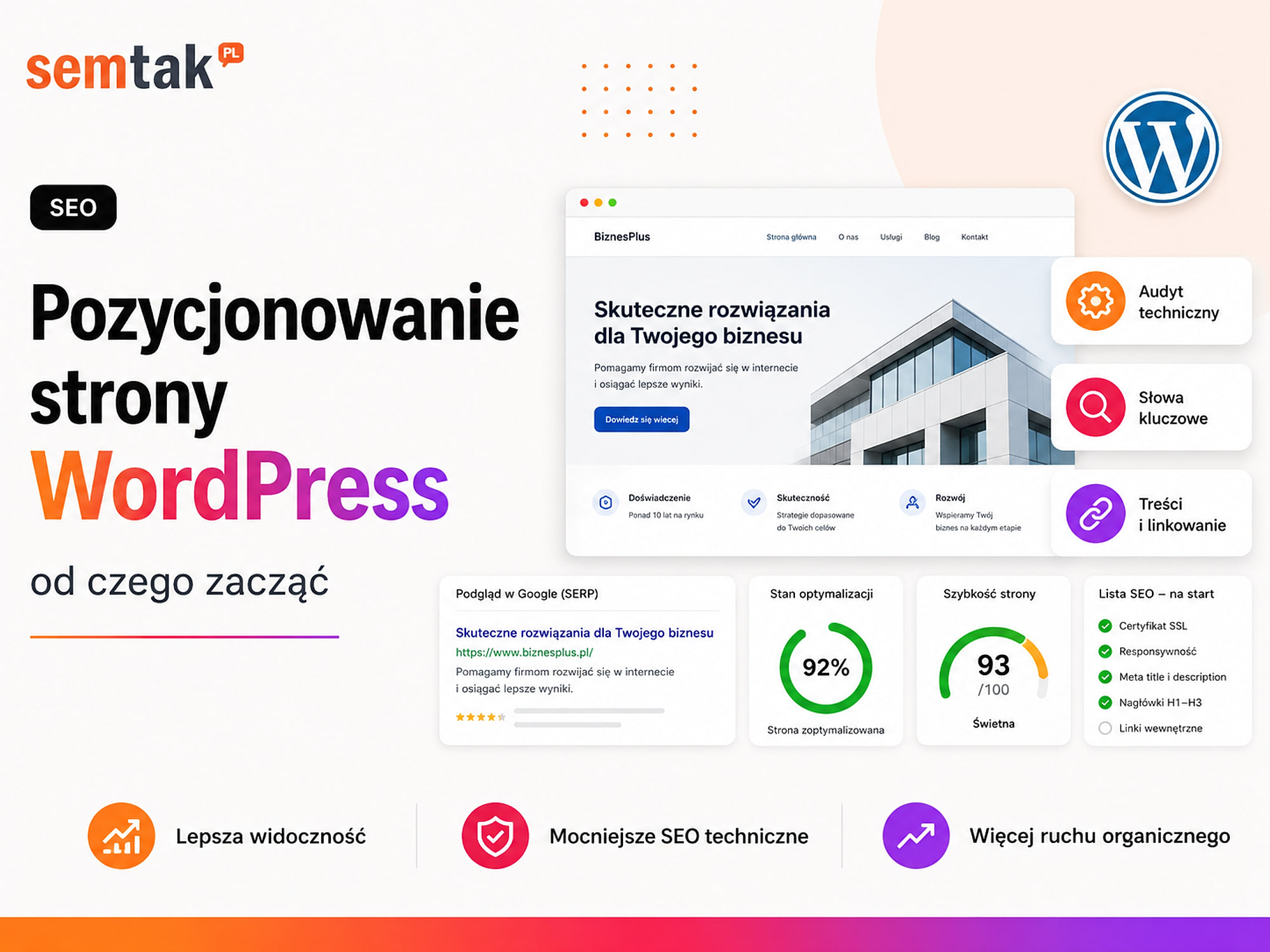
A WordPress site can look good and contain a full description of your offer, yet still not bring in visits from Google. Most often the cause is not the absence of yet another plugin, but problems with indexing, the structure of subpages, the content or the measurement of results.
In short
Start WordPress SEO by connecting Google Search Console, checking indexing and choosing your most important business subpages. Then assign keywords to specific URLs, improve the content, internal linking, meta data and speed. Only once these elements are in order should you develop the blog and earn links from other sites. Wondering about the budget? Check how much a WordPress site costs.
Do you run an online store? This guide mainly covers company and service websites. For e-commerce we have prepared a separate guide: WooCommerce store SEO — where to start, step by step.
In a nutshell (TL;DR)
- First check whether Google can find and index your important subpages.
- Connect Google Search Console and record the starting state of your visibility.
- Every important service, category or intent should have one main URL.
- Develop primarily your offer pages, categories and other places that lead to conversion.
- Use the blog to answer customer questions and support the relevant offers.
- Check internal linking, the mobile version, speed and structured data.
- Do not install several SEO plugins that perform the same tasks.
- Measure forms, calls, enquiries and sales, not just keyword positions.
What does WordPress SEO mean?
WordPress SEO is not a single setting in the dashboard or the installation of an SEO extension — it is a process that helps Google find your site, understand its content and match the right subpage to a query.
It covers four main areas:
- Technical setup — indexing, the sitemap, canonicals, redirects and speed.
- Structure — dividing your offer, categories and content into logical addresses.
- Content — service pages, categories, products and guides that answer users' questions.
- Authority and measurement — external links, brand recognition and the analysis of queries and conversions.
Indexing means adding a page to Google's database so that it can appear in search results. Simply publishing a subpage in WordPress does not guarantee that it will be indexed.
Is WordPress good for SEO?
Yes — WordPress gives you a lot of control over content, URLs, headings, links, images and structured data.
It lets you comfortably build both a simple company website and a large site with hundreds of guides, or a WooCommerce store. Problems usually do not stem from WordPress itself, but from how it is implemented — visibility can be blocked by a heavy theme, an excess of plugins, an accidental subpage structure, errors after migration, a slow server, or several similar pieces of content competing for the same keyword. WordPress offers good SEO possibilities, but you still have to determine which subpages are the most important, which needs they answer, how they are connected, which addresses Google should index, and what the user is supposed to do after landing on the page.
An SEO plugin does not rank your site
Yoast SEO, Rank Math, SEOPress and similar extensions tidy up the technical settings, but they do not create a strategy.
They help you set the meta title, meta description, the XML sitemap, noindex tags, canonical addresses, breadcrumbs and structured data. They cannot, however, replace competitor analysis, the choice of the most important topics, the preparation of a good offer, internal linking or earning external links.
A green indicator in the plugin ≠ the best answer to a query
A plugin might suggest using the phrase "air conditioning installation Rzeszów" more often. Simply repeating it in the text will not help if the subpage does not explain what installations the company carries out, which area it serves, how a quote is prepared, how long the installation takes, which devices are available, what the service includes and how to contact the contractor. A plugin tidies up the technical settings — it does not create an SEO strategy.
WordPress SEO step by step
Step 1. Define the business goal of your SEO. Before you start choosing keywords, decide what the user is supposed to do after landing on the page: send a form, make a call, book a consultation, sign up for an appointment, download a catalogue, submit an enquiry, add a product to the basket or make a purchase. A position for a random keyword is of little value if it does not lead to contact or a sale. Take a service site as an example — a company offering the installation of photovoltaics, heat pumps, energy storage and servicing should not position only the homepage for all services:
/
├── fotowoltaika/
├── pompy-ciepla/
├── magazyny-energii/
└── serwis-instalacji/
Each subpage answers a different need and leads to a form concerning a specific service. In a store, the category answers a general purchasing query, the subcategory a more specific need, and the product page a query about a specific model:
/
├── kategoria/buty-trekkingowe/
│   ├── buty-trekkingowe-damskie/
│   └── buty-trekkingowe-meskie/
└── produkt/buty-trekkingowe-model-x/
Do not try to position the homepage for all categories and products at the same time.
Step 2. Record the starting state. Before implementing changes, record the number of clicks from Google, the number of impressions, the most frequent queries, the most popular subpages, the number of forms and calls, any visible indexing problems, the speed of the most important templates and the number of valuable addresses in the index. The basic tool is Google Search Console — it shows which queries your site appears for, which addresses earn clicks and whether Google has problems with indexing. Also set up the measurement of real actions:
| Event | What it shows |
|---|---|
| Form submission | The number of enquiries from the site |
| Phone number click | Interest in contact by phone |
| Email address click | Attempts at contact by email |
| Appointment booking | The number of booked consultations |
| Add to basket | Interest in a product |
| Purchase | Sales and transaction value |
Without measurement you can increase traffic but still not know whether SEO is bringing in customers.
Step 3. Check whether Google can index the site. In WordPress go to Settings → Reading and check that the option discouraging search engines from indexing the site is not ticked (it is often switched on for a test site and not removed after going live). In Google, type site:yourdomain.com — this is a rough test that shows some of the addresses known to the search engine; check whether the homepage, the most important services, key categories, valuable guides and important local pages appear, rather than mainly test pages, empty tags, WordPress search results, author pages with no value, technical addresses and duplicates.
robots.txt and noindex are different mechanisms
The robots.txt file controls whether robots can visit addresses; the noindex tag tells them that a page should not appear in results. Do not block in robots.txt a page on which you want to apply noindex — if the robot cannot reach the address, it may not read that directive. Also check the canonical: it indicates one main version of an address when the same content appears under several URLs (the main version should usually be the page without parameters). An incorrect canonical may point to the homepage, another service, a test version, an HTTP address or a non-existent URL.
Step 4. Check the XML sitemap. The XML sitemap helps Google discover important addresses. WordPress has a basic mechanism for creating sitemaps, and SEO plugins can generate their own — what matters is using a single, deliberately chosen solution. The sitemap should contain important pages, valuable posts, key categories and correct HTTPS addresses; it should not contain test pages, noindex addresses, thank-you pages, empty archives, technical templates or non-existent addresses. Add the sitemap in Search Console and check that it has been fetched correctly. A sitemap does not guarantee indexing — it merely tells Google which addresses you consider important.
Step 5. Tidy up your URLs and redirects. An address should be short, readable and stable — company.com/energy-audit/ is better than company.com/page-id-1287-final-new-2/. In WordPress, check Settings → Permalinks (a structure based on the post/page name is usually best).
Do not change working addresses without a reason
If a URL earns traffic and links, changing it may cause a drop in visibility. When a change is necessary, set up a 301 redirect leading to the most relevant content, and not automatically to the homepage. Also check for 404 errors, redirect loops, chains of several redirects, links pointing to old addresses, as well as HTTP/HTTPS and www/non-www variants — the site should use a single main version of each address.
Step 6. Plan the site structure. The structure of the site should match the way users search for your offer. An example for an accounting office:
/
├── ksiegowosc-dla-firm/
├── kadry-i-place/
├── obsluga-spolek/
├── zakladanie-firmy/
├── cennik/
├── realizacje/
├── o-nas/
├── kontakt/
└── blog/
Every important service gets its own address — do not try to position a single "Offer" subpage simultaneously for accounting, HR and payroll, company support, consultancy and business set-up. Also do not hide important subpages too deep: instead of Offer → Services → For companies → Financial services → Full accounting, it is clearer to have Services → Full accounting. Find orphan subpages — addresses that no links lead to (they may be in the XML sitemap, but the user has no way of reaching them). The most important pages should receive links from the homepage, the menu, related services, guides, case studies and thematic categories.
Step 7. Choose keywords and assign them to addresses. Do not prepare a single list of keywords for the whole domain — create a map of keyword → intent → URL → goal:
| Keyword | Intent | Target subpage | Goal |
|---|---|---|---|
| accounting office Rzeszów | Local and service | Homepage or local page | Call or form |
| full accounting Rzeszów | Service | /pelna-ksiegowosc/ | Enquiry |
| how much does company accounting cost | Informational | Guide | Move to the service |
| women's trekking boots | Transactional | Product category | Add to basket |
| women's leather trekking boots | Transactional, detailed | Subcategory or SEO filter | Purchase |
| how to choose trekking boots | Informational | Guide | Move to the category |
| a specific boot model | Product | Product page | Purchase |
A single subpage should have one main topic and a set of naturally related queries. Watch out for cannibalisation — when several addresses (/pelna-ksiegowosc/, /uslugi-ksiegowe/, /ksiegowosc-firm/, /ksiegowosc-rzeszow/) describe the same service, Google may have trouble choosing the right one. A solution may be merging the content, separating the intents, improving internal linking, redirecting the weaker address or changing the canonicals. Do not create a new subpage just because you have found a slightly different variation of a keyword.
Step 8. Develop the most important business subpages. A service subpage should not consist solely of a short description and a form. It should answer: what you offer, who the service is for, what problem it solves, what it covers, how the cooperation works, how long it takes to deliver, what the price depends on, what you need from the client, why your company is worth choosing and what the user should do next. An example structure:
H1: Energy audit of a building in Rzeszów
Lead
Key benefits
Scope of the audit
Who the service is for
Step-by-step process
What the client receives
What the price depends on
Case studies
FAQ
Form
In a store, the most important business pages may be categories, subcategories, product pages, brand pages, promotion pages and guides leading to categories. A "women's trekking boots" category should explain the differences between models, their uses, materials and how to choose — not just contain a grid of products. If you need full support instead of implementing the changes yourself, see how website positioning works at SEMTAK — we start with technical setup, structure and content, not with publishing random articles.
Step 9. Use the blog to support the offer. The blog should not be a collection of random topics. Every article should answer a real question, support a specific service or category, lead to the next step, link to an important subpage and be updated when the information changes.
| Article | Supported offer |
|---|---|
| How much does air conditioning installation cost? | Air conditioning installation |
| Air conditioning for a 50 m² flat | Home air conditioning |
| How often should air conditioning be serviced? | Air conditioning servicing |
| How to choose trekking boots? | Trekking boots category |
| Low or high boots for the mountains? | Product subcategories |
The article answers an informational question, while the service page/category answers a purchasing need. Do not turn an offer page into a giant guide, and do not turn every article into pushy advertising.
Step 10. Tidy up headings and meta data. Every important subpage should have one clear H1 heading (e.g. "Garden design in Kraków"), with H2/H3 dividing the content into logical sections. Do not choose a heading level based on its size — the appearance is set in CSS, while the level follows from the structure of the content. The meta title should be specific, matched to the subpage, related to the intent and different from the titles of the other addresses (e.g. "Garden design Kraków — design and execution | Company"). The meta description should encourage the right user, not contain an artificial list of keywords. Google may display a different snippet if it better matches the query — but it is still worth preparing your own description.
Step 11. Improve internal linking. Link from articles to services/categories, between related services, from case studies to the offer, from the homepage to priority subpages, from older materials to newer ones and from general guides to detailed ones. Use descriptive anchors — "before a major rebuild it is worth checking the site's technical SEO" is better than "you will find more information here". A link should lead to a logical next step; you do not have to place several links in every paragraph.
Step 12. Check the mobile version. Google evaluates and indexes mainly the mobile version — important content should not be available only on a desktop. On a phone, check whether the text is readable, the buttons are not too close together, the menu works, the form is comfortable to fill in, elements do not extend beyond the screen, a popup does not cover the entire content, the phone number is clickable and the page does not shift while loading. Do not test only in the builder's preview — open the page on a real phone and go through the whole path: Google → subpage → form or basket → confirmation.
Step 13. Improve speed and Core Web Vitals. Core Web Vitals are metrics that assess the loading speed of the main content, the page's responsiveness and layout stability. In WordPress, problems are most often caused by images that are too large, a heavy theme, an excess of plugins, an extensive builder, slow hosting, badly configured caching, external scripts and too many fonts. To start with: reduce image sizes, enable properly configured caching, remove unused plugins, limit unnecessary scripts, check the most important templates on a phone and verify your hosting. Do not focus solely on a 100/100 score in PageSpeed Insights — what matters more is data from real users and whether the content can be read quickly, the form opened and the purchase made. For larger problems, combine performance analysis with technical SEO and regular WordPress maintenance.
Step 14. Add the right structured data. Structured data helps the search engine understand the type of content — in WordPress, Organization, LocalBusiness, Service, Article, BreadcrumbList, Person, FAQPage, Product, Offer may apply. Do not add every schema type to every page — the data should match the visible content, contain true information, describe the right entity and be technically correct. If a page has no visible FAQ, do not add hidden schema with questions purely for Google. Structured data does not guarantee a rich result, but it helps describe the content correctly.
Step 15. Take care of the site's credibility. The user should easily be able to check who is responsible for the offer and the content. Add full company details, an "About us" page, information about the team, article authors, update dates, case studies, reviews, photos of your own work, certificates (if they are relevant), contact details and sources for demanding topics. For medical, financial, technical and legal content, show who has the competence to prepare it. Instead of writing "we are a professional company with many years of experience", show a specific process, the team, the projects you have completed and the scope of responsibility. Regular WordPress updates, backups and tests also affect the quality of the site — WordPress maintenance is helpful here.
Step 16. Develop local visibility if the company operates in a defined area. Tidy up your Google Business Profile as well as the details on the site: the name, the business category, the address or service area, the hours, the phone number, the services, the photos and the reviews. The data should be consistent. Do not create dozens of almost identical subpages in which only the city name is changed — a local page should contain real information: case studies, travel time, the scope of service, reviews and details of the branch. Local SEO is a separate area; in this guide it is enough to determine whether local traffic is important and whether the site has the right subpages and company details.
Step 17. Build links only on a prepared site. Links from other sites can strengthen visibility, but they will not fix blocked indexing, a faulty structure, the absence of important subpages, duplicates, a weak offer or incorrect canonicals. First prepare the site, and only then develop its authority. Valuable links can come from industry sites, local portals, industry organisations, partners' sites, expert publications, case studies and case histories, as well as local media. Avoid the mass purchase of links from random sites — link building should support specific subpages and follow from the overall strategy, rather than being your first SEO activity.
A WordPress SEO plan for the first 30 days
| Period | What to do | Result |
|---|---|---|
| Days 1–3 | Connect Search Console and analytics | You know where you are starting from |
| Days 4–7 | Check indexing, the sitemap, robots, canonicals and 404 errors | You remove technical blockers |
| Days 8–10 | Determine the most important services, categories and goals | You choose your priorities |
| Days 11–14 | Prepare a keyword-to-URL map | You reduce cannibalisation |
| Days 15–20 | Improve the most important business subpages | You develop the places that lead to conversion |
| Days 21–23 | Set up meta data, headings and internal linking | You tidy up the structure |
| Days 24–26 | Improve the mobile version, images and speed | You remove technical problems |
| Days 27–28 | Check the structured data | You make the page easier to interpret |
| Days 29–30 | Plan content and further activities | You create a regular process |
After a month, do not judge your SEO solely by a single keyword. Check whether Google is indexing the right subpages, whether the number of impressions is growing, whether new queries are appearing, whether users are moving on to your offers and whether the number of forms, calls or sales is rising.
How to measure the results of WordPress SEO?
A report should connect SEO with business results, and the average position is only one of the metrics.
| Area | What to measure |
|---|---|
| Visibility | The number of keywords and pages appearing in Google |
| Traffic | Clicks from organic results |
| CTR | The ratio of clicks to impressions |
| Indexing | The number of correctly indexed important URLs |
| Content | Subpages that generate visits |
| Conversions | Forms, calls, bookings, purchases |
| Lead quality | Enquiries that match the offer |
| Revenue | Sales or the value of acquired customers |
A better signal than position alone is growth: valuable visits → moves to the offer → enquiries or baskets → sales. SEO is not always the only right channel — when you need to reach customers quickly, it will be useful to compare positioning and Google Ads.
The most common mistakes in WordPress SEO
The most damage is done by: several SEO plugins at once, positioning only the homepage, a blog without a plan and changing addresses without redirects.
1. Installing several SEO plugins. Two plugins can simultaneously generate a sitemap, canonicals, meta data and schema — this creates duplicates and conflicts. Choose one main solution.
2. Positioning only the homepage. A single page should not be responsible for all services, categories, cities and intents.
3. Publishing articles without a plan. A blog generates visits on random topics, but does not support the offer or the categories.
4. Creating many similar subpages. This applies to local pages and several descriptions of the same service — such content can compete with itself.
5. Changing addresses without redirects. Rebuilding WordPress can remove URLs that were earning traffic and links; for a larger change, prepare a redirect map. If you are moving the site from another system, look into the migration to WordPress without losing SEO service.
6. Buying links before improving the site. The budget goes into strengthening addresses that still have weak content, indexing errors or an unclear purpose.
What can you check yourself? A checklist
If your answer to several questions is "I don't know", start with an audit rather than with publishing more texts.
- Is WordPress not blocking indexing?
- Is Google Search Console connected?
- Does the XML sitemap contain the right pages?
- Are important services, categories or products indexed?
- Does one service or intent have one main URL?
- Are the addresses readable and stable?
- Do 404 errors go through the right redirects?
- Do the offer subpages answer customers' questions?
- Do the articles link to services or categories?
- Does the site work correctly on a phone?
- Are forms, calls, the basket and purchases measured?
- Do the most important pages have a clear CTA?
When is it worth handing this over to a specialist?
You can carry out the basic activities yourself on a small site; it is worth considering a specialist's help when traffic is not growing despite content, or technical problems appear.
You will manage on your own when the site is small, has a few services or categories, has not been migrated recently, has no serious indexing problems, you know WordPress and you have time for regular work. Consider a specialist's help when traffic is not growing despite publishing content, visibility has dropped after a rebuild, Google is indexing random addresses, several pages are competing for the same keywords, the site has hundreds of subpages, it operates in several languages or cities, Core Web Vitals are poor, canonical and redirect errors appear, the company invests in content without measuring enquiries, or SEO is meant to be a steady source of leads or sales. In such a situation you need a diagnosis, priorities and a plan, not the installation of yet another plugin. At SEMTAK we run website positioning for service companies, content sites and stores — we combine technical setup, structure, content and measurement.
Frequently asked questions
Is WordPress good for positioning?
Yes. WordPress gives you a lot of control over content, URLs, meta data, internal linking and structured data. The result, however, depends on the quality of the implementation, the theme, the structure and the content.
Where to start with SEO on WordPress?
Start by connecting Google Search Console, checking indexing and defining the most important business goals. Then prepare the site structure and assign keywords to specific addresses.
Which SEO plugin for WordPress is the best?
The popular solutions offer similar basic features. More important than the plugin's name is configuring it correctly and using only one main SEO extension.
Is an SEO plugin alone enough?
No. A plugin helps manage meta data, the sitemap, canonicals and schema, but it does not replace strategy, content, internal linking, speed or building authority.
How long does WordPress SEO take?
The first technical fixes can be implemented quickly, but developing visibility usually requires regular work over the following months. The pace depends on the competition, the state of the site, the content and the domain's history.
Do you have to run a blog in order to position a site?
Not every company needs a regular blog. First you should prepare good service pages, categories or products. A blog makes sense when it answers questions that can lead to the offer.
Can changing the WordPress theme harm SEO?
Yes, if it changes addresses, headings, content, internal linking, structured data or speed. Before changing the theme, it is worth making a backup, a crawl of the site and a test on a staging environment.
Does WordPress positioning differ from the SEO of other systems?
The basic principles are similar: indexing, structure, content, speed and links. The tools differ, as do the typical problems arising from themes, plugins and how the CMS works.
How does WooCommerce store positioning differ from a regular site?
In a store there are also categories, products, variants, filters, offer structured data, stock levels and a far greater number of addresses. That is why e-commerce requires additional control of indexing and architecture. Details in the WooCommerce store SEO guide.
Start with the fundamentals, not with random articles
In WordPress positioning it is easy to install a plugin, publish a post or buy a few links — it is harder to check whether the site structure matches the offer, whether important subpages are indexed and whether traffic leads to forms, calls or sales.
The right order looks like this:
measurement
→ indexing
→ structure
→ keywords and intents
→ business subpages
→ supporting content
→ internal linking
→ speed
→ external links
→ regular analysis of results
If you do not know what is blocking the visibility of your site or store, we can analyse the technical setup, structure and content, and then lay out the actions according to their impact on the business:
- Website positioning — technical setup, structure, content and measurement.
- Technical SEO and WordPress maintenance — the foundation and upkeep.
- WooCommerce store SEO and SEO / GEO guides — when you run a store or want to develop your visibility further.